
Managing a software development project is a delicate balance. You need to understand user needs, prioritize features, allocate resources, and track developer productivity. On top of that, you deal with conflicts, urgent messages, and budget adjustments.
And then there's the task of reporting on project progress—so much to cover in so little time!
Accurate progress reports rely on detailed data about each developer's contributions. Without this information, your reports may not gain leadership buy-in or prevent project overruns.
To level up your progress reports, consider these valuable tips.
What is a progress report in software development?
A progress report in software development outlines the current status of a software project. It informs stakeholders—team members, project managers, and clients—about accomplishments, ongoing tasks, and challenges.
Typically, it includes details on completed milestones, upcoming deadlines, resource allocation, and any issues or risks that might impact the timeline or budget. The purpose is to ensure transparency, facilitate communication, and enable informed decision-making throughout the development process.
Status report vs progress reports
In software development, the terms “status report” and “progress report” are often used interchangeably, but they serve different purposes.
Status reports provide a snapshot of your project at a specific time. They give an overview of the current state, highlighting achieved milestones, existing challenges, and potential risks.
Progress reports document the project’s journey over a set period. They track changes and advances, showing how the project has evolved since the last report.
Progress reports are more detailed, offering a thorough overview of the project’s progression. They detail what has happened and may also offer projections for what’s likely to come.
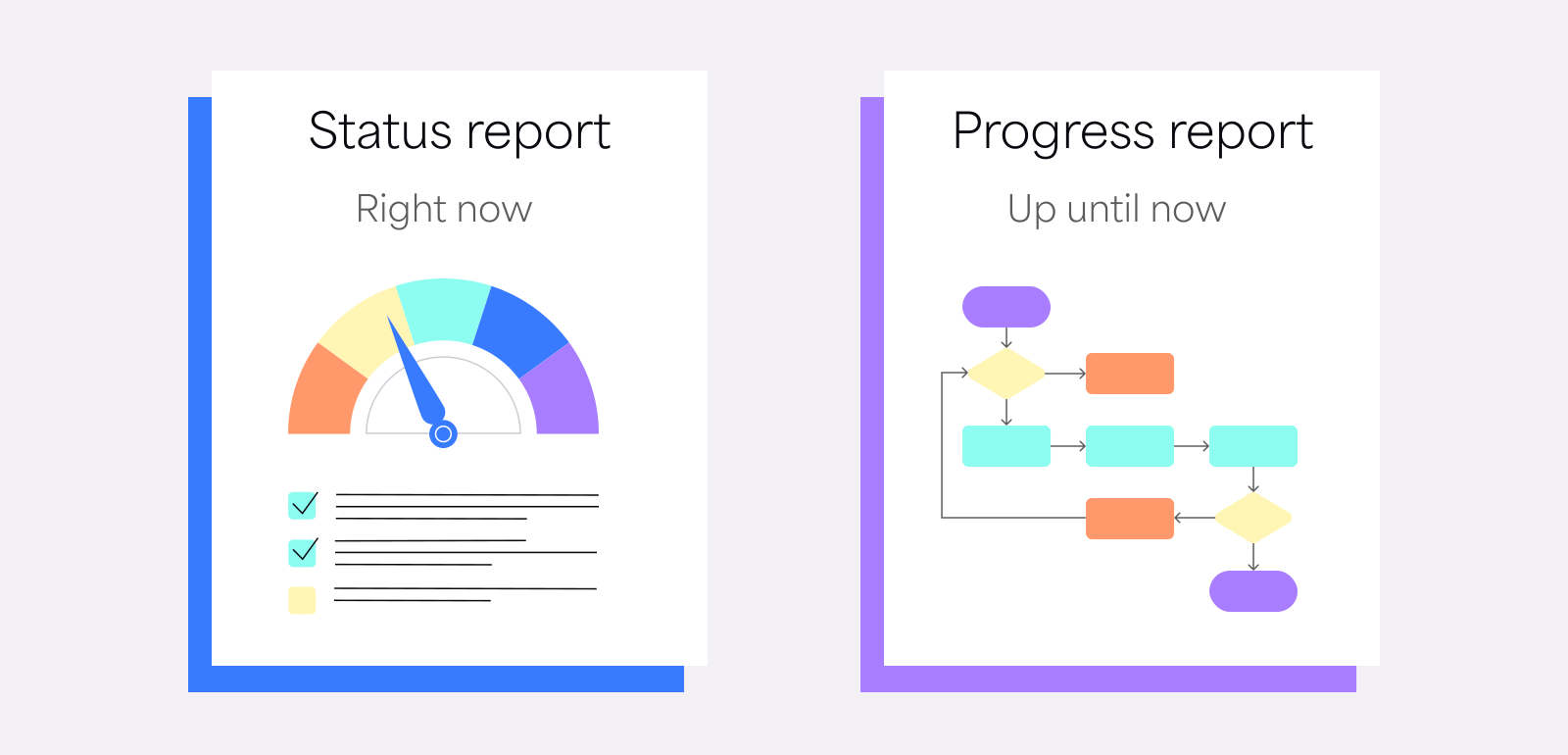
Status reports, with their snapshot-like nature, are generally prepared for strategic stakeholders. They are vital for governance and control, offering a quick overview of the project’s current state.
Progress reports are oriented more toward tactical purposes. With their detailed account of events, they help project managers keep a finger on the pulse of the project’s progression and make informed decisions.
Core elements of effective software development progress reports
An effective progress report uses the right data to convey a cohesive narrative on the project's progression.
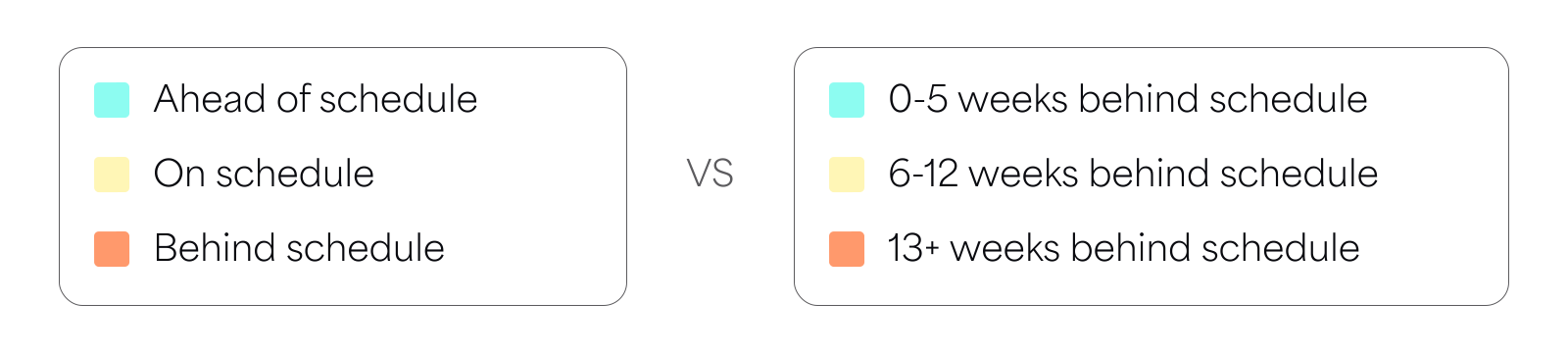
For example, instead of simply stating that the project risks a delay, specify how many days it is behind schedule.
Presenting data alone isn't enough. You need to provide an overarching narrative that connects all the facts into an actionable summary.
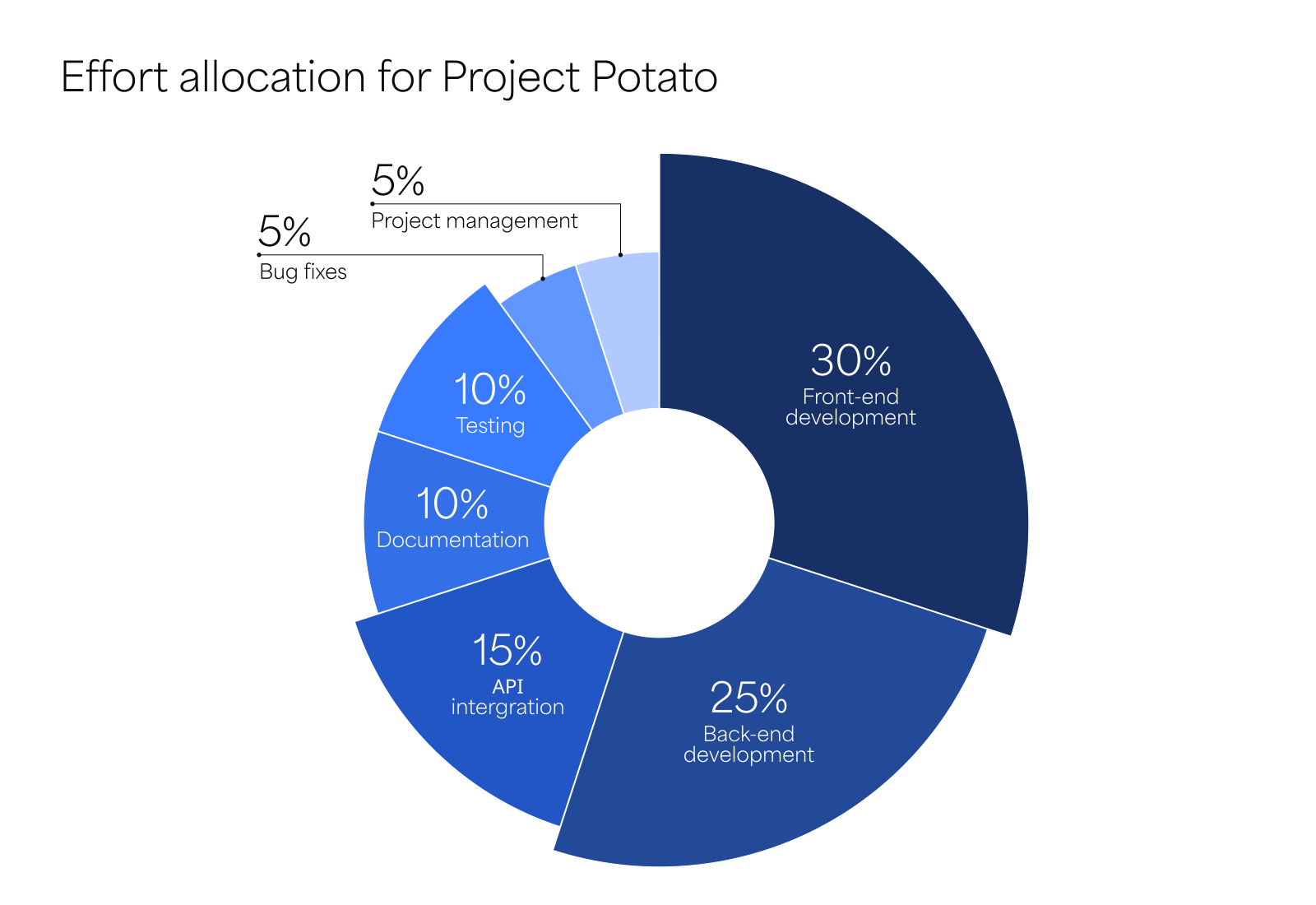
For instance, if your report indicates a potential two-week delay, identify the root cause. Break down your team’s development efforts and highlight the activity that exceeded the planned effort.
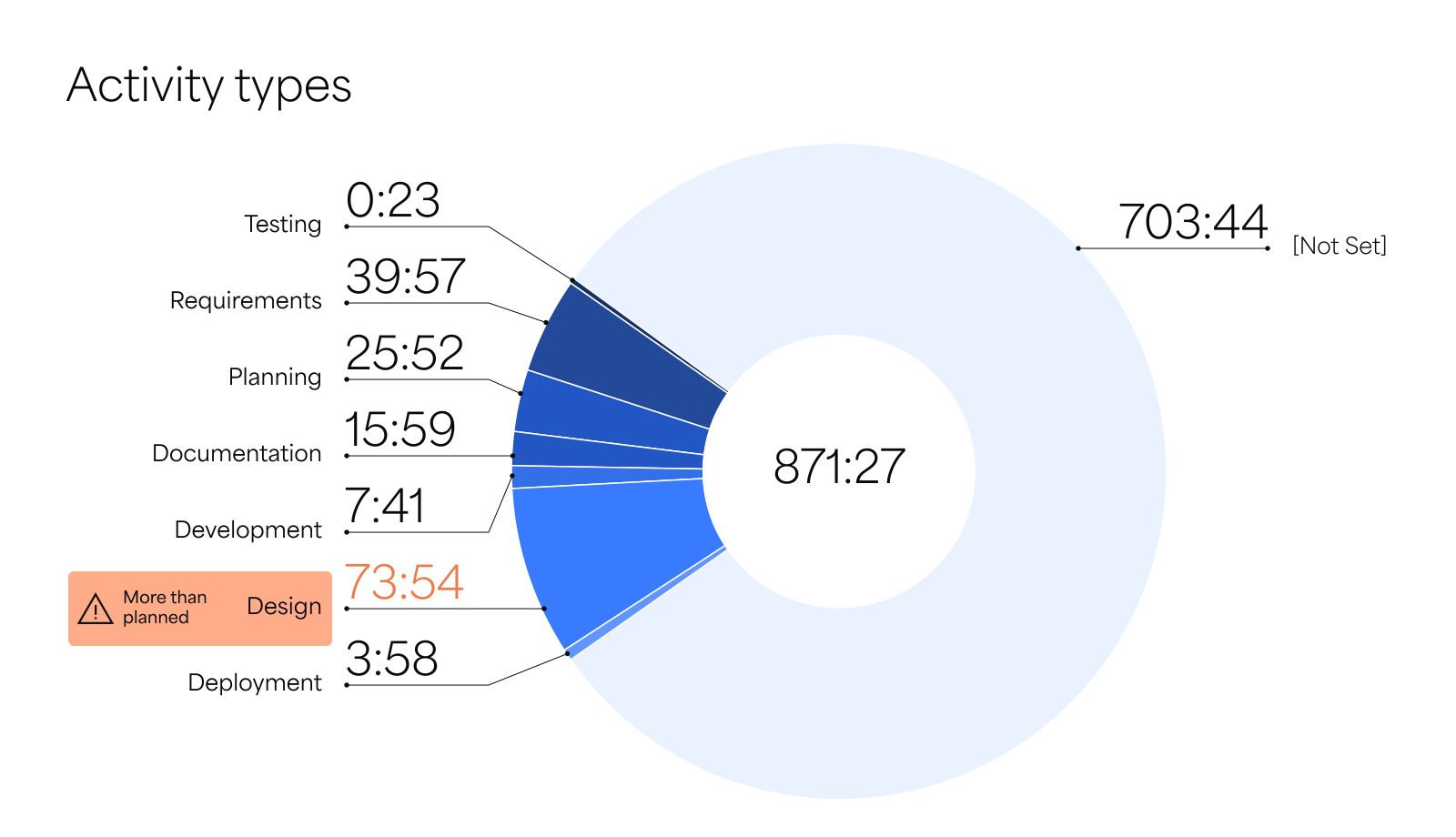
After presenting the data, provide additional context. For example, explain that the design phase took longer because scheduling interviews with potential users took more time than expected.
An actionable progress report also explains the business case behind any delay. For example, you could briefly explain how these user interviews helped prioritize functionalities and create better user workflows.
Use historical data from previous progress reports to better estimate effort for upcoming sprints. This keeps you grounded in the realities of your software engineering project.
7 software development progress reporting best practices
Use these best practices to create effective progress reports and gain the trust of your stakeholders.
1. Present accurate data
Accurate data is essential for trust. Double-check all data and facts. Invest in time-tracking software that automatically captures work logs and categorizes efforts by project, activity, and developer to ensure accuracy.
2. Provide a complete picture
our report should offer a clear overview of the current status, completed backlogs, upcoming activities, and how delays affect the overall plan. Ensure the report is self-contained and understandable without additional documents. Present it in commonly used formats like Excel, PowerPoint, or PDF.
3. Summarize key information upfront
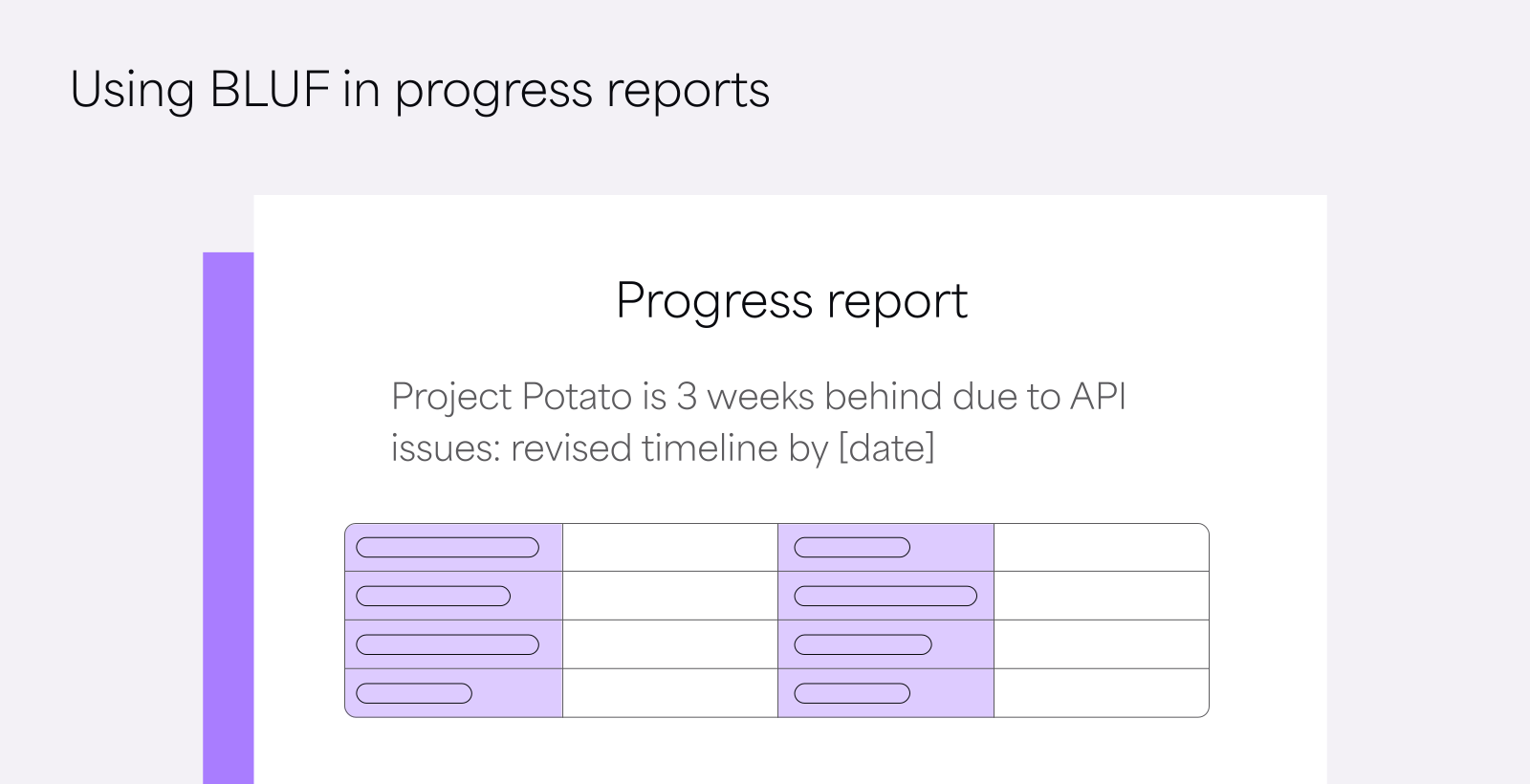
Progress reports should be concise, highlighting milestones, wins, and challenges. Use the BLUF (Bottom Line Up Front) approach to synthesize key information in an executive summary on the first page, ensuring important details are immediately visible for quick reads.
4. Skip technical details and jargon
Avoid deep dives into technical challenges or architecture-level decisions. Exclude code snippets or testing outputs unless they clearly illustrate a business case. Focus on the value a feature adds rather than the engineering details, and avoid heavy use of Agile jargon that may not be familiar to all stakeholders.
5. Discuss roadblocks and problems
Highlight challenges and potential risks that could derail the project. Secure early buy-in from stakeholders on potential solutions and mitigation options. This can spark further interactions leading to better solutions. Include a postmortem analysis of key challenges to provide context and learning.
6. Use visuals to convey meaning
Visuals help convey complex information effectively. Replace lengthy descriptions with pie charts, bar diagrams, and histograms to illustrate key points. For example, use a pie chart to show each team member's contributions across the development lifecycle.
7. Standardize your progress reports
Use a consistent template for all progress reports to create a familiar format and flow of information. This makes your reports more digestible and skimmable. After crafting your first few reports, select and standardize the elements that add the most value to your readers.
Create progress reports without manual drudgery
Managing software development is already a full-time job. You don’t need the additional burden of manually collecting project data from various developers and apps for every weekly progress report or monthly status update.
Use a developer-friendly time-tracking tool to automatically gather granular progress data. With all the data you need in one dashboard, creating a hassle-free software progress report is just a click away.
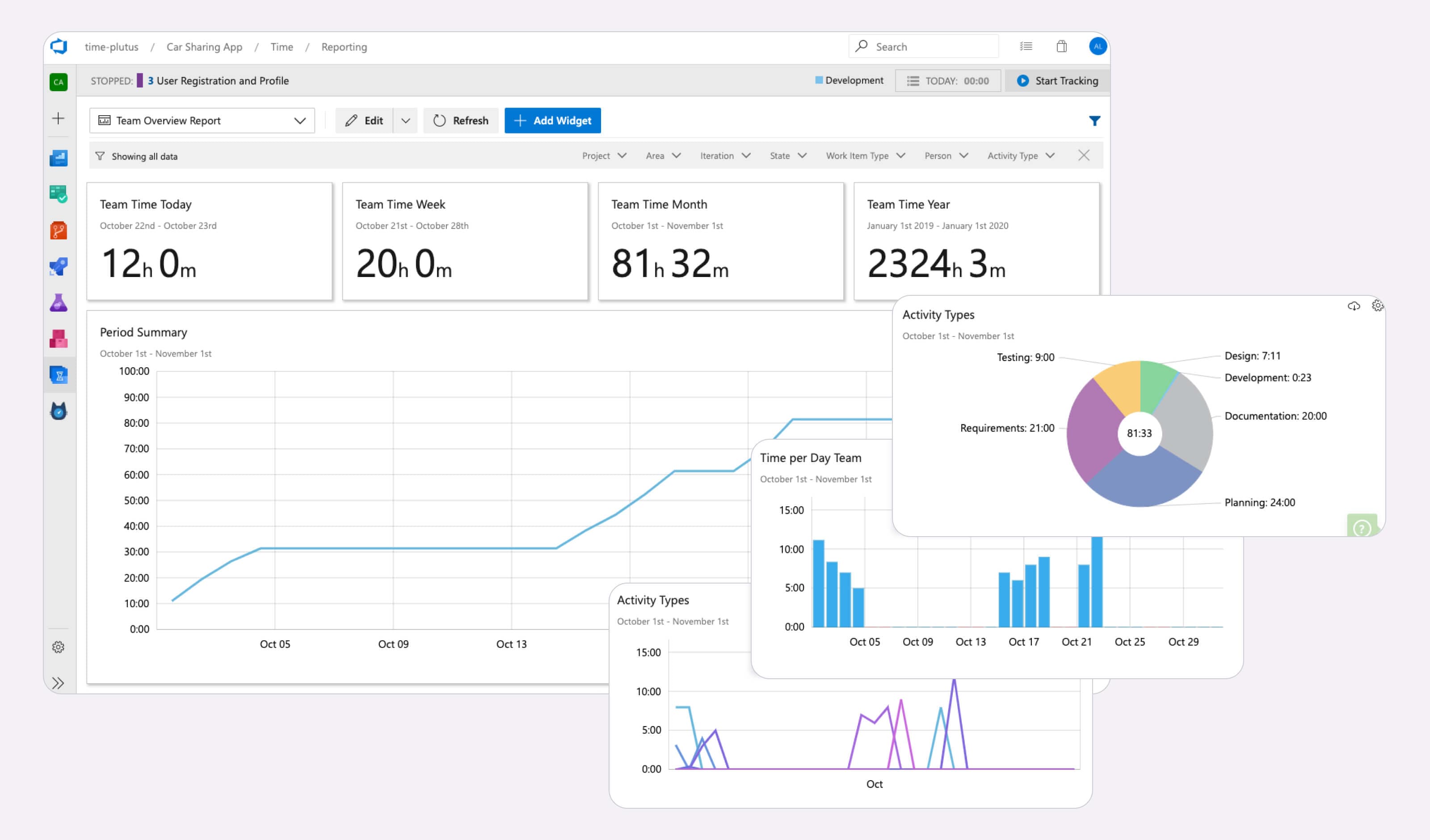
7pace Timetracker for Azure DevOps categorizes each developer’s effort across design, development, documentation, and testing activities. It helps you compare project progress against estimated effort, time, and budget. With an integrated reporting experience, you can easily track all your sprint metrics such as original estimates, time spent, and pace calculations.
Try 7pace Timetracker for free