

Regular workflow post-functions run on transitions. However, with Scheduled Actions, you can schedule one or more JMWE post-functions to run against issues returned by a JQL search. For example, you can automatically transition any issue escalated yet not addressed for over 24 hours.
Things to know about Scheduled Actions
- Works based on predefined times, not based on workflow transitions.
- Flexible scheduling allows for any frequency (10-minute minimum).
- Can execute many types of automations, such as workflow transitions, issue status and user changes, all in sequence.
For your convenience, the steps from the above video have been outlined below
Every morning, send a reminder email for each "in progress" issue
- Go to the "Scheduled actions" page of the JMWE app.
- Press "New scheduled action".
- Add a name "Remind assignees."
- Select the schedule, 9 am every day in our case.
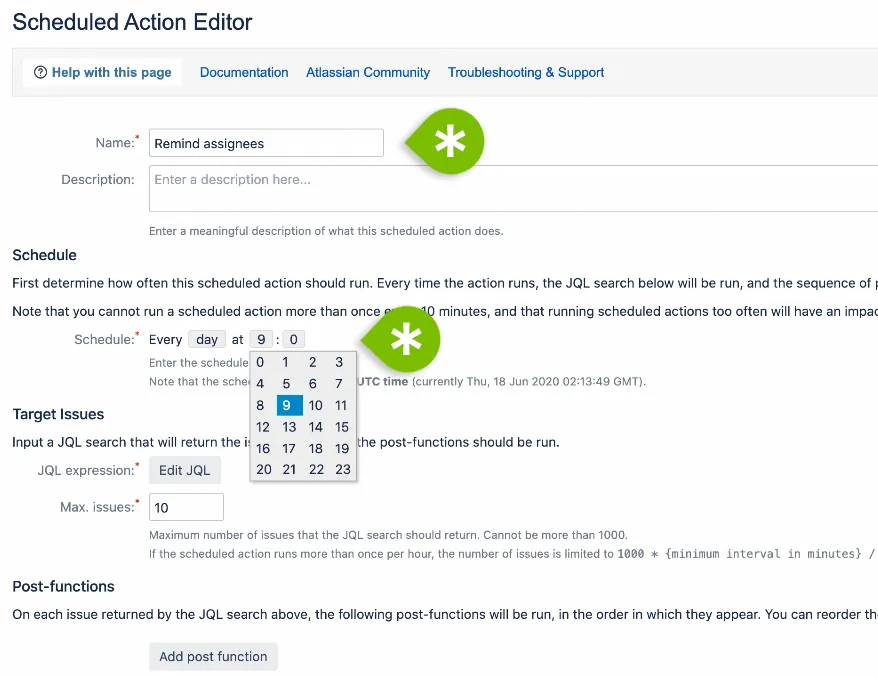
- In Target Issues, JQL expression, press "Edit JQL" to specify which issues will be affected by this rule.
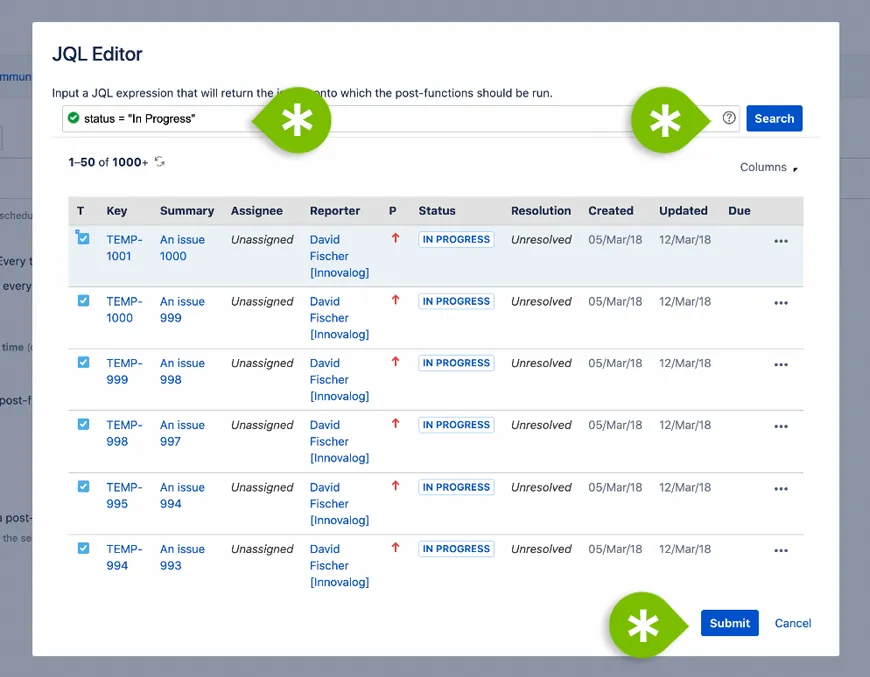
- Specify JQL search; in our case, specify: status = "In Progress". Press "Search." The results will be displayed so you can verify your input.
- Press "Submit."
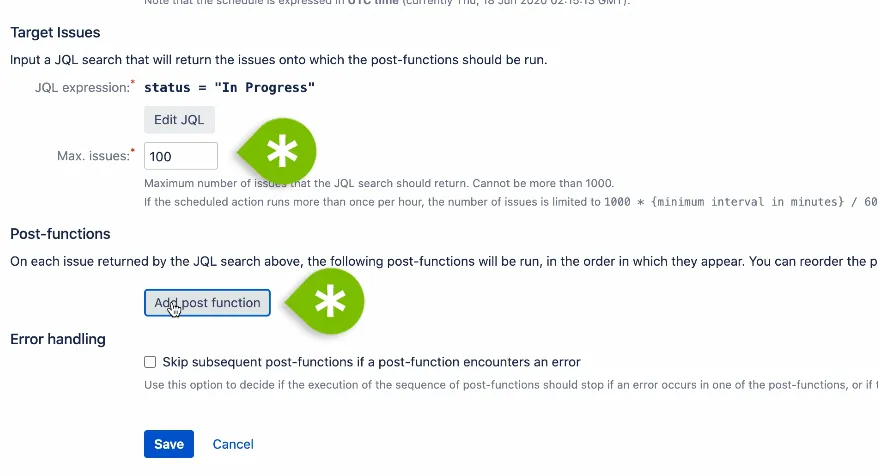
- Optionally: select the maximum number of issues to process to maintain good Jira performance.
- Then "add post function" to specify which action to undertake per our selected schedule.
- Add a post function called "Email issue". Specify email content.
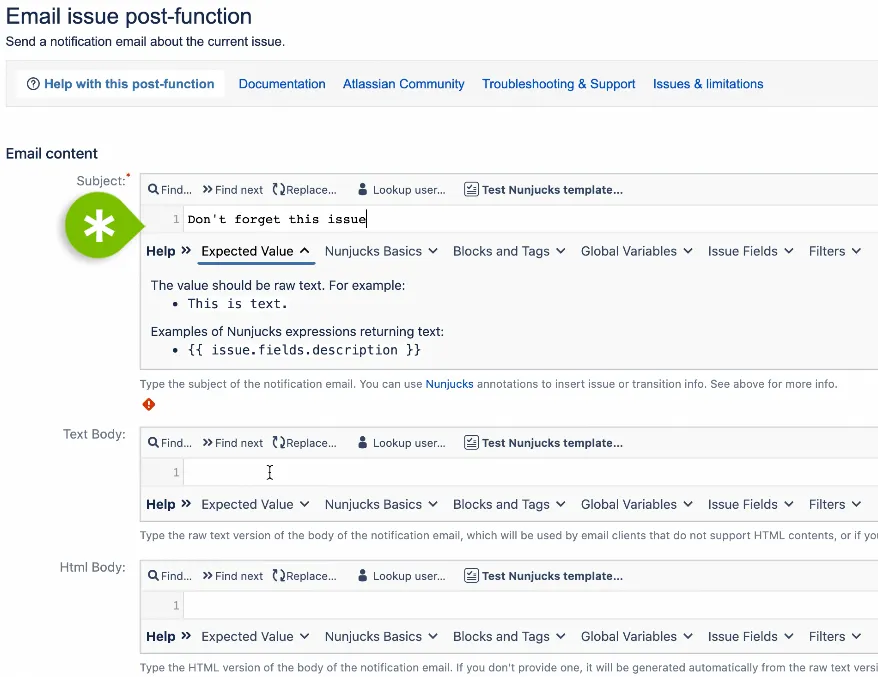
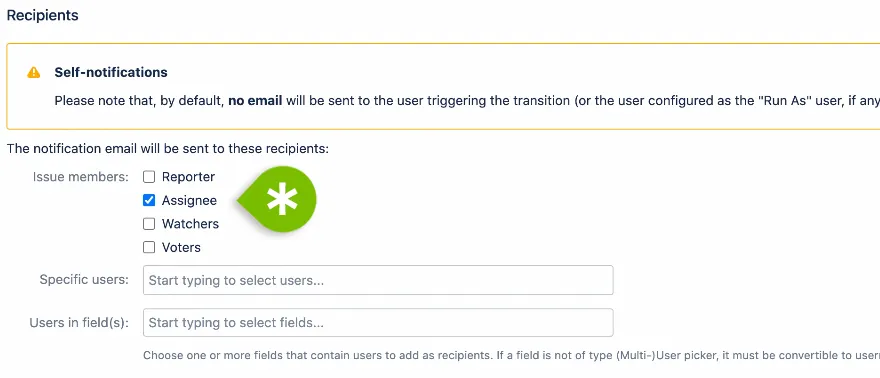
- Select Issue members as "Assignee," and Save.
- Save Scheduled Action.
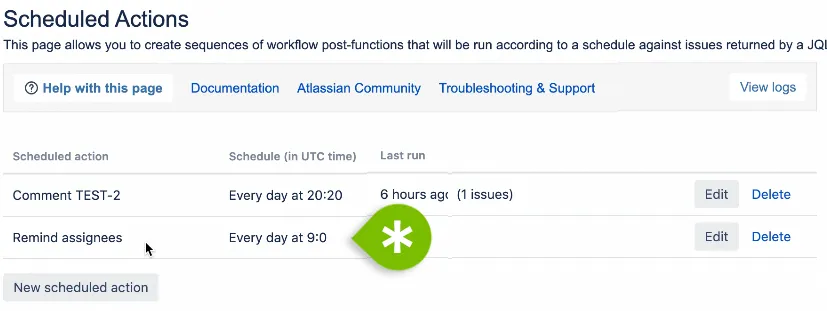
You now have an action scheduled to run every morning, at 9 am, to remind users of their In Progress issues.
See it all in action in the video above.