

Hello! Alexey Matveev here.
Let’s talk about SIL®. SIL® or Simple Issue Language®, is a programming language for automating actions in Atlassian Jira and Confluence.
I’m fluent in SIL®, and want to show you how to write clean SIL® code.
First, we’ll discuss my rules on writing clean SIL® code. Then I’ll walk you through an example of SIL® code, and refactor it to make it clean using the rules.
Rules
- Start structs names with an upper case letter.
- Add elements to an array with addElement routine.
- Use user-defined routines to make your code readable and avoid comments in your code.
- Move common functions to inclusions.
- Declare structs before any other variable declarations.
- Give structs and other variables meaningful names, so that you would not need to comment on your code.
- Name functions and variables according to the Google Java style guide.
Here is an example of SIL® code:
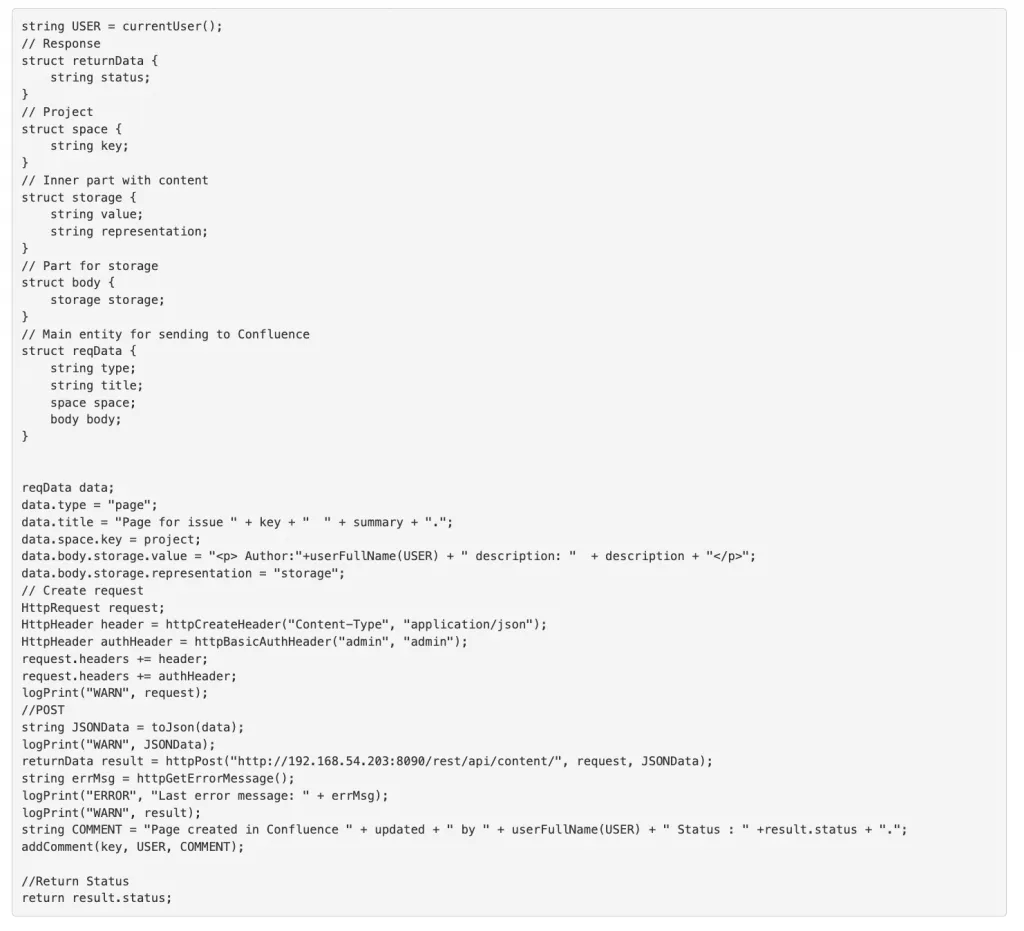
This code is difficult to understand, and comments don’t make your job any easier. Let’s try to modify this code to make it more readable using the rules.
Have a look at the structs:

You see storage storage looks a bit confusing here. It would be more meaningful if it were like this:

Now it’s obvious that we need to define the storage variable with the Storage type. To do this, we need to start the names of all structs with the upper case:
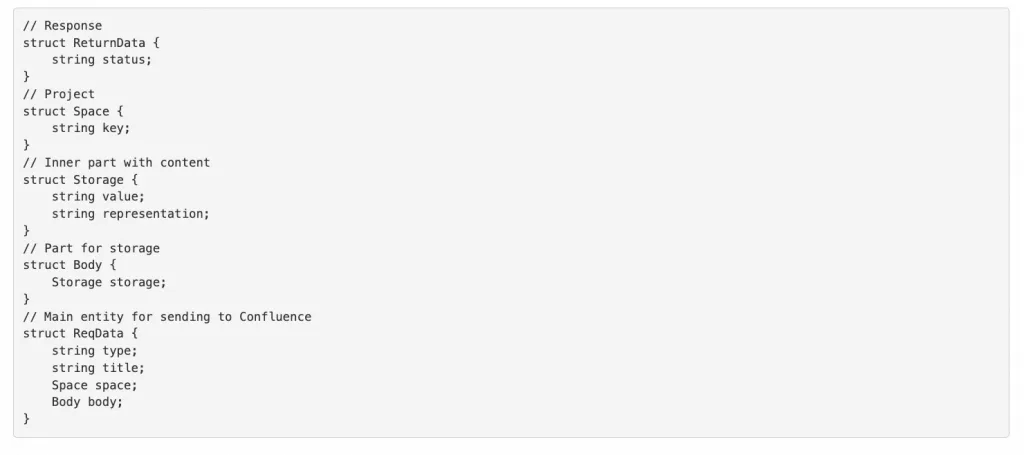
And let’s name our structs so that we don’t need comments:
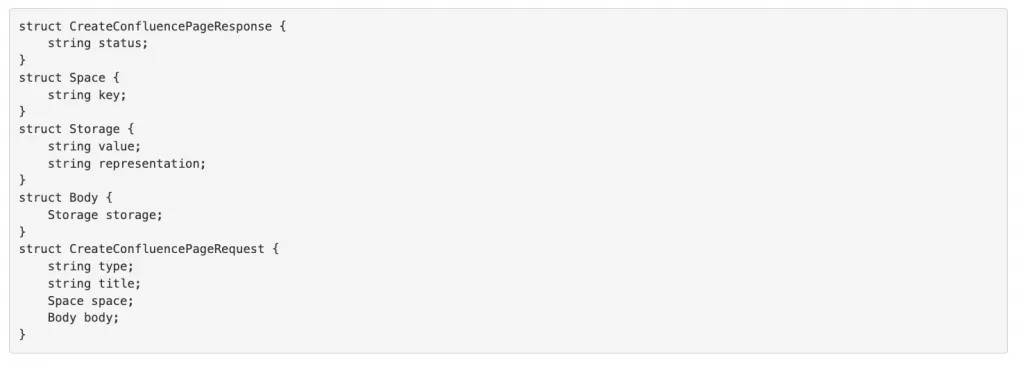
We’ve now completed Rules 1, 5, 6. As you can see, these rules make the names clear and concise to understand the structure.
Next, put the struct declaration at the start of the code. See the following code:
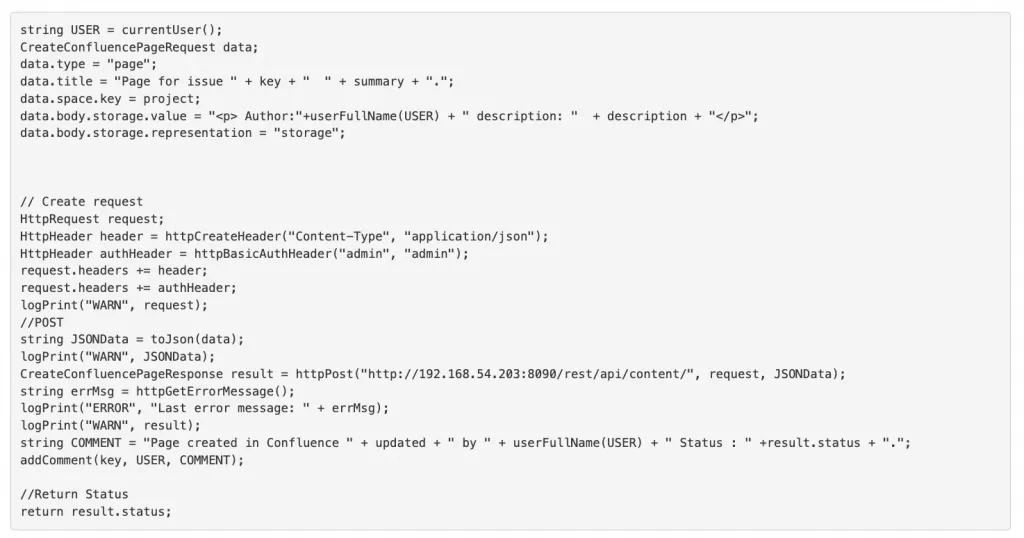
At first glance, it’s difficult to quickly grasp the idea of the code. Let’s try to split the code into blocks:

These are the major blocks in our SIL® code. Let’s create all these functions:
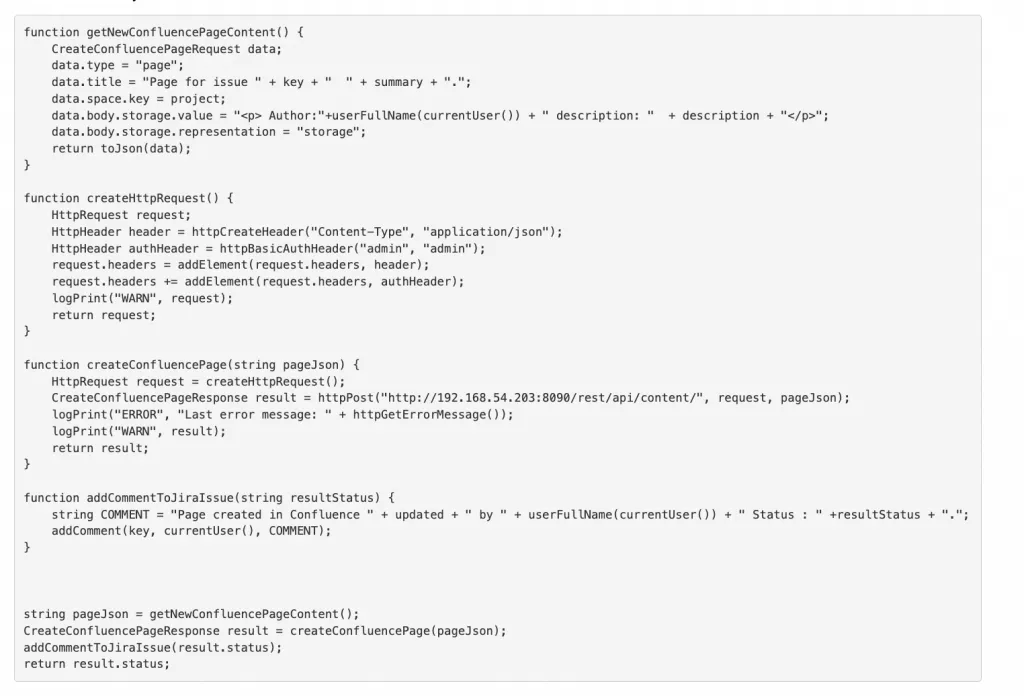
So now we have a couple of functions (Rule 3 completed), and a set of events, making it much easier to understand:

We now have the contents of the new page. If we want to narrow down to the exact contents, we can look at the getNewConfluencePageContent function and find out what the contents are. We can create a Confluence page from a JSON, add comments to the Jira issues, and return the status of the response from Confluence.
Let’s create a Confluence page in more than one SIL® script. Move out the Confluence create page function into a reusable module.
Create a file called confluence_helper.incl with contents like this:
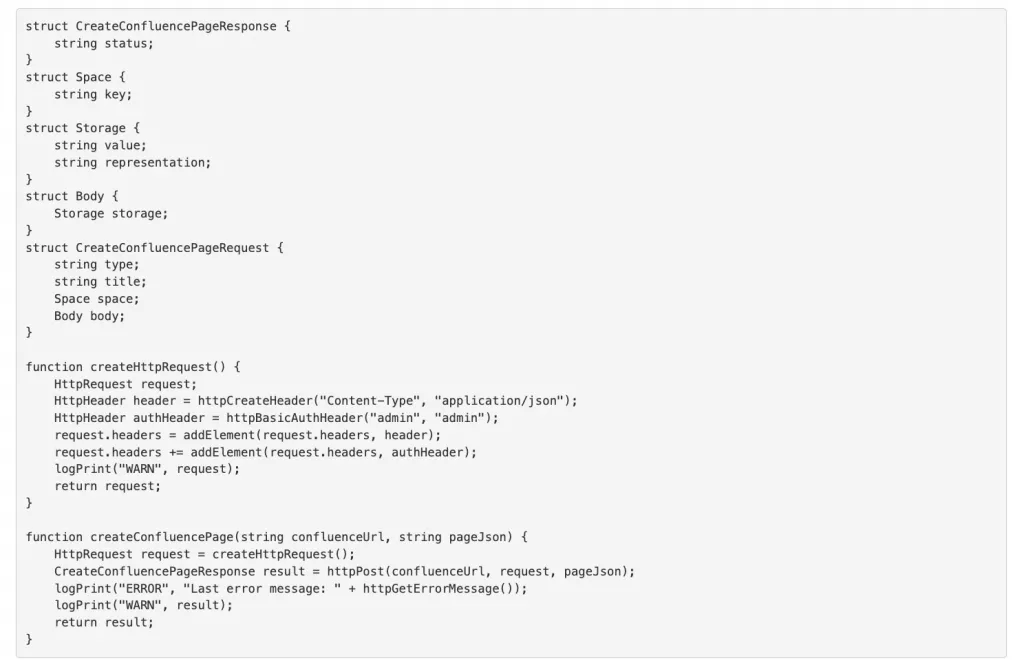
We’ve finished the structs and functions, which are needed to create a Confluence page, and made the createConfluencePage function more generic by adding a new parameter (confluenceUrl) to it. Rule 4 completed!
Now our SIL® code looks like this:
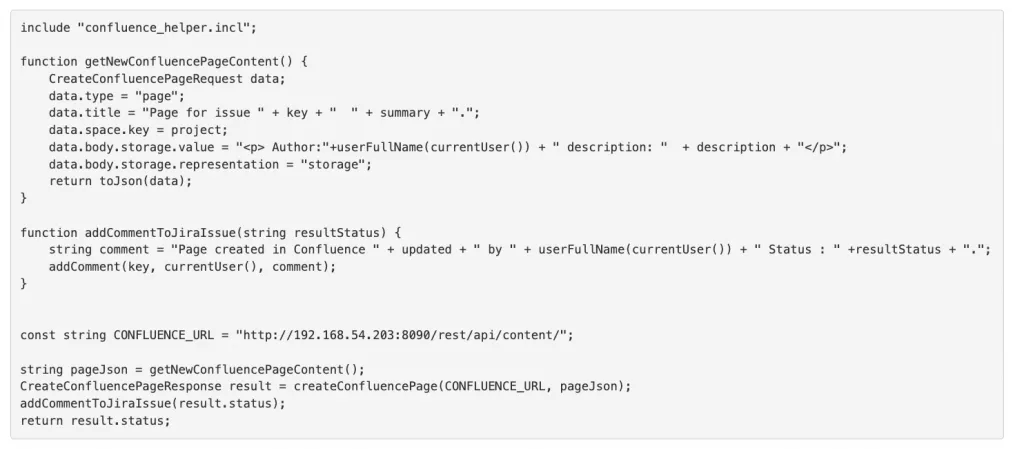
Save the Confluence URL in a constant variable and modified variable names according to the Google Java notation style. Rule 7 completed.
Keep practicing these rules, and you’ll master SIL® coding in no time.