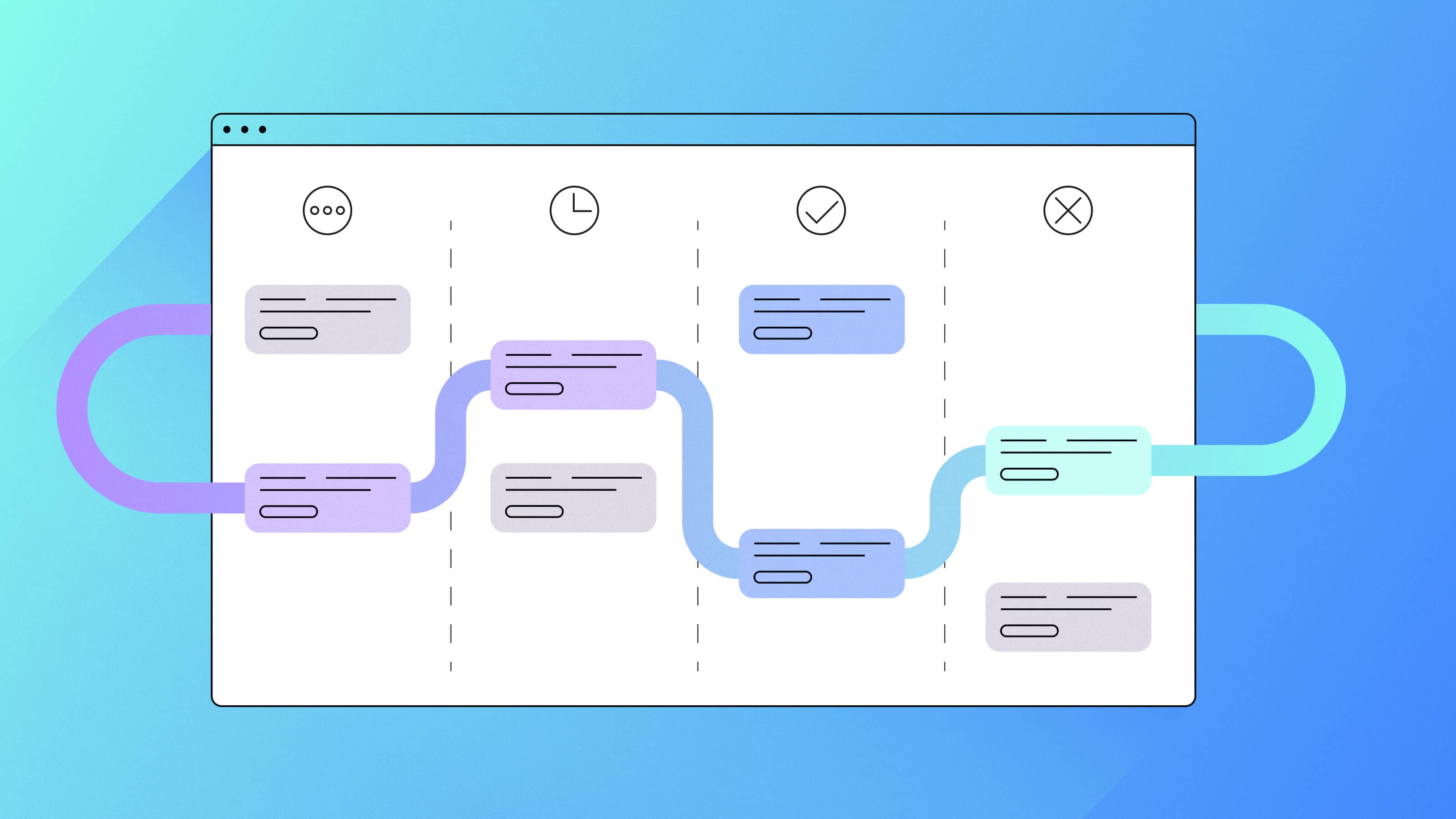

If your Agile board in Jira looks crowded or hard to follow, the problem is usually not the tool. Many teams blend Agile ideas, Scrum rules, and Kanban habits without noticing, and the board reflects that mix.
TL;DR
- A chaotic sprint board often means the team is mixing Agile and Scrum without realizing it
- A sprint board only works as intended inside Scrum
- Agile boards, Scrum boards, and Kanban boards serve different purposes
- Jira exposes these differences clearly because each board behaves according to its method
- Understanding the method behind your workflow is the key to improving the board
- BigPicture helps teams bring clarity to Agile boards by showing structure, dependencies, and context inside Jira
The moment teams start asking why their Agile board looks confusing
Every team reaches a point when the Agile board stops making things clearer. Cards stay in the same column for days. Work does not move as expected. The board looks busy, but progress feels hard to explain.
This is usually the moment someone asks whether the board is set up wrong.
Signs your Agile board does not match how work actually flows
- Cards pile up in the “In Progress” column
- Columns get added over time because the team is unsure where work belongs
- Sprints close with unfinished work in early states
- The board structure changes from sprint to sprint
- Team members describe the same column differently when asked what it means
When these signs appear, the issue is rarely the board itself. The board is showing exactly what it was designed to show. It reflects how work is actually moving, not how the team expects it to move.
This is often the point where planning, standups, and sprint goals start to lose clarity.
When the board no longer matches how the team talks about work, planning becomes harder. Standups feel disconnected from reality. Sprint goals lose meaning because the board does not clearly show what progress looks like. Stakeholders struggle to understand status because the board does not tell a consistent story.
If you have looked at your board and felt uncertain about what it is really telling you, that reaction is valid. An Agile board always reflects the process behind it. When the workflow is unclear or inconsistent, the board surfaces that truth immediately.
Why Agile boards become confusing over time
Most teams do not set out to create a confusing Agile board. The problem develops gradually as ways of working evolve.
Language overlaps. Terms like sprint, backlog, and flow are used in everyday conversations, often without clear agreement on what they imply for how work should move. Jira makes it easy to configure boards and workflows, so teams adopt what feels helpful in the moment. Over time, those choices add up.
The board begins to reflect a process that is not fully Agile, not fully Scrum, and not clearly defined.
Agile is a broad way of working that emphasizes flexibility, transparency, and adaptation. Scrum is more specific. It relies on defined roles, events, and timeboxed sprints, with clear expectations about how work is planned, reviewed, and completed. These approaches are related, but they are not interchangeable.
When elements from different methods are combined without clear intent, the difference shows up in how work moves.
You see it when a team plans in sprints, but the work does not follow a sprint rhythm. Items carry over repeatedly. Work starts without clear sprint goals. The language suggests one method, while the board behaves like another. Jira does not create this mismatch. It makes it visible by reflecting how work is actually flowing.
Without a shared understanding of the method behind the board, teams struggle to interpret what they see. Is unfinished work a signal to reduce scope, or is it expected. Is stalled work a problem, or part of continuous flow. When the answers vary, the board stops supporting planning and starts raising questions it cannot resolve on its own.
Agile boards become confusing not because they are misconfigured, but because they reflect a workflow that lacks clear intent.
How Agile and Scrum differences affect how boards work
Agile and Scrum share similar language, but they are not the same. Agile is a broad philosophy that emphasizes flexibility, transparency, and adaptation. Scrum is a defined framework with specific roles, events, and timeboxed sprints.
These differences matter because they directly shape how work moves on the board.
A workflow designed for flexibility produces a different rhythm than one designed for timeboxed delivery. When teams expect sprint based outcomes but work in a continuous flow, the board begins to reflect that mismatch.
Key differences between Agile and Scrum
Agile | Scrum |
|---|---|
Broad philosophy | Defined framework |
No required timeboxes | Uses sprints |
Flexible workflows | Uses specific events and artifacts |
Many possible board formats | Structured, sprint-based flow |
When the team’s workflow matches the method they intend to use, the board behaves in predictable ways. Work enters and exits stages as expected. Progress is easier to interpret.
When the workflow blends Agile, Scrum, or Kanban elements without clear intent, the board often reflects that ambiguity instead. Cards linger. Sprint boundaries lose meaning. Columns multiply to compensate for uncertainty in the process.
These distinctions become especially visible in Jira, because Jira boards mirror the structure and cadence of the workflow behind them.
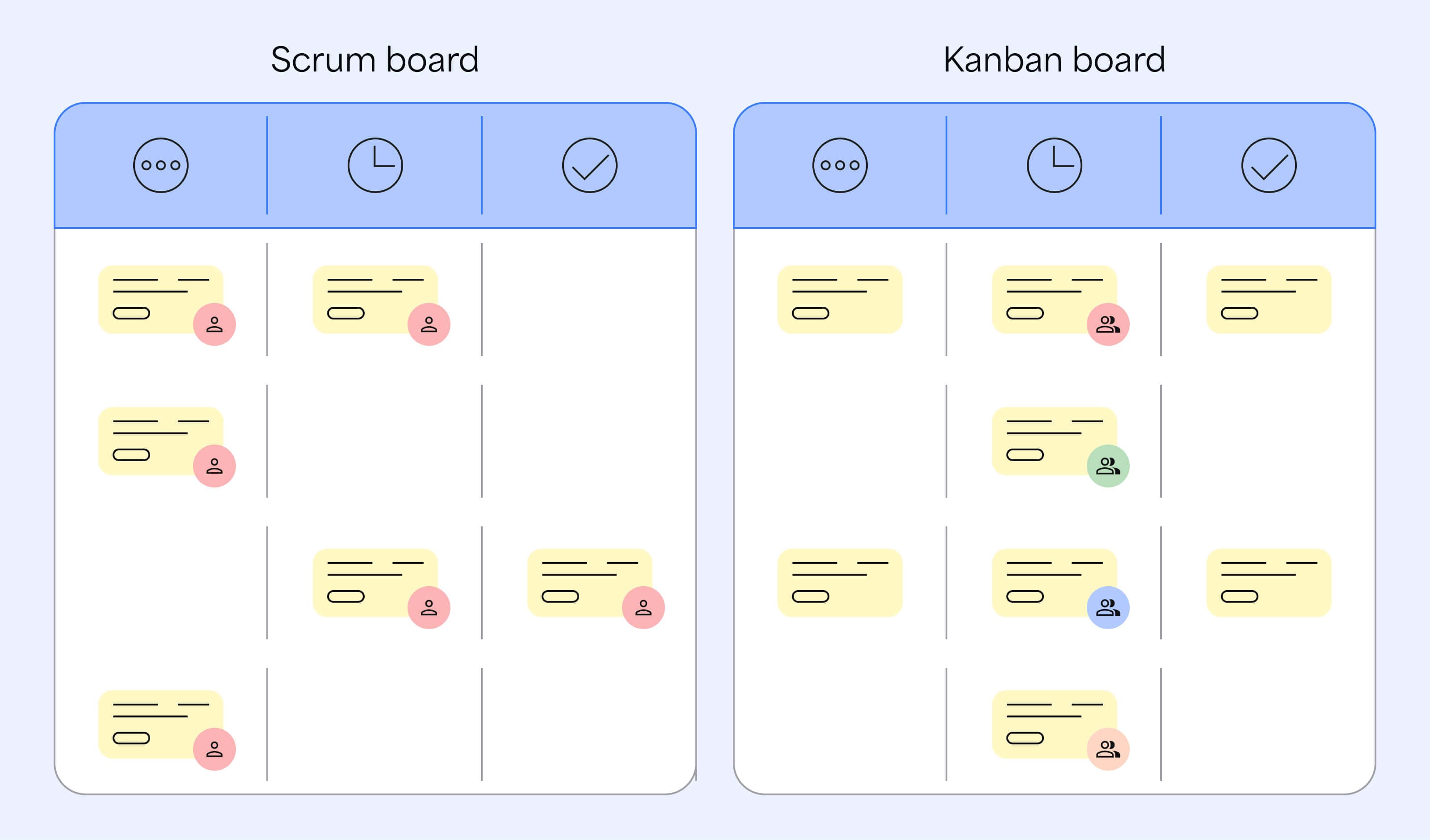
Scrum boards move work through a sprint cadence. Work is planned, completed, and reviewed within a defined cycle. Kanban boards move work continuously, without a fixed timebox.
When a team plans in sprints but works in a continuous flow, or when sprints are used without Scrum’s supporting structure, the board begins to show that mismatch immediately.
How Agile and Scrum differences show up on an Agile board
You may notice signs of misalignment when the workflow does not match the method the team intends to use:
- Work planned for a sprint regularly carries over without discussion
- Cards remain in the same state longer than a sprint rhythm assumes
- The board grows new columns to handle exceptions instead of clarifying flow
- Daily standups do not align with what the board shows
- The board structure changes often because the method behind it keeps shifting
An Agile board always reflects how work is actually moving. When Agile and Scrum practices are blended without structure, the board is often the first signal that the workflow needs clarity.
What an Agile board is meant to reveal about your workflow
Agile boards are designed to make work visible. They show how tasks move through defined stages so teams can understand progress and see where work slows down.
When the workflow behind the board is clear and consistent, the movement of cards tells a useful story. Teams can see what is flowing, what is blocked, and whether work is progressing as expected.
When an Agile board is working as intended, it helps teams see:
- How work moves through each stage of the process
- Where items are getting stuck or slowing down
- Whether progress matches the rhythm the team expects
- Whether the workflow stays consistent from one sprint or cycle to the next
- Whether everyone shares the same understanding of what each column means
A board does not just show what work exists. It shows how work is actually moving. That distinction matters because teams use the board to make decisions.
A board is not failing when it looks confusing. It is doing its job. It is reflecting the workflow as it exists today.
If the board is hard to interpret, it often means the workflow behind it lacks clarity. Teams may disagree on when work is truly in progress, what done means, or how unfinished work should be handled. Without shared agreement, the board stops supporting planning and starts creating noise.
If you are unsure whether your board reflects a clear process, ask the team to describe how work is supposed to move across it. If the answers vary, the board is signaling a deeper workflow issue that needs attention.
Why sprints are often misunderstood in Agile boards
Sprints are a defining part of Scrum, but they are not required in Agile as a whole. Many teams assume the two always go together because the language overlaps.
Scrum relies on short, repeatable timeboxes to plan, deliver, and review work. Each sprint creates a clear moment for learning and adjustment. Many Agile approaches do not use sprints at all. They focus on continuous flow instead of timeboxed cycles.
Confusion appears when teams adopt sprint language without adopting the structure that supports it.
You see this when work is planned into sprints, but unfinished items regularly carry over without discussion. Sprint goals exist, but they do not influence what actually gets finished. The board shows work spanning multiple sprints, making it harder to tell whether progress is on track or drifting.
Common sprint misunderstandings on Agile boards
Sprint misconception | What actually happens |
|---|---|
“Sprints are how Agile works.” | Sprints belong to Scrum, not Agile in general. |
“Any team can use sprints without adopting Scrum.” | Sprints rely on Scrum’s cadence and expectations to function well. |
“Boards behave the same way with or without sprints.” | The board reflects the method. Without Scrum structure, sprint boundaries can feel arbitrary. |
These misunderstandings matter because they affect how teams interpret progress. When sprint boundaries are unclear, planning loses precision and predictability suffers.
Sprints can help teams learn and plan, but they work best when they are part of a consistent Scrum practice.
Three common Agile board patterns teams run into
Agile boards reveal how a team actually works over time. When a workflow blends Agile, Scrum, and Kanban practices without a clear structure, the board begins to show patterns the team never intentionally designed.
These patterns are common because they develop gradually. Teams adjust the board to keep up with reality, and the board faithfully reflects those adjustments.
1. The sprint board that never fully completes a sprint
Work is planned into a sprint, but items regularly carry over without discussion or adjustment.
Over time, sprint boundaries lose meaning. It becomes harder to tell whether work is unfinished by design or slipping unexpectedly. Sprint goals weaken, and planning conversations lose precision.
2. The Kanban board treated like a sprint board
The team works in continuous flow but frames the work as if it were tied to sprints.
Some work flows smoothly, while other items appear stalled because sprint expectations are applied to a flow based system. Progress becomes harder to explain, and the board feels inconsistent.
3. The board that expands to cover every exception
New columns are added to handle edge cases instead of clarifying how work should move.
Over time, columns lose shared meaning. The board becomes harder to interpret and requires explanation instead of supporting decisions.
Teams often respond to these patterns by adding columns, changing rules, or debating status instead of clarifying how work should flow.
How Jira shows the difference between Scrum and Kanban boards
Once work is tracked inside Jira, differences between Scrum and Kanban become easier to see.
Scrum teams work in structured iterations. Kanban teams move work continuously. Jira reflects these methods clearly when the workflow matches the approach the team intends to use.
How Scrum and Kanban differences appear on Agile boards in Jira
Scrum style boards
- Work tied to sprint boundaries
- A repeating cadence
- Movement shaped by planned iterations
Kanban style boards
- Continuous movement through states
- No fixed timebox
- Flow driven progression
When the board type matches how work is actually moving, teams can interpret progress with confidence.
When it does not, work may look stalled when it is flowing, or appear complete when important steps are still pending. Planning conversations lose precision because the board does not support a shared understanding of progress.
Jira shows how work is actually moving, which makes mismatches between method and workflow easier to see.
What happens when your Agile board does not match your workflow
An Agile board shows how work is actually flowing.
When the workflow is clear and consistent, the board reflects that stability. Teams can interpret progress quickly and make decisions with confidence.
When the workflow is mixed or unclear, the board highlights the mismatch.
Cards stall without clear meaning. Team members interpret columns differently. Sprint plans suggest one rhythm, while the board shows another.
This mismatch affects daily decisions. Standups turn into debates about status. Planning becomes harder. Stakeholders struggle to understand progress because the board does not tell a clear story.
When teams see these patterns repeatedly, it usually means the workflow behind the board needs clearer agreement.
Once teams clarify how work is meant to flow, the board becomes easier to read. Conversations become more focused. Decisions become simpler.
How BigPicture helps teams bring structure to Agile boards in Jira
When teams recognize that their Agile board reflects a mixed or unclear workflow, the next challenge is understanding how to bring structure back without disrupting how teams work.
BigPicture provides that structure inside Jira.
Rather than forcing teams into a single method, BigPicture helps teams see how different ways of working fit together. This is especially useful when some teams plan in sprints, others work in continuous flow, and shared work needs to stay aligned.
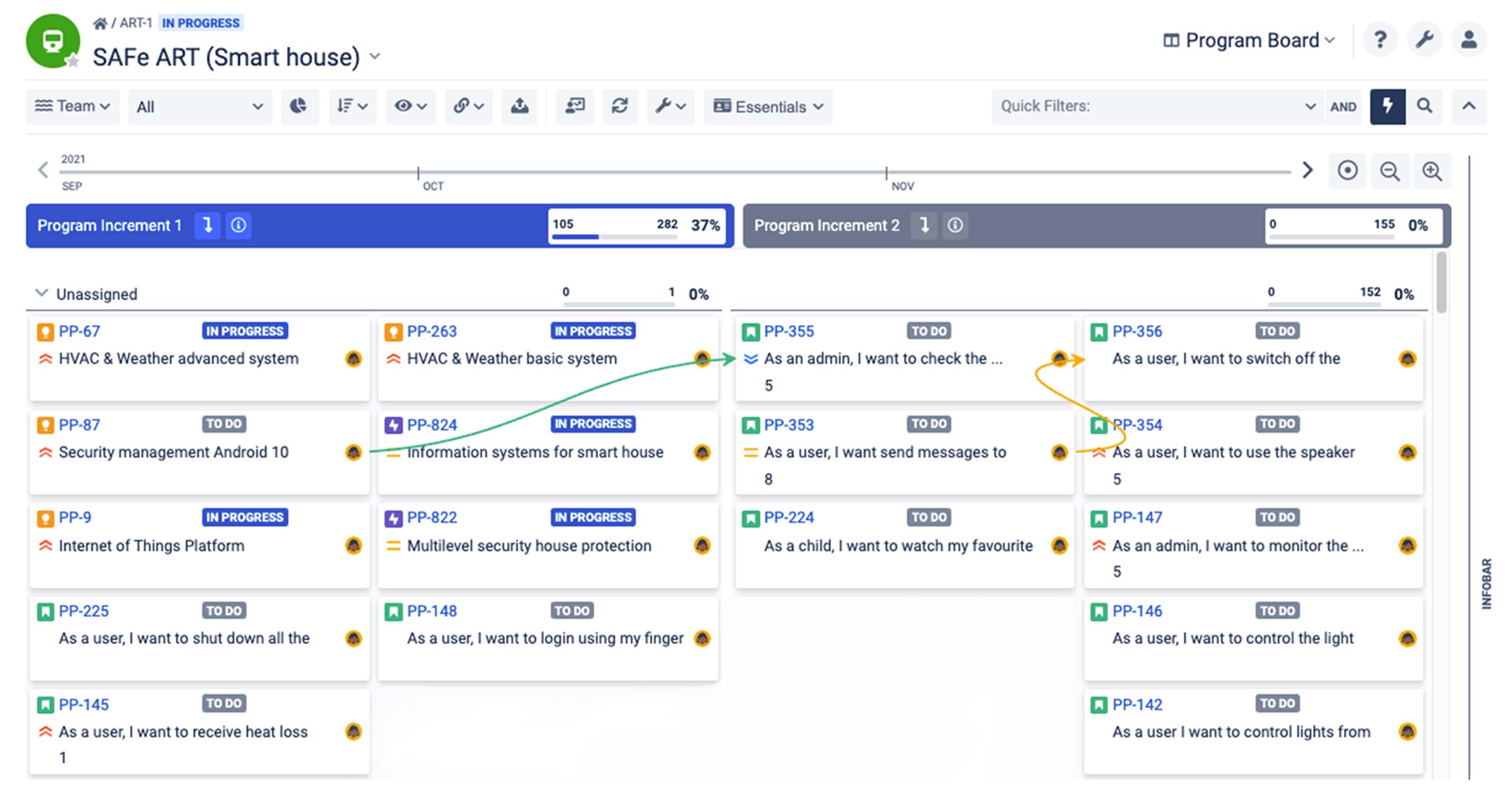
BigPicture helps by showing:
- How work from different teams relates in a single view
- Where dependencies exist across Scrum, Kanban, or hybrid workflows
- How timing and priorities interact when methods differ
- How current work supports broader goals
This added visibility does not replace Agile boards. Teams continue using their boards as they always have. BigPicture sits above those boards, making it easier to interpret what they are collectively showing.
When teams can see structure across methods, planning becomes clearer. Conversations shift from debating board mechanics to deciding what needs to happen next.
Your Agile board is already telling you something. The signals are worth paying attention to.
An Agile board does not hide process issues. It makes them visible.
When the board feels confusing or disconnected from how the team talks about work, it is often because the workflow behind it lacks clarity.
BigPicture helps teams make sense of these signals by adding structure and context inside Jira. It supports Scrum, Kanban, and hybrid approaches without forcing teams into a single method.
When the underlying workflow becomes easier to see, the board becomes easier to understand. Conversations become more focused. Planning becomes more grounded.
Bring clarity back to your boards by making the process behind them easier for everyone to follow.
Try BigPicture for Jira for free