7pace Timetracker for monday.com
Seamlessly integrated, professional time tracking
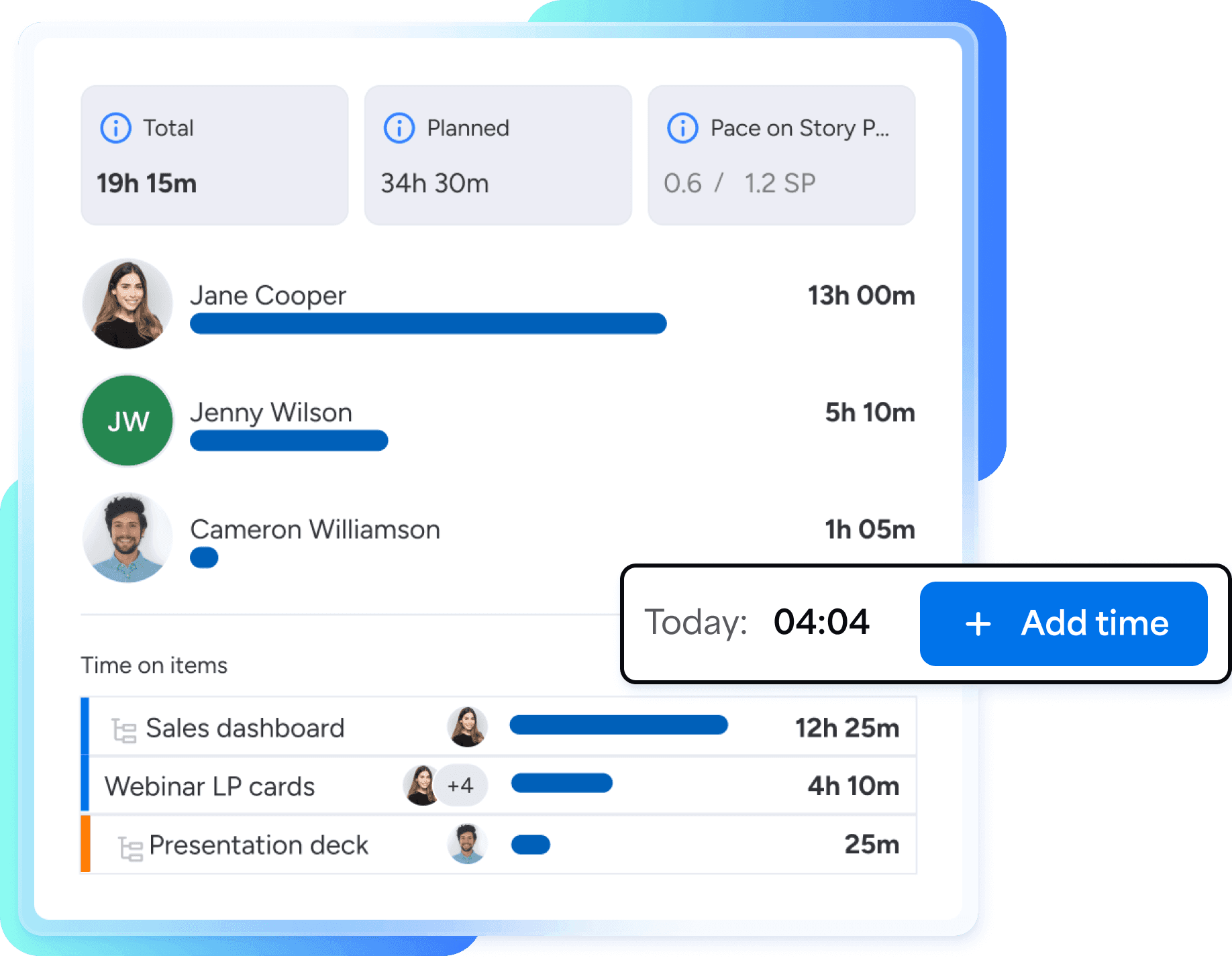
Record time on work items, manage individual or team time, and get insights and billable data in your monday boards.
Key features 01
Effortlessly track, manage, and report on time
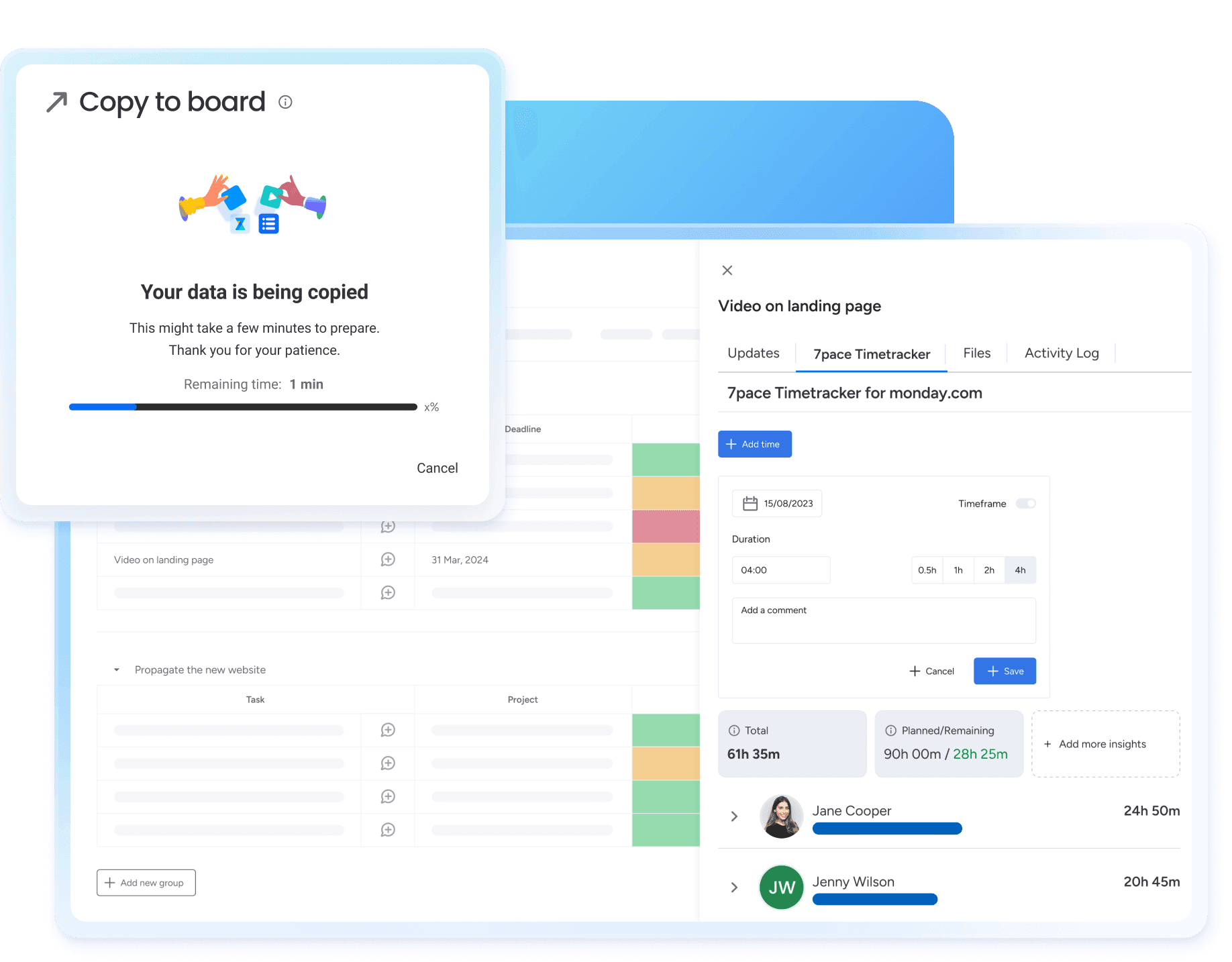
7pace Timetracker for monday.com enables seamless time tracking on items and subitems with flexible timesheets and calendar views. Gain valuable insights for better planning and robust project reporting for budget management, status updates, billing, and more.
Track time where you work
Manage and report on time without leaving your monday.com instance. Access individual and team time across all boards and workspaces from a single location without setting up projects and clients.

Spend less time tracking time
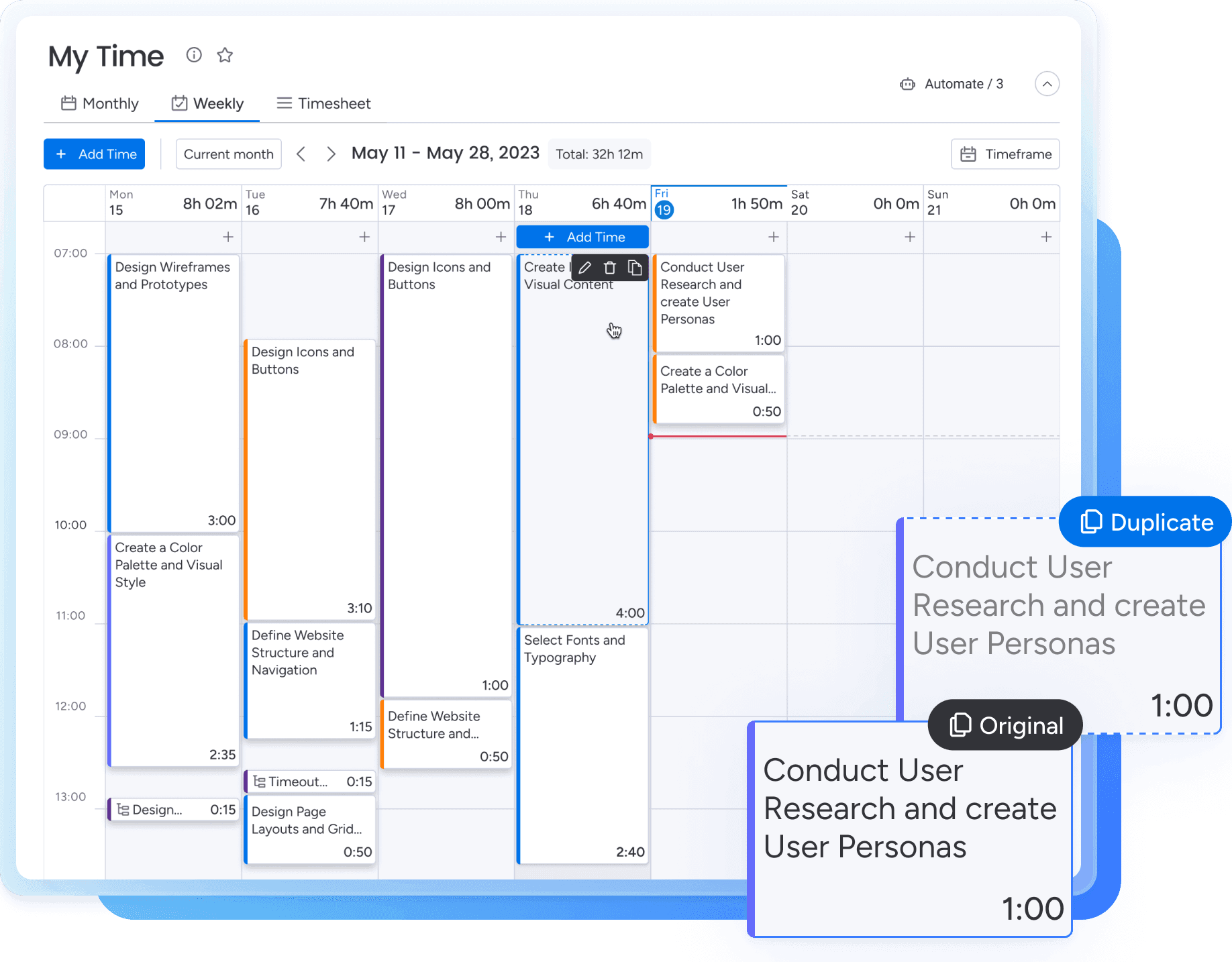
Speed up time tracking with pre-defined durations or custom fields for billable time, activity type, and client. Duplicate entries with drag-and-drop and export data to a spreadsheet in seconds.

Connect time tracking data to monday boards
Get accurate reporting and billing by exporting time-tracking data to a monday board. Compare estimated and actual time in the item view or track project progress with total logged hours through integration recipes.

Report with flexibility and control
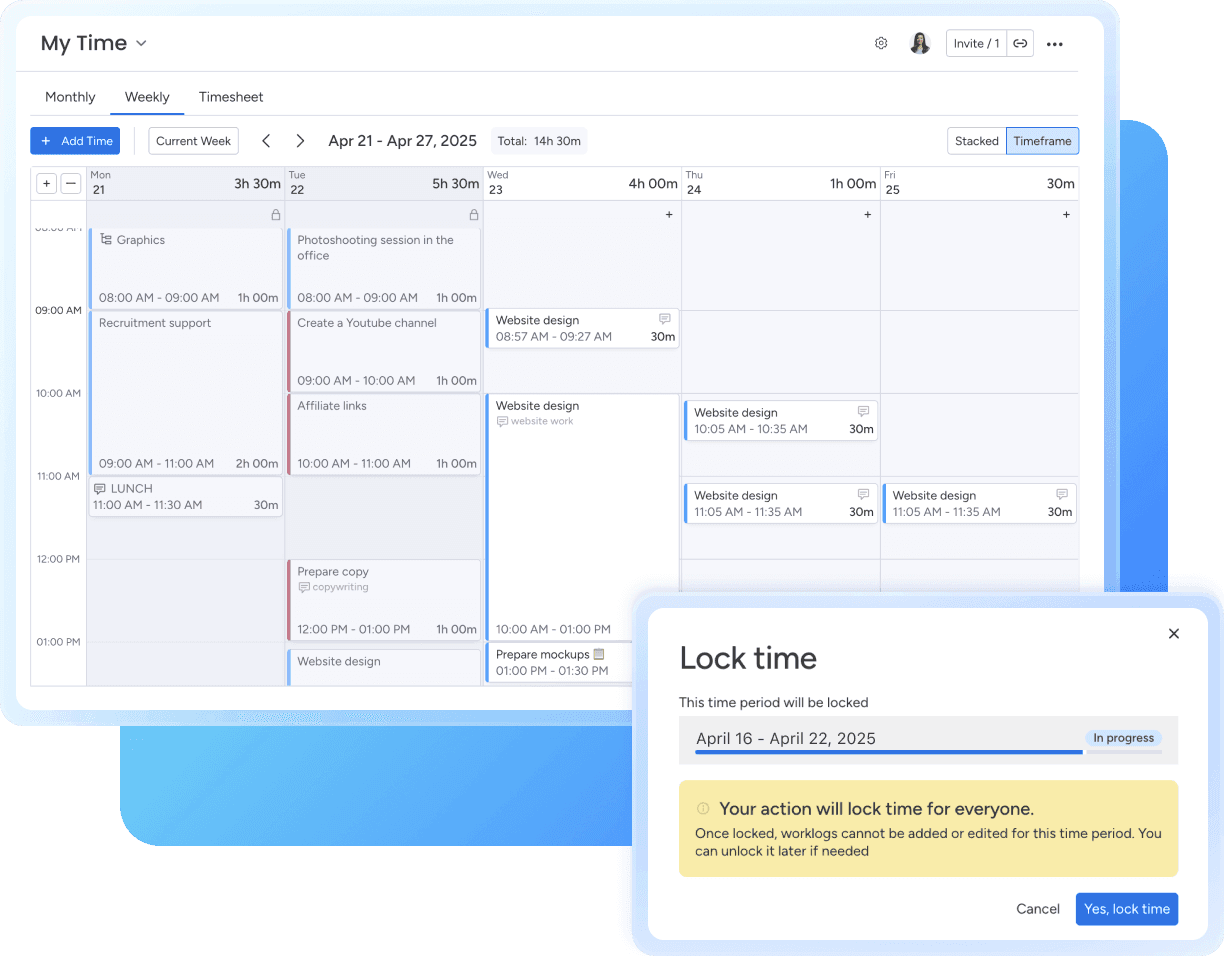
Group tracked time by monday fields like workspaces or boards. Report on custom fields like billable data, activity, client, or priority level. Lock past periods to increase data reliability and avoid unnecessary changes.

More features
Add time on items
Enter time on items and subitems directly from your monday boards.
Manage time without limits
No user caps: All team members can log time for unlimited clients, projects, and items with zero limitations.
View everyone’s time at once
View all time tracked by all users across all workspaces in one place. Use advanced filtering and grouping to analyze the data.
Report on time tracking
Group tracked time by monday fields like workspaces or boards. Report on custom fields like billable data, activity, client, or priority level.
Get time insights
Compare actual vs. tracked time on an item view. Use data to optimize planning, project management, and forecasting.
Sync time via integration recipes
Simplify reporting by synchronizing tracked time with select monday.com columns.
Export time data
Export time tracking data from all boards and workspaces into a single spreadsheet or monday.com board.
Top-notch security
Keep your data safe with security certification, Platinum partnerships with monday.com, and a completed advanced security questionnaire.
Pricing 02
Pricing for every type of team
7pace Timetracker for monday.com offers a 14-day free trial. After that, just select the number of seats on your monday.com instance. For details, visit our pricing page.
User tier: 11-15
$48
/ month (billed annually)
- Full access to all features
- Automatic product updates
- Email support
Need help setting up your team? Get in touch.
FAQ's 03
Pricing questions and answers
Yes, there’s a free version for up to 2 seats. This includes all the app features and customer support.
We accept Visa, Master Card, American Express, Discover, Diners Club, JCB, Carte Bleue, and Union Pay. You can also use PayPal to purchase monday.com subscriptions. Invoices for enterprise orders that meet a minimum fee are also accepted.
If you need to cancel an annual monday.com subscription purchased in the last 30 days, monday.com offers a prorated refund. For more information, refer to the monday.com pricing FAQ.
No, it’s not possible to pay only for specific users. Because we’re using monday.com’s monetization system, you’ll need to choose a tier that corresponds to the number of seats you have on monday.com.
Select a tier that matches or exceeds the number of seats on your monday.com account. For example, if you have 375 seats, choose the 400-seat tier.
The app will notify you via a banner if you exceed the number of seats and prompt you to purchase additional ones. You have a 30-day grace period to complete the purchase.
No, the number of time entries and people entering the time simultaneously is currently unlimited.
7pace Timetracker follows the monday.com monetization policy, which means that Guest users don’t count toward the seats you pay for. Guest accounts can use the app to record their time, but they can’t see anyone else’s time for privacy reasons.
No, all users on your monday.com account automatically get access. They must then grant 7pace permission to access their monday.com data to track time.
“We had tried a few products, but nothing came close to the seamlessness of Timetracker with DevOps. Every business should use it with their Azure DevOps ecosystem. It just makes sense.”
Stefen Zvonar
Parab3llum Enterprises, Inc.
"With 7pace, we know how much is being spent by the resources and on which activities. That helps with the budgeting for the coming years, the forecast, and also to track how we are investing in resources for the project."
Gabe Gramajo
Duckhorn Portfolio
Level up your time tracking data and insights
Get the most accurate time tracking data and insight that take your monday.com projects to the next level.