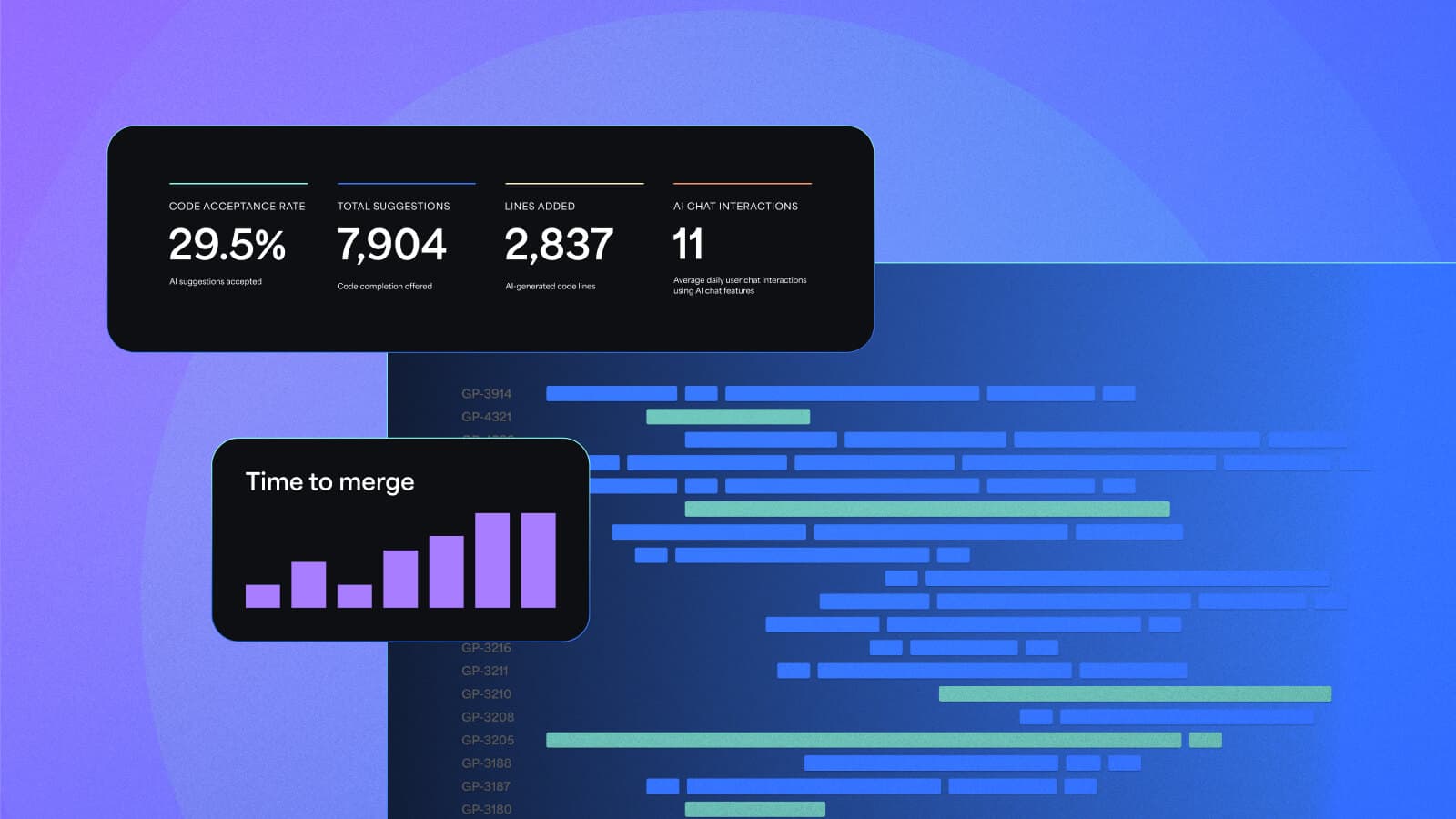

You rolled out AI coding assistants.
Usage went up. Commits increased. Pull requests spiked.
Then leadership asks:
Is AI actually improving software delivery, or just increasing activity across your AI SDLC?
Most teams can’t answer that with confidence.
That’s where Appfire Flow comes in. Flow now includes AI adoption and impact insights through the AI Activity Dashboard and the Champions tab to help you connect AI usage signals to real delivery outcomes across the SDLC.
TL;DR
- AI adoption metrics don’t prove impact
- Activity spikes can hide inefficiency
- You need to connect usage to SDLC outcomes
- Appfire Flow shows whether AI improves delivery
- Run a 30-minute check to validate impact
Why AI adoption metrics don’t tell the full story of your AI SDLC
If you’re trying to prove AI value, it’s tempting to focus on one number: usage.
But usage alone is a weak signal. If you’re measuring AI success by activity alone, you’re measuring noise.
Activity is easy to measure. Impact is what you have to defend.
What most teams see first is a spike in activity. What’s harder to see is whether that activity translates into faster, healthier delivery. Across engineering teams, we consistently see activity increase within weeks of AI rollout. But delivery gains vary widely.
A spike in commits or pull requests can mean:
- faster delivery
- or more rework, review bottlenecks, and quality risk
Without context, both look the same. Appfire Flow doesn’t try to attribute every line of code to AI vs. human. Instead, it focuses on patterns: how AI usage shows up in your workflows and how those patterns affect delivery.
Most platforms measure AI usage or tie it to spend. Appfire Flow shows whether that usage is actually improving delivery health across efficiency, merge time, review quality, and ticket throughput.
By correlating AI adoption signals with delivery metrics like efficiency, cycle time, review quality, and ticket throughput, you can separate real progress from noise.
What’s new in Appfire Flow: adoption and impact in one place
Appfire Flow’s AI Activity Dashboard brings adoption, usage, and delivery impact together.
It combines AI usage data from tools like GitHub Copilot, Cursor or Claude with Flow’s delivery metrics so you can evaluate how AI influences:
- productivity and throughput
- efficiency and rework patterns
- pull request and review workflows
- delivery outcomes over time
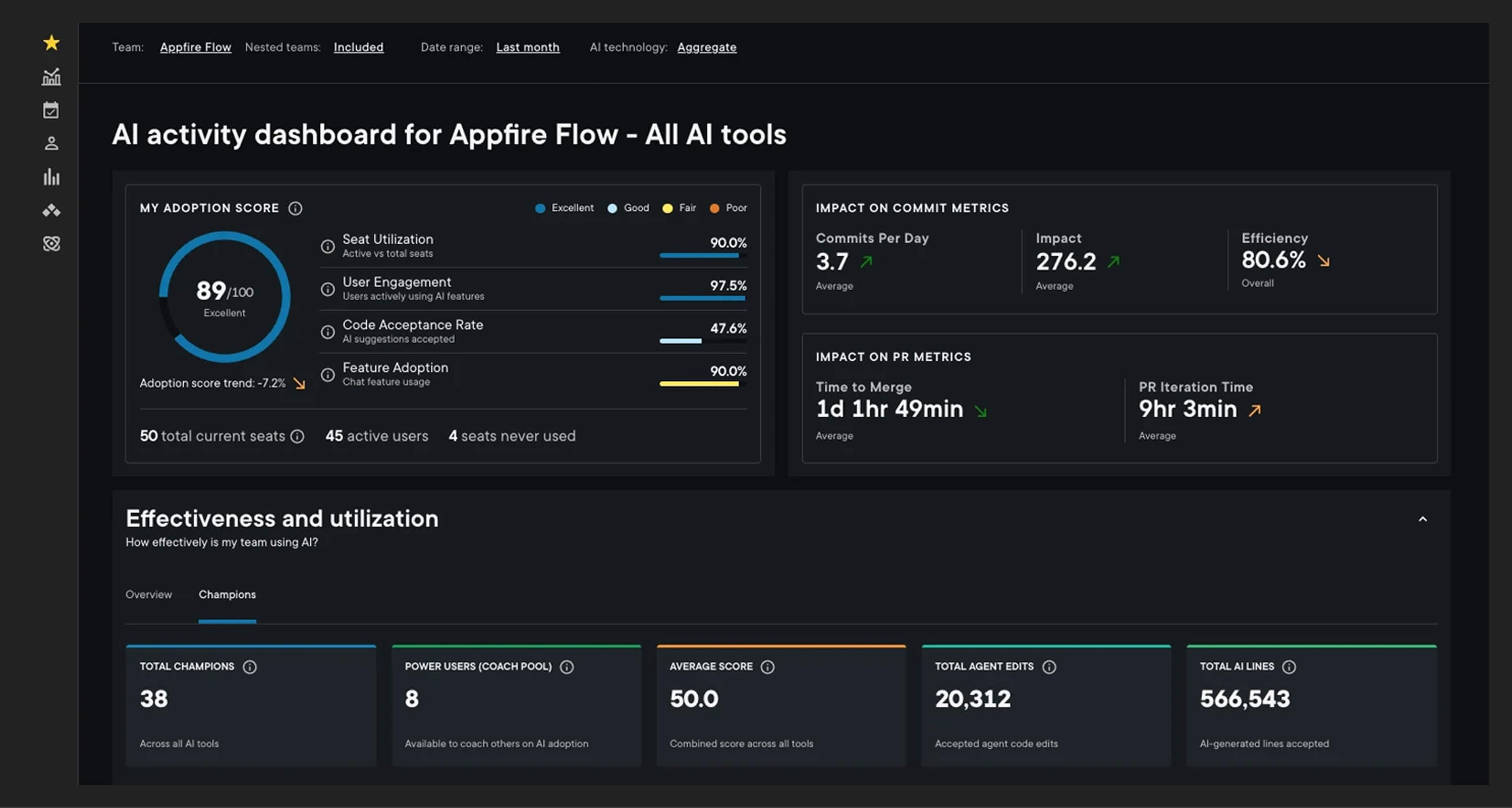
The AI Champions tab adds another layer. It helps you identify the people driving mature AI adoption, understand how those behaviors differ, and scale what works across teams.
This dashboard does more than track activity. It helps you validate impact.
What is an AI SDLC?
An AI SDLC is your software delivery lifecycle with AI tools embedded across everyday development workflows.
That changes the system.
When AI is introduced, activity increases by default: more code, commits, and pull requests. But higher activity doesn’t necessarily mean better delivery.
The challenge isn’t getting teams to use AI; many already are. The challenge is knowing whether that usage is improving outcomes across your SDLC.
How Appfire Flow helps you validate AI impact
Establish a real adoption baseline
Rollouts often start with licenses. But seat count doesn’t equal adoption.
Flow shows:
- which seats are actually used
- how engagement changes over time
- where adoption is uneven across teams
This gives you a baseline you can stand behind in leadership conversations.
Connect usage to delivery outcomes
Once adoption is visible, the next question is straightforward:
Is AI improving delivery?
Appfire Flow supports structured comparisons so you can evaluate:
- changes in cycle time
- shifts in ticket throughput
- whether efficiency holds as activity increases
Because more output does not automatically mean better outcomes. You need to see whether it’s actually improving delivery.
Most importantly, the AI Activity Dashboard in Flow shows how increased activity is affecting development and review workflows and, alongside reports like Executive Summary, helps you connect those signals to delivery outcomes like completed tickets and cycle time.
Scale with clarity, not guesswork
Most teams don’t struggle to adopt AI. They struggle to scale it well.
Appfire Flow helps you:
- identify high-performing users and teams
- understand adoption maturity across the organization
- focus coaching where it has the most impact
This doesn’t replace developer judgment or coaching. You’re giving teams clearer evidence so they can make better decisions about how to use AI effectively.
With the Champions tab in the AI Activity Dashboard, you can turn early success into repeatable practices.
Run a 30-minute AI reality check in Flow
If your AI integrations are set up, you can get a clear read on adoption and impact in about 30 minutes.
Where to go:
Dashboards → AI Activity Dashboard
Step 1: Confirm adoption is real
Start with the basics:
- Seat utilization: how many licenses are actually used
- Active users: who is engaging consistently
- Unused seats: where rollout is breaking down
Then check the Adoption Score, which combines:
- utilization
- engagement
- code acceptance
- feature usage
Quick quality check: code acceptance rate
- ~26–35% → often a healthy range based on patterns observed across Appfire Flow customers
- Above 55% → may indicate over-reliance and lower review rigor
This is your first signal of whether adoption is healthy or risky.
These ranges are derived from Appfire Flow’s internal models and observed usage patterns. There’s no industry standard yet: they’re best used as directional signals, not strict benchmarks.
Step 2: Check workflow impact
Next, look at how AI usage affects delivery.
Focus on trends in:
- commits per day
- time to merge
- pull request iteration time
- efficiency (rework levels)
- change impact
How to interpret:
- More commits + stable efficiency → likely acceleration
- More commits + slower merges → review bottlenecks
- Rising impact → larger or riskier changes
This keeps the focus where it belongs: outcomes, not activity.
Step 3: Identify who will help you scale
Move to the Champions tab in the AI Activity Dashboard.
Here you can see:
- top adopters
- adoption tiers across users
- gaps between power users and the rest
Two useful outputs:
- your top champions
- your best training targets (often mid-tier users, not beginners)
This is where scaling becomes practical. Instead of relying on top-down training, you can identify the people already using AI effectively and turn those behaviors into repeatable, team-wide practices.
What you should know after 30 minutes
You’ll be able to answer:
- Are we paying for unused licenses?
- Is usage healthy or risky?
- Is AI improving delivery, or just increasing activity?
- Where is adoption uneven?
- Who can help scale best practices?
That’s enough to move from experimentation to a more deliberate strategy.
What healthy and risky adoption looks like
AI adoption usually increases activity. The goal is to make sure that activity stays productive.
Healthy signals:
- steady, consistent adoption across teams
- higher output with stable efficiency
- faster merges without quality drops
- adoption spreading beyond early adopters
Risk signals:
- patchy usage with no baseline
- commit spikes without delivery gains
- review bottlenecks or rubber-stamped PRs
- efficiency drops despite higher output
- advanced usage stuck with a small group
The goal isn’t to judge teams. It’s to create clarity before scaling.
A simple model for what to do next
Most organizations move through three stages:
Exploration
Are people using AI tools at all?
- Establish a baseline
- Risk: scaling without visibility
Expansion
Is AI improving delivery?
- Validate outcomes
- Risk: mistaking activity for impact
Scale
How do we manage this responsibly?
- Standardize and operationalize
- Risk: inconsistent practices and hidden delivery risk
Appfire Flow supports each stage with the same principle: validate impact before scaling.
See how AI adoption impacts your SDLC
AI adoption is moving fast. Proving its value is slower.
If you’re rolling out AI coding assistants, you need more than usage metrics. You need a clear view of how adoption affects delivery, where risks are emerging, and how to scale what works.
Start by exploring your current AI adoption patterns and validating what’s working.
When you’re ready to go deeper, request a tailored walkthrough to see how Appfire Flow fits your environment.
Talk to an expert