

Managing configuration changes in Jira Cloud requires precision. You need to know what’s being updated, what’s staying the same, and what might cause issues before hitting deploy.
With the new Analysis Report UI in CMJ Cloud, you can finally see every planned configuration change in one spot. The redesigned UI gives you an instant overview of all modifications, lets you edit configurations inline, and provides detailed comparisons before deployment.
A closer look at the new UI
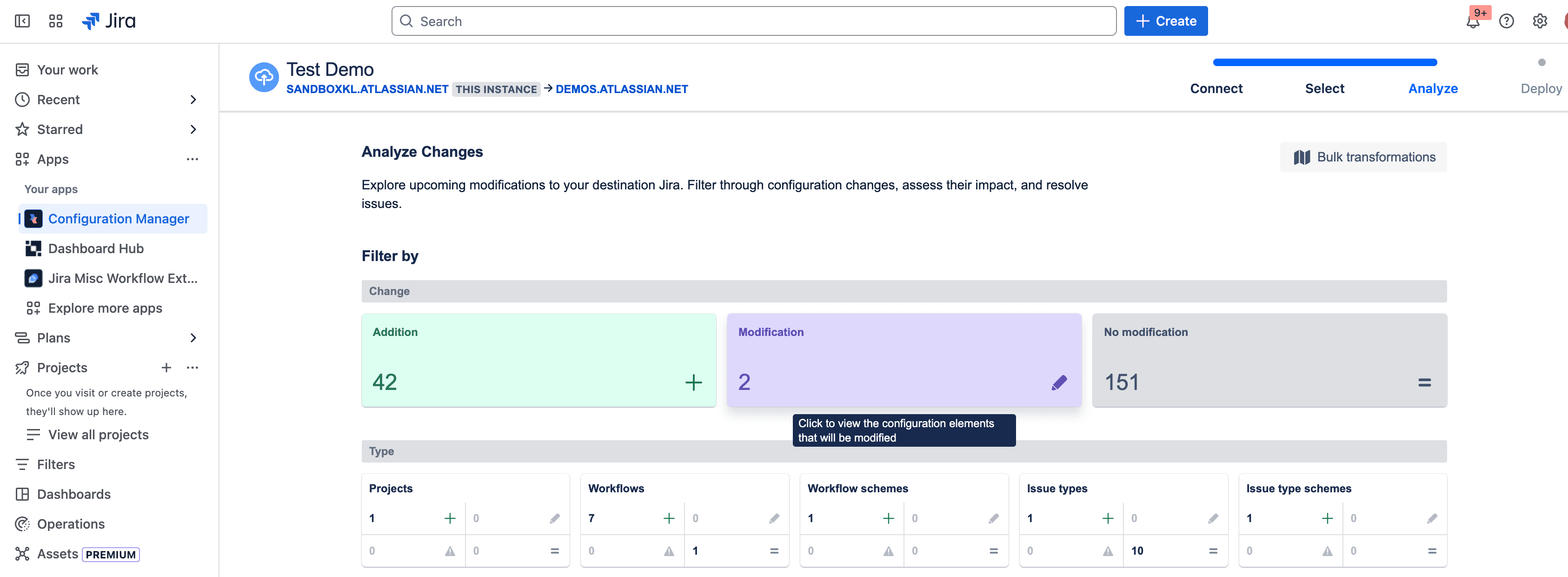
CMJ Cloud’s Analysis Report UI has been completely redesigned to help Jira admins confidently analyze, edit, and validate changes.
Summarized change reports
The new UI introduces a high-level summary at the top of every report. Instead of searching through multiple screens, you get a clear breakdown of additions, modifications, and customizations in one place. If there are any errors or warnings, they’ll be flagged immediately so you can address them before deploying.
A more interactive and flexible way to review changes
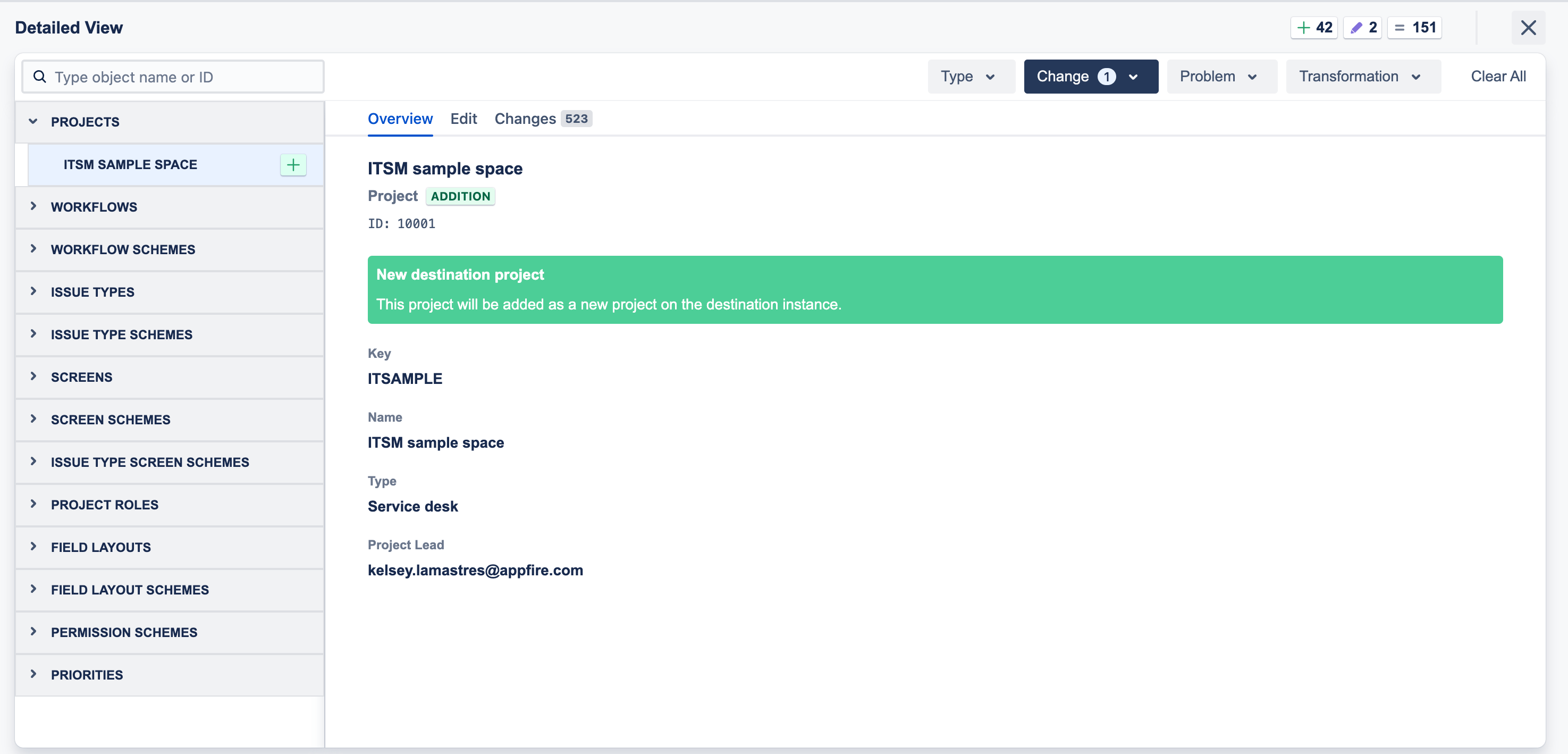
The new UI makes it easier to explore every detail of your configuration updates.
- The Overview tab gives a high-level snapshot of what’s changing.
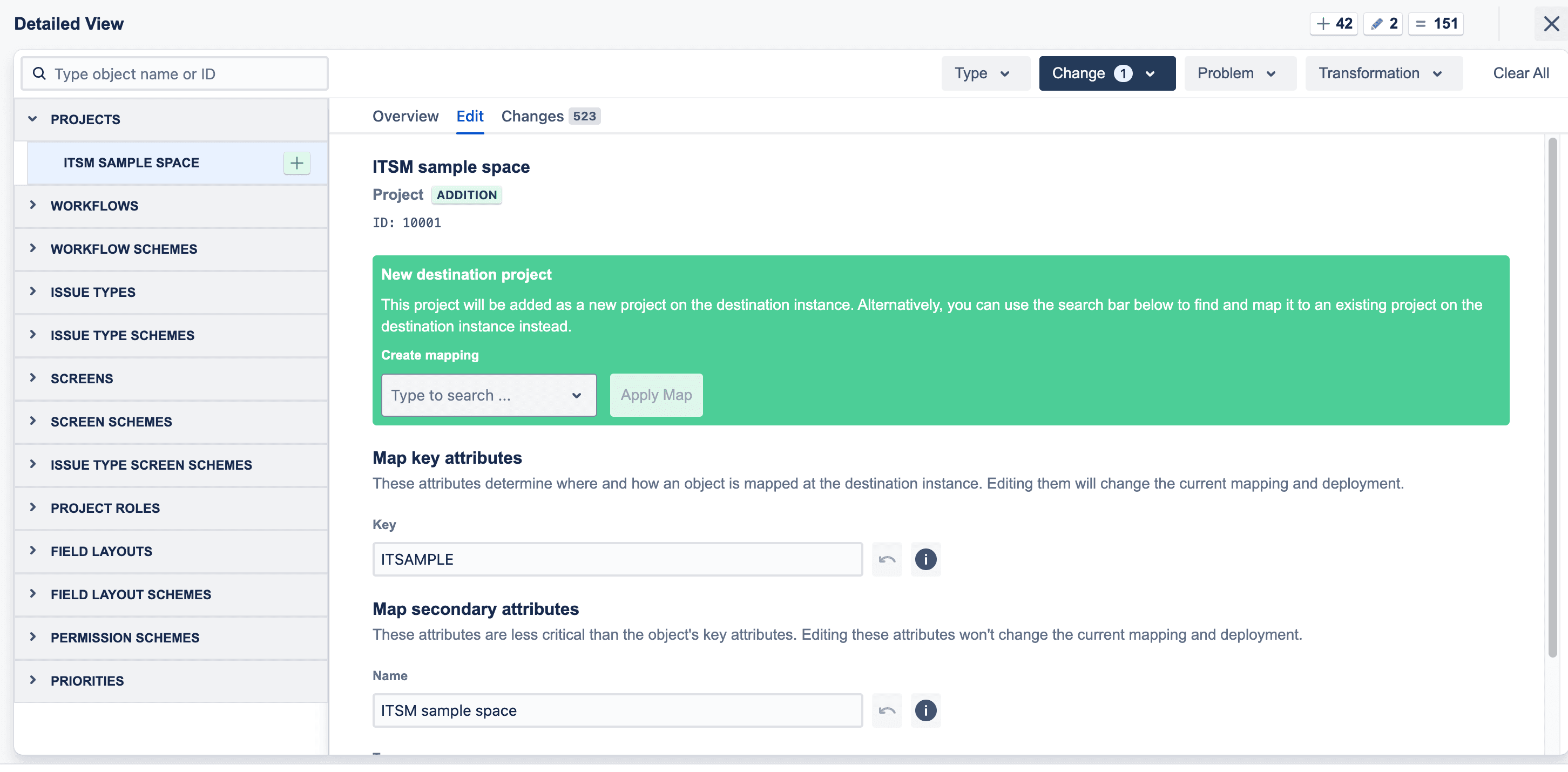
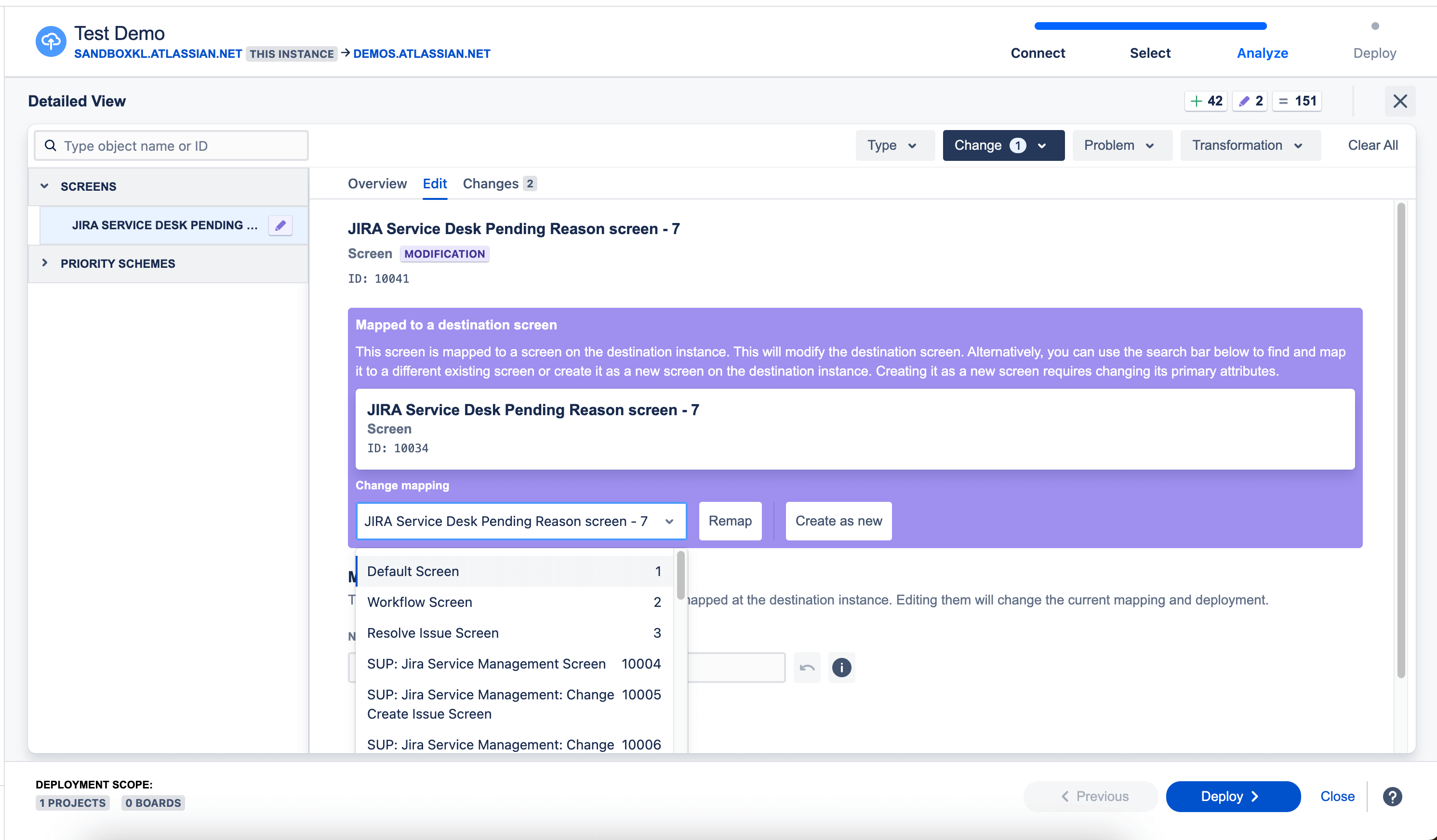
- The Edit tab allows you to modify mappings directly in the UI.
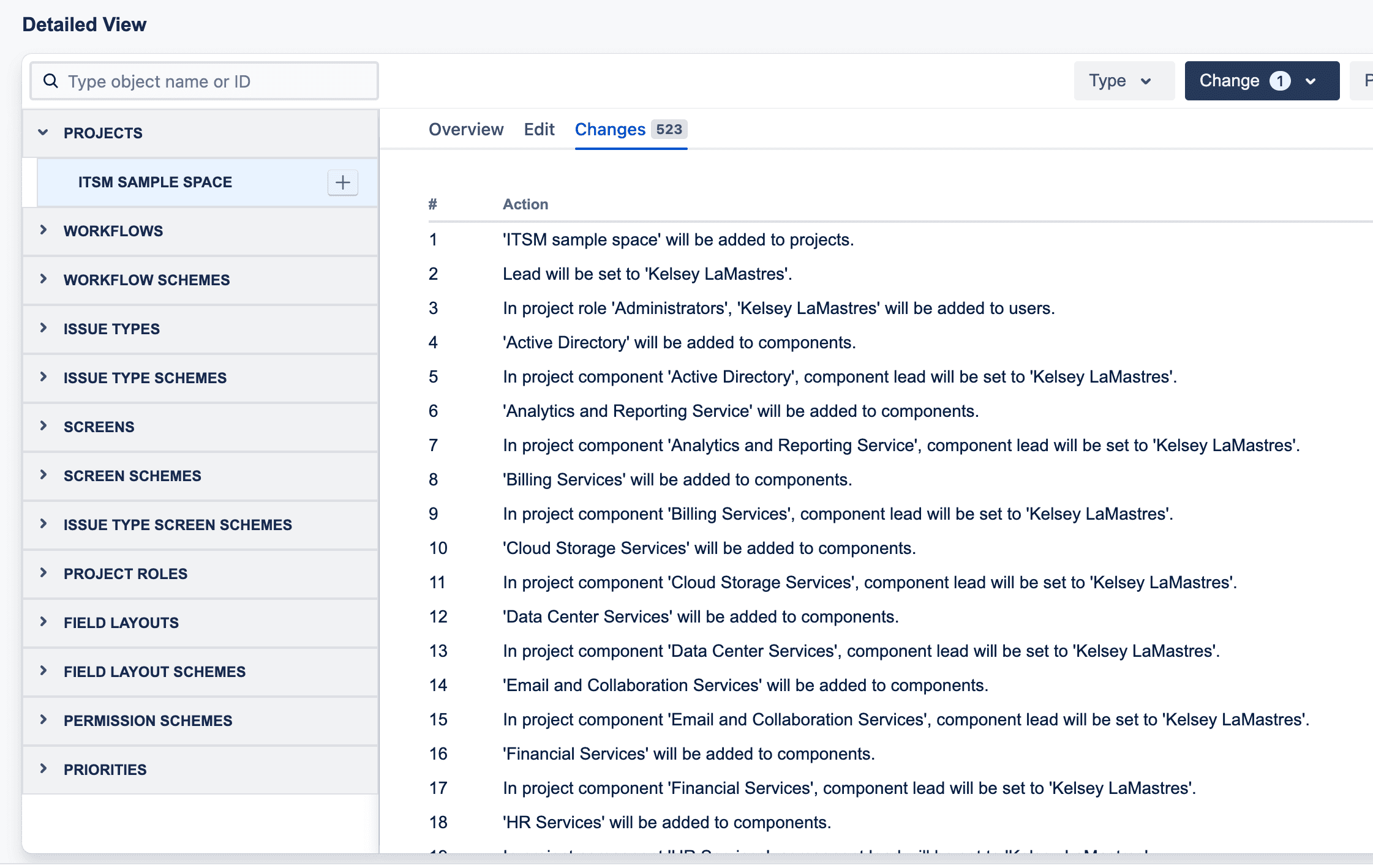
- The Changes tab displays a step-by-step breakdown of every action CMJ will take, so you understand exactly how your configurations will be modified.
Edit configurations directly in the UI
Before this update, admins had to download and edit JSON files to customize the mapping between source and target. Now, you can remap configurations directly within the UI — choosing whether configurations should be created as new or mapped to existing ones when deployed. Whether you’re tweaking a single setting or remapping multiple configurations, you can make changes quickly without extra steps.
For those who still prefer JSON-based bulk transformations, that option remains available, but it’s no longer required for routine updates.
Validate changes before deployment
Once you’ve reviewed and modified your configurations, you can re-run an analysis to check for potential conflicts before anything goes live. This helps prevent unexpected overwrites, reduces deployment rollbacks, and ensures every configuration update is intentional and well-documented.
What this means for you
For Jira admins, this update eliminates the frustration of manually tracking configuration changes across environments. Instead of comparing files line by line, you can see, modify, and validate every change in one place.
If you’ve ever deployed a configuration change and later realized something wasn’t mapped correctly, this feature will help you catch those issues upfront. It also provides a level of change analysis that Jira Cloud doesn’t offer natively giving you greater confidence in managing configurations.
The new Analysis Report UI is now available in CMJ Cloud.
Check it out today and experience an easier, more transparent way to manage Jira configuration changes.
Try it now