
Creating your Coupa account

Supplier portal

Illustration of a crane building a web interface, symbolizing the setup process for activating an Appfire CSP account.
Appfire

Appfire

Sep 24, 2024

How to activate your CSP account

Step 1

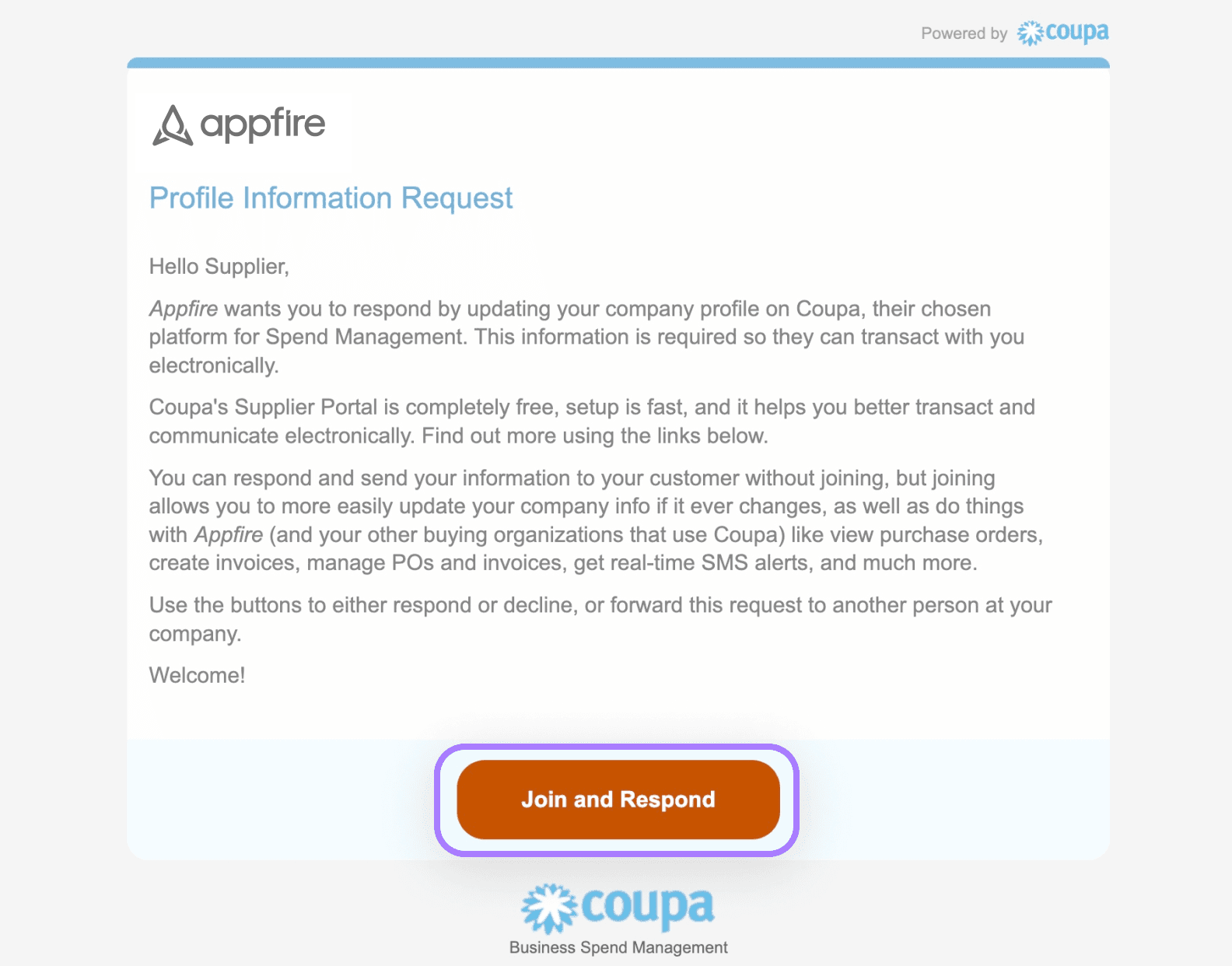
You will receive an email from Appfire asking you to connect to the Coupa Supplier Portal. If an email is not received, check your junk mail, then contact procurement@appfire.com for the email to be resent.

Select join and respond or forward the invitation if someone else should receive this email from your team.

Note: You can only forward to an individual in the same organization as you.
Create-coupa-account-email-2x.png

Step 2

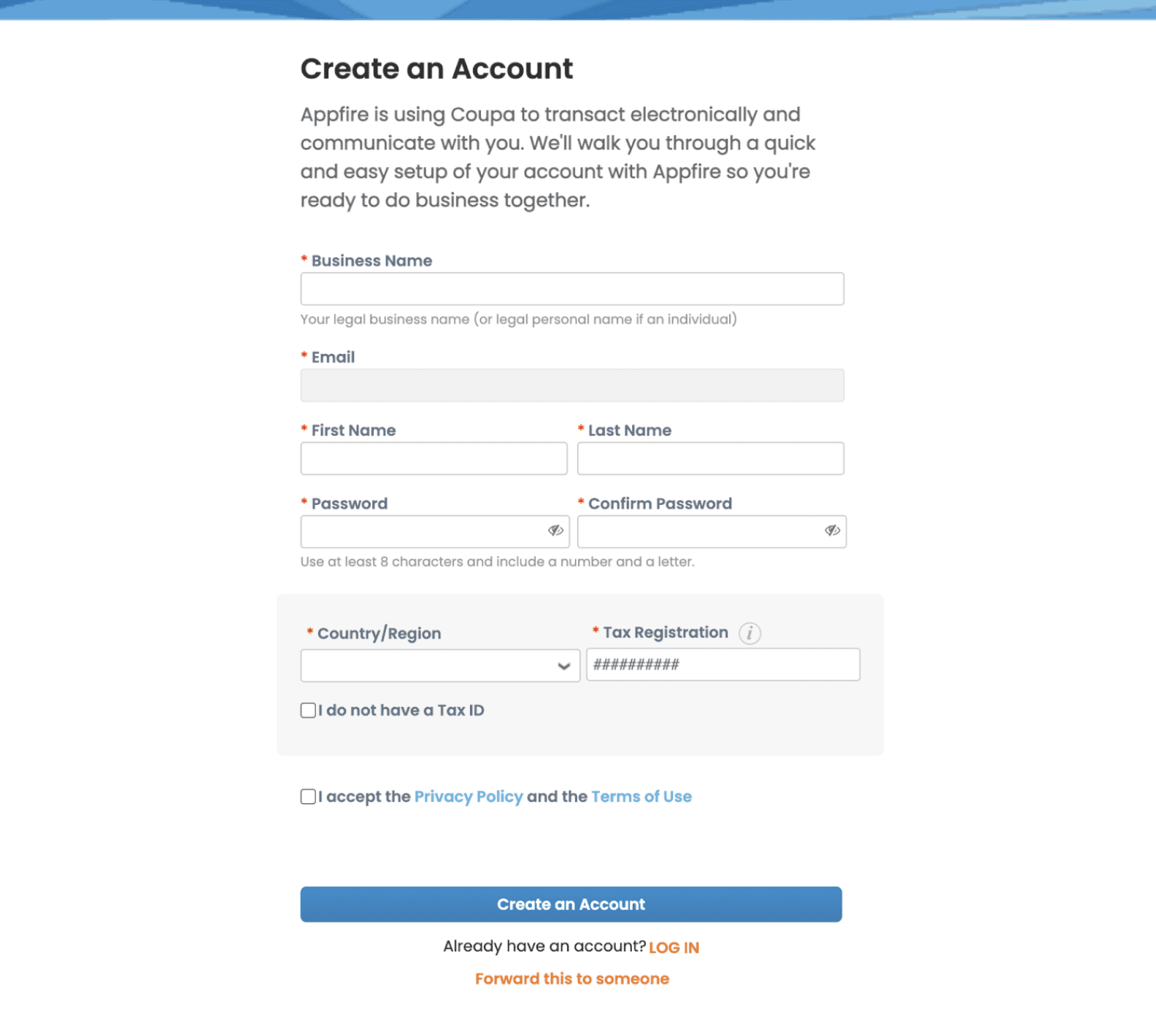
Complete the steps on your screen to set your profile.
Create-coupa-account-setup-2x.png

Step 3


When you have completed the form fields click create an account to finalize setup.

Appfire

Appfire

Appfire is the leading global provider of software that enhances, extends, and connects the world's leading platforms to make work flow any way teams want to work, from planning to product ideation, product development, project delivery, and beyond. Articles posted by Appfire are written by internal team members.