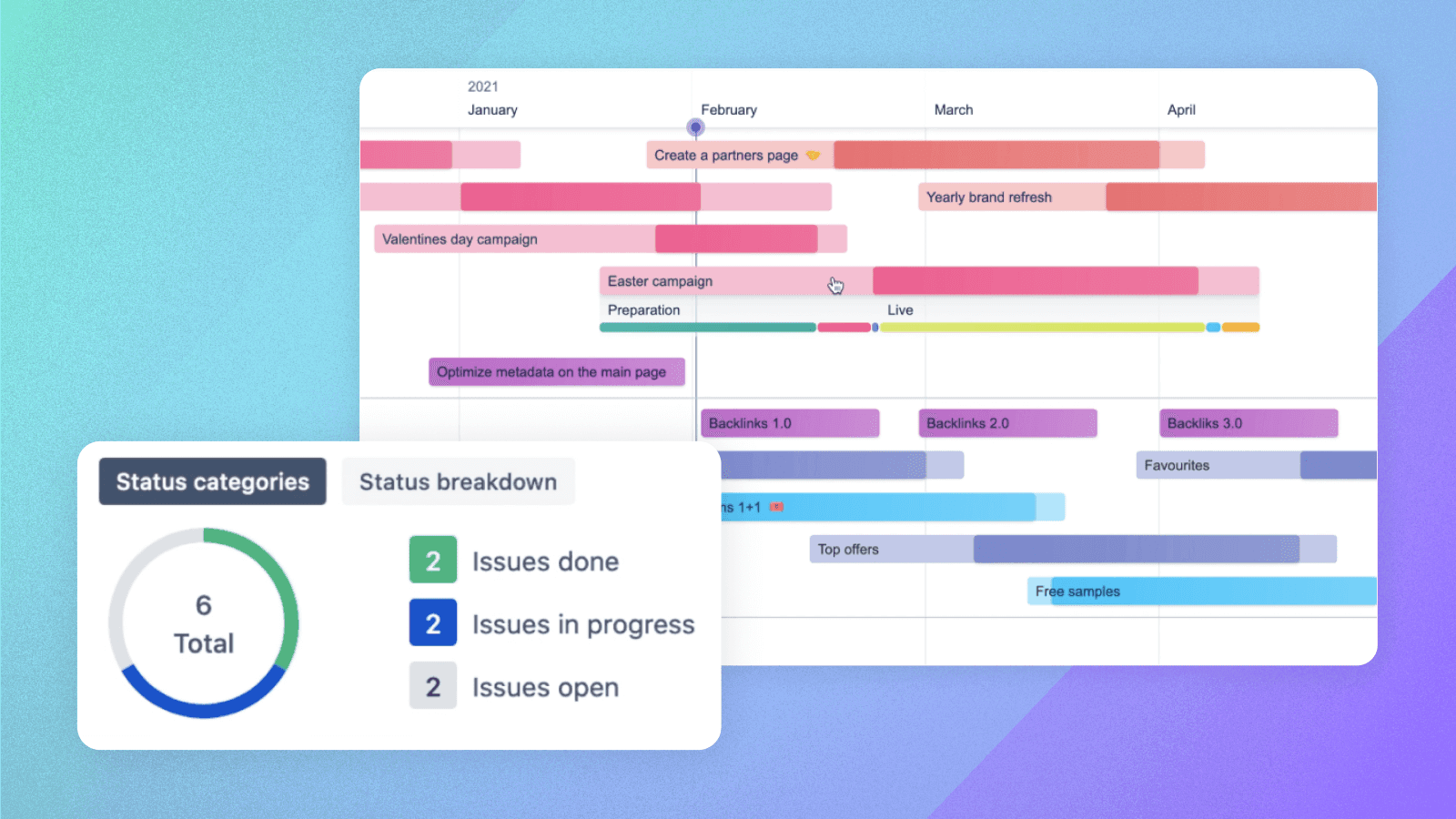

What makes a digital marketing campaign a breeze? Fundamentally, three things: visibility, efficiency, and strategic alignment. What marketers want are quick, easy insights into campaign progress, resource allocation, and deadlines. For that, they need visual project management software.
While Jira excels in project management functionality, digital marketers often prefer a more visually intuitive understanding of their campaigns. This is where Swanly comes in, with its structured, color-coded, and visually appealing features.
This article explores five ways Swanly can enhance the efficiency and overall success of your digital marketing campaign process.
1. Improve visibility across digital campaigns
Swanly takes the concept of a Jira roadmap to the next level by providing a visual project management software that’s both intuitive and powerful.
Improve planning with visual project management
Effective planning is at the heart of successful project management. Swanly’s visual project management software enables digital marketing teams to plan their projects with a high degree of precision and flexibility.
By visualizing the entire project lifecycle, from concept to completion, teams can anticipate challenges, allocate resources efficiently, and set realistic timelines.
Assess project status at a glance
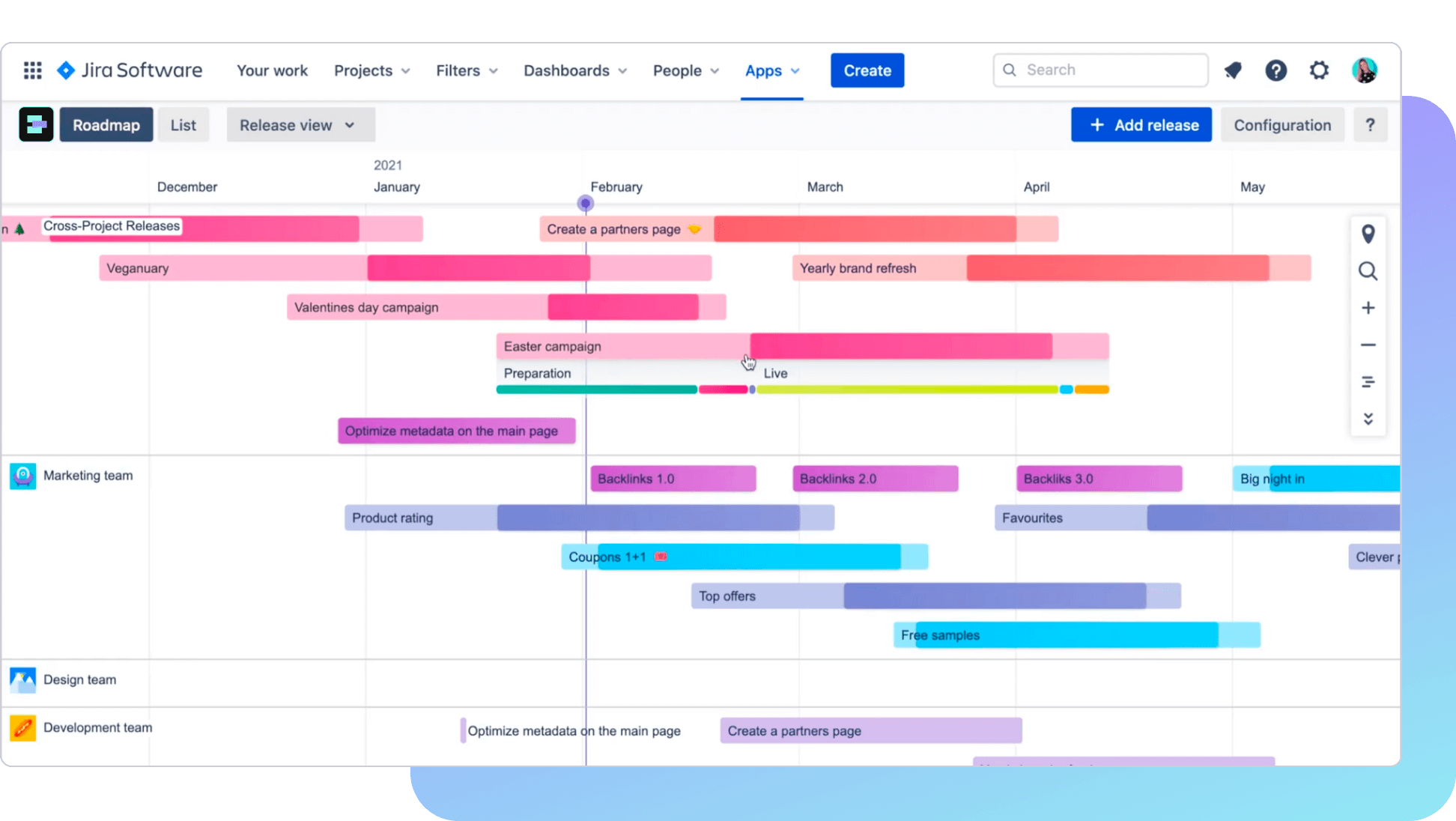
Swanly offers digital marketers a bird’s-eye view of all ongoing and planned marketing campaigns, while enabling every team member to easily understand project timelines, dependencies, and progress.
Its visually intuitive Gantt chart and project roadmap features make it simpler to grasp complex projects at a glance, enhancing team alignment and collaboration.
Choose what you see on the timeline
Using Swanly’s customizable timeline view, marketers can tailor their dashboard to show exactly what’s needed. Whether you want to display deadlines, milestones, or specific tasks, the ability to filter and display relevant information ensures that everyone stays focused on the priorities that matter most.
For example, instead of viewing projects in your Jira roadmap, you can switch to viewing campaign types. Once you do that, the swimlanes in your Jira roadmap will represent campaign types like SEO, new feature launch, and so on, and the colors of the campaigns will reflect the projects.
2. Enhance project tracking with Gantt chart color coding
One of Swanly’s standout features is its Gantt chart color coding. This adds a visual appeal, but also significantly improves project tracking.
Keep track of multiple campaigns and activities
By assigning colors to different tasks, milestones, deadlines, or even campaigns, teams can quickly assess the status of various components within their projects. This visual cue is crucial for digital marketing projects where you need to monitor multiple campaigns and activities simultaneously.
Use templates for marketing campaigns
In Swanly, each campaign type can have its own predefined, color-coded stages. For example, choose from Preparation, Approval, Launch, Live, Closure and Evaluation. Once your stages are drawn on the timeline, you can easily track their progress.
Also, you have the choice between using an existing template, or creating your own custom template — a very simple process you can do in Configuration.
3. Have one meeting point for tasks and projects
Swanly serves as a centralized platform where tasks and projects converge, offering a single point of reference for all campaign-related activities. This consolidation fosters a unified approach to project management in which the status, dependencies, and deadlines of individual tasks are interlinked within the broader context of the campaign’s roadmap.
Connect campaign tasks across different teams
Imagine a campaign where marketing, design, and development converge. Each team might be working on a separate project in Jira to manage their day-to-day: All of their tasks related to that specific marketing campaign will be linked in Swanly.
Key information about these tasks — like task summary, assignee, priority and status — is then accessible to all. You can also drill down into the actual task by simply clicking on it.
Streamline collaboration with integrated project roadmaps
Collaboration is key to the success of digital marketing projects, and Swanly’s integration with Jira roadmapping tools makes it seamless. Shared visual project roadmaps enable team members to see updates in real time, fostering a collaborative environment.
Whether team members need to adjust timelines or reallocate resources, they can make informed decisions quickly, ensuring the project stays on track.
4. Understand your campaign progress
Real-time updates and color-coded progress indicators provide immediate insights into how each element of the campaign is advancing. This level of detail helps you to identify bottlenecks early and adjust strategies proactively to stay on track.
Get quick updates in the report panel
You access the report panel in Swanly by clicking on the campaign in the timeline. This is where you go to access quick, high-level information like: time spent on a campaign or task, stages, tickets done or in progress, and so on.
Share marketing campaign reports with others easily
Swanly’s reporting features enable you to generate and share detailed reports effortlessly. For example, you can share a report with colleagues before your weekly update meeting, with a single click. Up-to-the-minute reports keep stakeholders — from team members to clients — informed and engaged.
5. Optimize your workflows, resources, and time
Efficiency in digital marketing translates to more than just meeting deadlines. It’s about optimizing workflows, resources, and time to achieve the best possible outcomes. Swanly introduces several features that enhance operational efficiency, making the app a powerhouse for managing marketing campaigns.
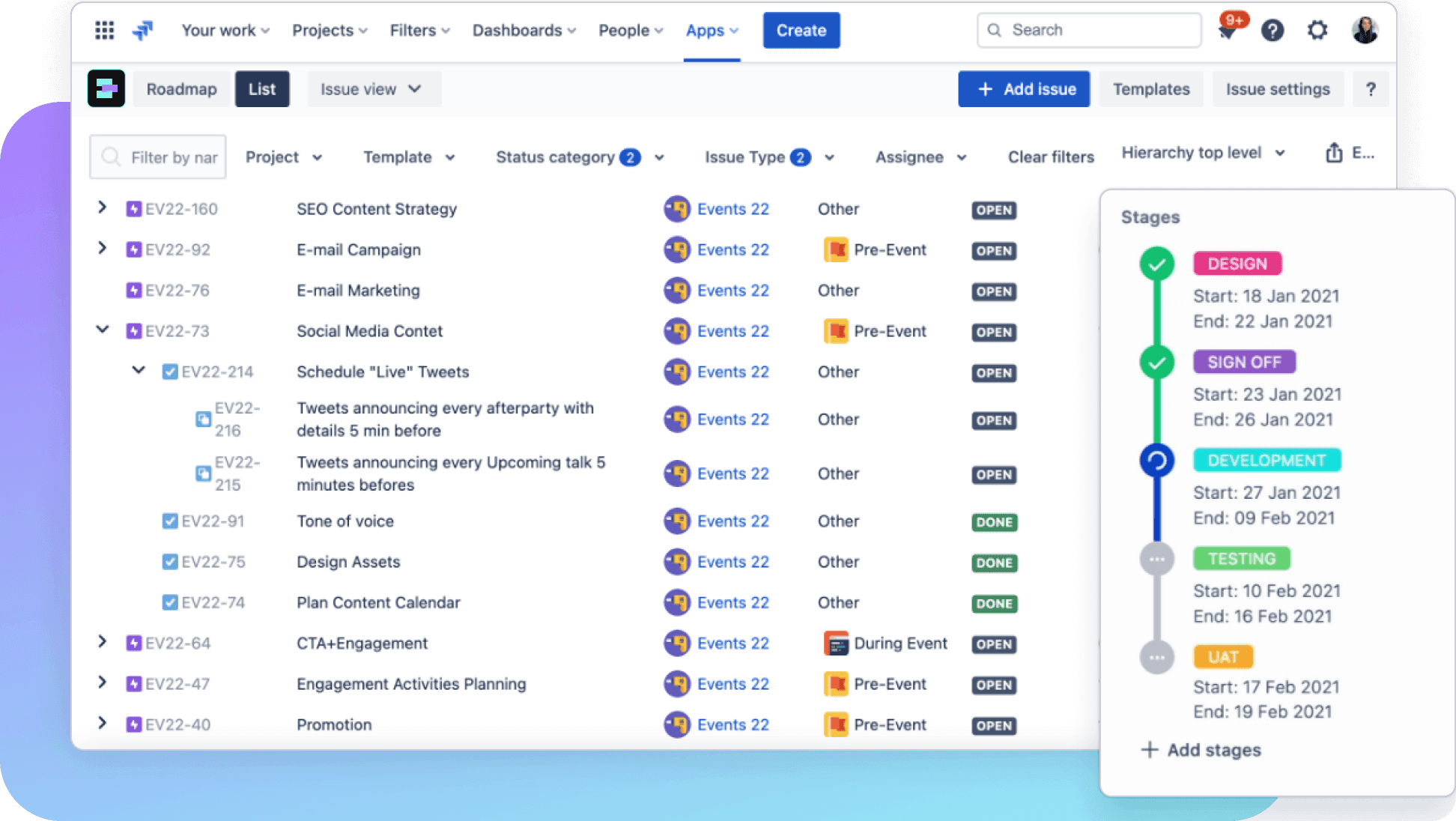
Make lists and filter them
Organize your campaigns, tasks, and milestones into customizable lists that can be filtered based on various criteria. This level of organization streamlines the planning and execution process so you can easily manage multiple campaigns simultaneously without losing sight of important details.
For example, you can get a list of all growth hacking campaigns that the teams are working on, or a list of all campaigns they’ve completed. Once you have your list, you’ve got a report you can easily share.
Enable dynamic scheduling and resource allocation
The Gantt chart and roadmap functionalities enable dynamic scheduling, where tasks can be adjusted and resources reallocated with simple drag-and-drop actions. This flexibility is crucial, because digital marketing plans can change at a moment’s notice.
Customize your project management with Jira roadmapping
Swanly’s flexibility in customization allows teams to tailor their project management approach to fit their unique needs. Using the app’s capabilities for Jira roadmapping, you can manage digital marketing projects in a way that aligns with specific goals, workflows, and team structures. This level of customization ensures that teams can maintain efficiency and productivity, regardless of a project’s scale or complexity.
Swanly’s not just another app in the digital marketer’s stack — it’s a strategic partner that enhances visibility, efficiency, and collaboration. Through visually rich Gantt charts, customizable timelines, and comprehensive Jira project roadmaps, Swanly offers a unique blend of features that cater to the dynamic needs of digital marketing campaigns.
If you’re looking for an effortlessly simple, plug-and-play app for streamlined digital marketing campaigns — one that requires no complex processes or extensive setup — Swanly is for you.
Try Swanly for free