

Built-in tools give you a starting point. 7pace Timetracker gives you structure, automation, and real reporting power right inside monday.com.
TL;DR
- Time tracking in monday.com can get messy fast — scattered logs, unreliable data, and manual reporting
- 7pace Timetracker fixes that with structured, taggable time tracking right inside your boards
- Track time in the flow of work, report by project or client, and ditch the spreadsheets for good
- Built for teams who need accurate, low-friction time data without breaking their workflow
- Try 7pace free and make time tracking a habit your team actually wants to keep
The hidden cost of fragmented time tracking
You’re already tracking time — just not in one place.
There’s the update column someone added to log hours. The calendar event that hints at a late-night crunch. The comment where a teammate says they spent “a couple hours” on a task. Maybe even a sticky note on your desk.
The time is there. It’s just scattered.
And when it’s time to bill a client, review sprint effort, or pull together a project recap, you’re piecing it all together manually — again. Multiply that across a team, and you’re spending more time figuring out how time was spent than actually doing the work.
monday.com gives teams a flexible way to log time, especially when they’re just getting started. But as your needs grow — as you’re trying to plan better, report smarter, or track client work accurately — that flexibility can turn into friction.
Because without structure, context, and visibility, time data becomes noise. And that noise costs you.
Why built-in time tracking starts to feel limiting
monday.com makes it easy to add a time tracking column. But most teams quickly realize it’s only part of the puzzle.
- There’s no standard. Everyone logs time differently — or not at all — so data is hard to trust.
- There’s no context. You can see when someone tracked hours, but not always what task or project they were for.
- There’s no big picture. You can’t easily see how time adds up across projects, teams, or clients — not without exporting and stitching things together.
And let’s be honest — people don’t open monday.com to track time. They open it to get work done. If tracking adds friction or doesn’t feel useful, it’s the first habit to slip.
That’s why growing teams look for a time tracking solution that feels native, but adds structure, without adding steps.
What is 7pace Timetracker for monday.com?
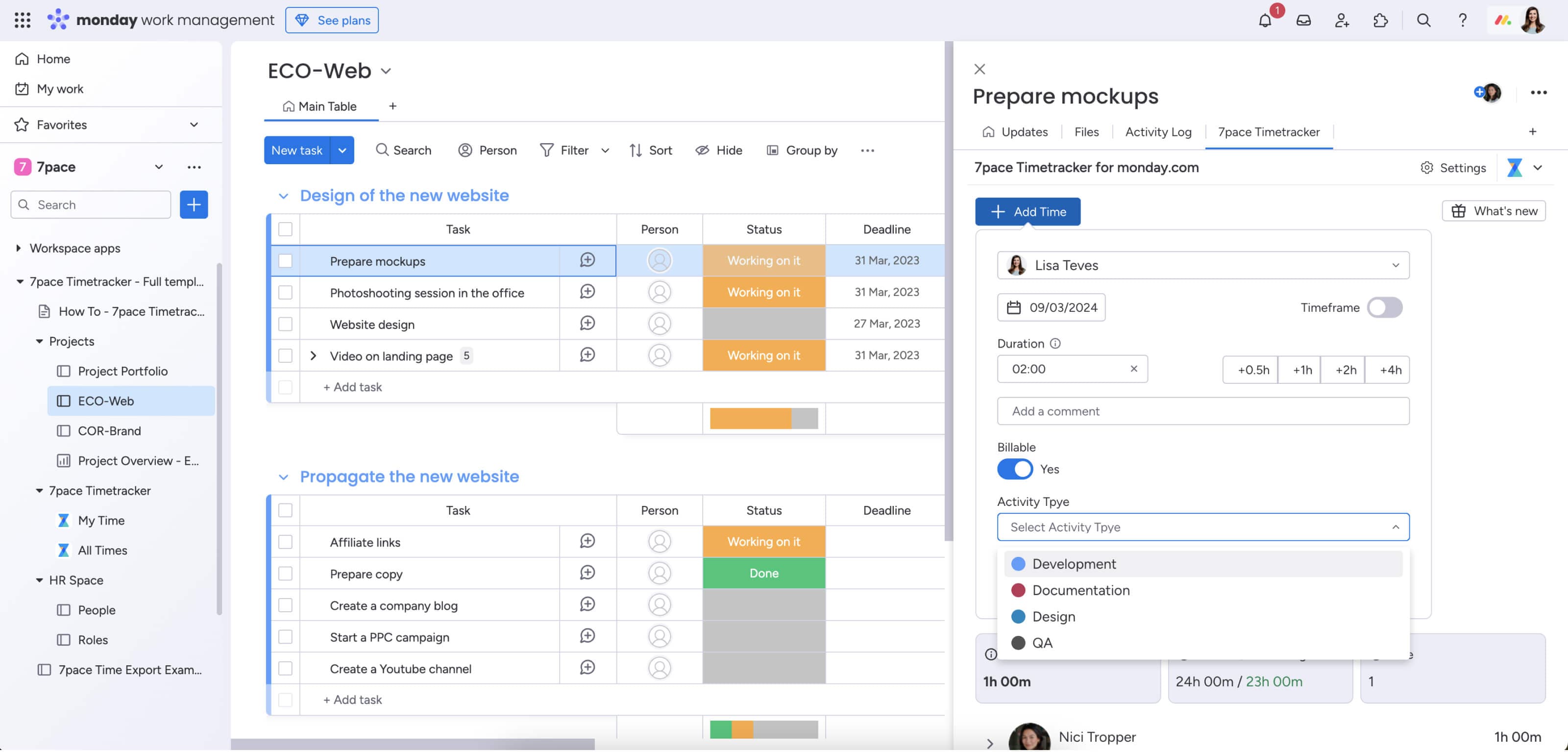
7pace Timetracker helps your team bring structure and insight to the time they’re already tracking in monday.com without changing the way they work.
It’s built for teams who are done guessing, digging through comments, or pulling numbers from memory. Instead, 7pace makes time tracking feel like part of the process, not a separate system.
With 7pace, you can:
- Track time in the flow of work — use built-in timers or log hours with one click, right from your monday.com boards
- Add structure and context — tag entries by project, client, task type, or sprint so they’re actually meaningful later
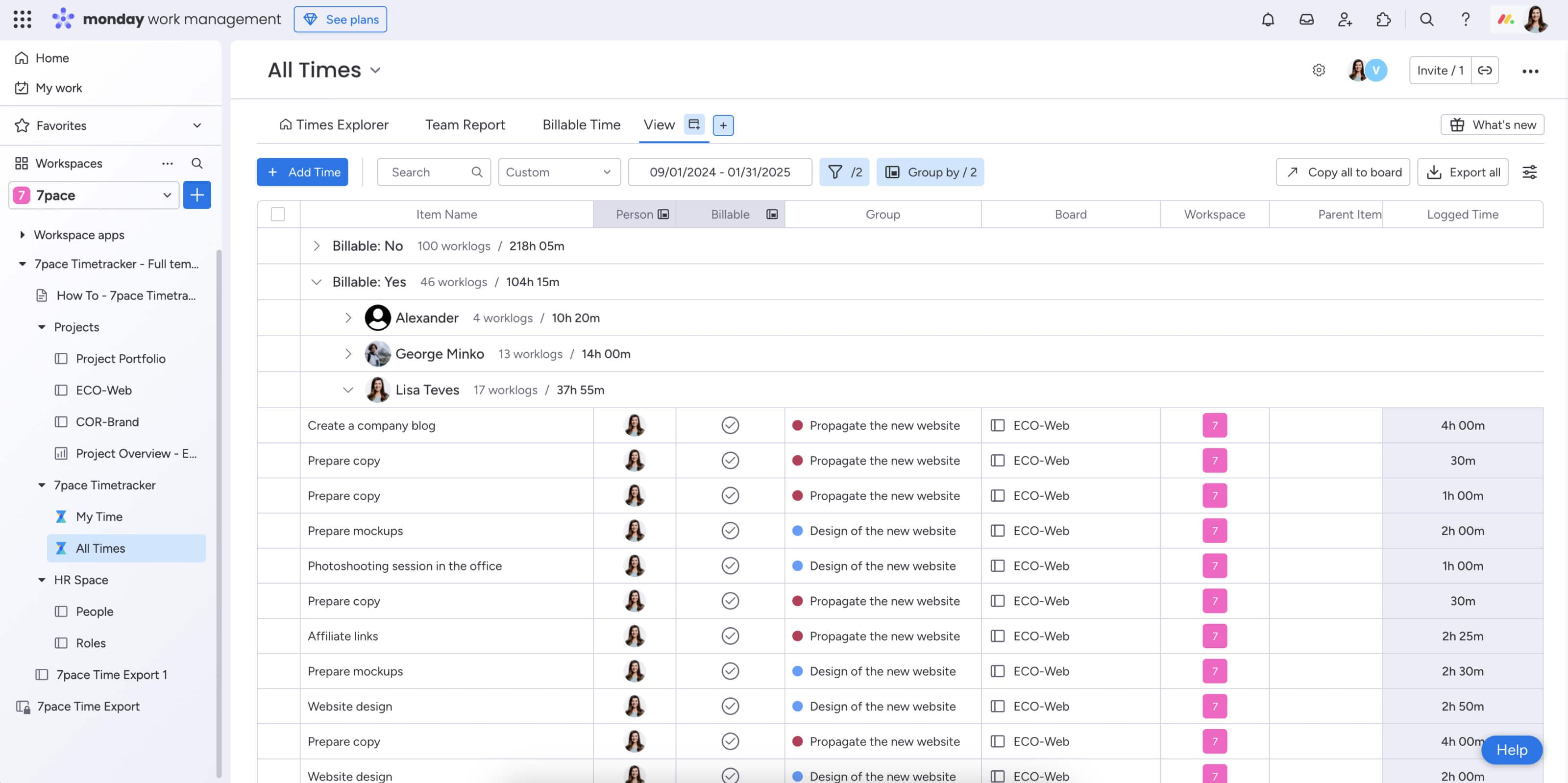
- See the full picture — report on time by person, team, or project with filters and views built for managers, not spreadsheets
It works behind the scenes to make tracking simple, whether you’re logging time as you go or capturing it after the fact.
It runs directly within monday.com, so your team doesn’t have to learn anything new. No extra tabs. No tool switching. Just more complete, more useful time data right where work is already happening.
And it’s trusted by agile teams, consultants, and internal ops groups who rely on time data to plan, deliver, and grow.
Why teams trust 7pace Timetracker
When time tracking feels like a chore, it rarely sticks. But when it fits seamlessly into how your team already works — it becomes second nature.
That’s why teams turn to 7pace.
It doesn’t ask people to change their workflow. It simply makes the time they’re already spending easier to capture, structure, and use — whether that’s for planning, billing, or learning where time actually goes.
Here’s how teams are using it inside monday.com:
- Scrum teams log time directly from stories and epics — giving product owners visibility into velocity without chasing updates.
- Consulting teams tag billable vs. non-billable hours right in their delivery boards — no extra tracking tools or spreadsheets required.
- Ops managers review where time is going across projects — spotting early signs of overload or helping rebalance priorities.
The payoff?
- More accurate time logs — because it’s easy to track time in real time or after the fact
- Smarter reporting — because logs are structured and tied to the work
- Less friction — because there’s no jumping between tools or chasing people for updates
- More clarity — for team leads, clients, and execs who want visibility without micromanagement
7pace helps teams stop guessing where time went and start using that data to work smarter.
Key features to look for in a monday.com time tracking app
If you’re exploring time tracking tools for monday.com, chances are your team is already tracking time — just not in a consistent, structured way. That’s normal.
The right tool shouldn’t feel like starting over. It should fit your existing process and make your data more useful, without adding steps or complexity.
Here’s what to look for:
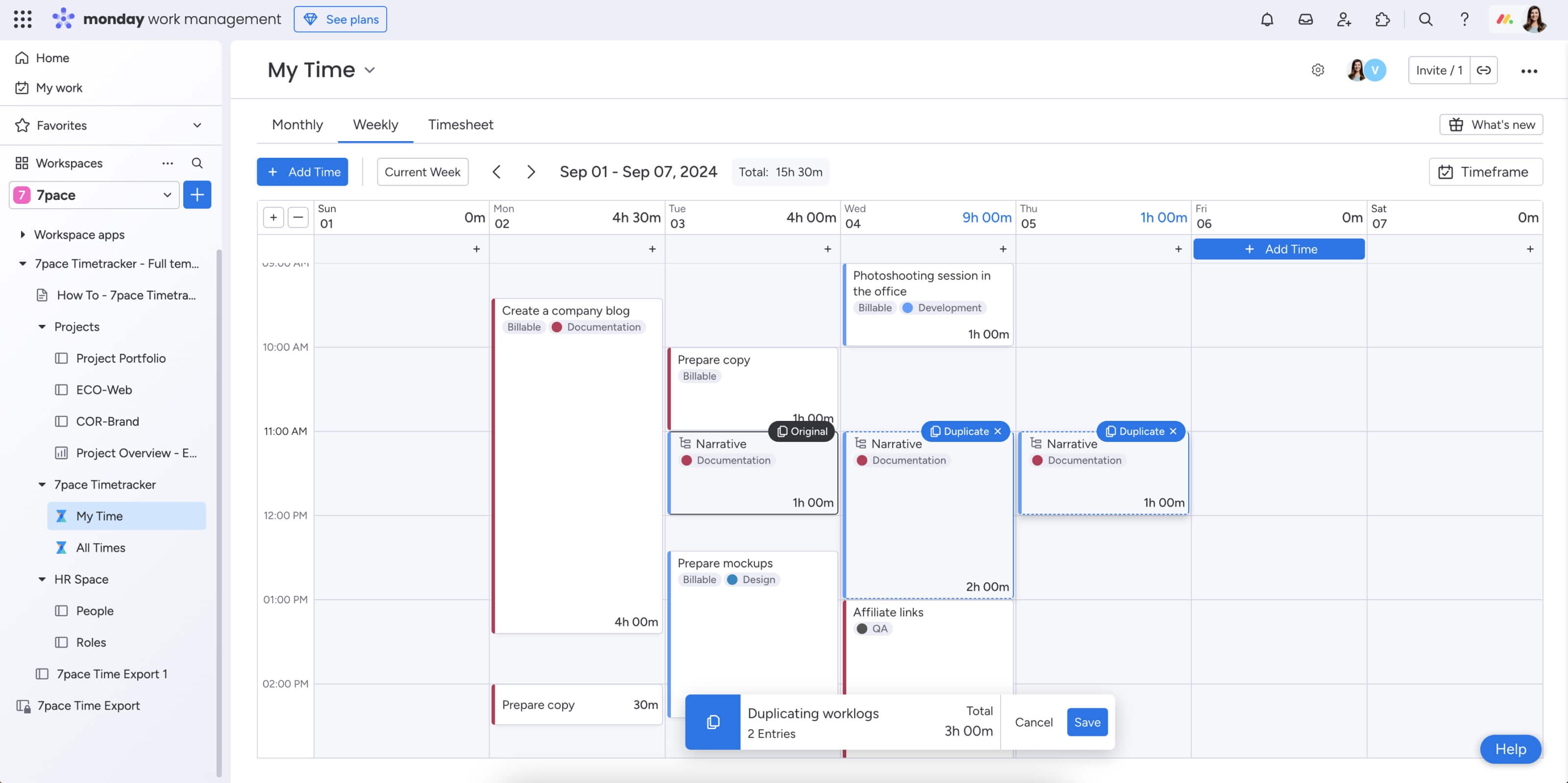
- Deep monday.com integration — Time tracking should feel like a natural part of your boards — not an external app you have to remember to open.
- Structured, taggable time logs — You’ll want to tag time by client, project, or task type so it’s easy to organize and report on later.
- Flexible tracking options — Some work gets tracked in the moment. Some gets logged at the end of the day. A good tool supports both — no pressure, no forgetting.
- Reports that actually help — You should be able to spot trends, surface effort by project, and answer the classic “where’s our time going?” in seconds.
- Visibility across the team — Time data should work for everyone — from individual contributors to project leads to ops managers. That means access, not micromanagement.
7pace checks all of these boxes because it was built to turn time tracking from a fragmented habit into a meaningful part of how teams work and grow.
It’s one of the few time tracking solutions built specifically to work inside monday.com — not just alongside it.
Best practices for rolling out time tracking in monday.com
Rolling out time tracking can feel like a sensitive move, especially if your team has tried (and resisted) it before.
The key isn’t enforcement. It’s empathy. Most people aren’t against time tracking — they just don’t want one more thing to do. If it feels useful, fair, and easy? They’ll use it.
Here’s what we’ve seen work from teams who’ve been through it:
- Start with the “why” — Before introducing any tool, talk about the real benefit: better planning, less stress, and more visibility into where time is actually going. Not just “because leadership wants reports.”
- Model the behavior first — Have team leads or managers log time openly for a week or two before asking everyone else to do it. When leaders track their time without making it a big deal, it sends the right signal.
- Pilot it with one board or project — Don’t roll it out to the whole org on day one. Choose a team that’s open to experimenting — and let their wins pave the way for others.
- Make it ridiculously easy — Show your team how to track time from tasks they’re already touching. Highlight one-click tracking, desktop shortcuts, or auto-logging. Friction is the enemy of adoption.
- Review the data together — Use reports as a way to spark honest conversations. What’s taking longer than expected? Are we spending too much time in meetings? This builds trust — and proves the data has value.
Most importantly, remind your team this isn’t about scrutiny — it’s about support. When time tracking gives people clarity instead of pressure, it sticks.
Try it free and bring clarity to how your team works
Your team is already doing the work. The effort is there. The time is being spent.
But without structure — and without a shared way to track it — that time becomes invisible. Hard to report on. Hard to learn from. Hard to improve.
7pace Timetracker helps you capture that effort as it happens, without disrupting your team’s flow. It brings clarity to your projects, insight to your planning, and trust to your time data — all from inside the tool you already use every day: monday.com.
It’s not just easier. It’s better.
Start your free trial of 7pace Timetracker for monday.com and turn time tracking into a habit your team actually wants to keep.
Try 7pace for monday.com for free