What’s it handy for?
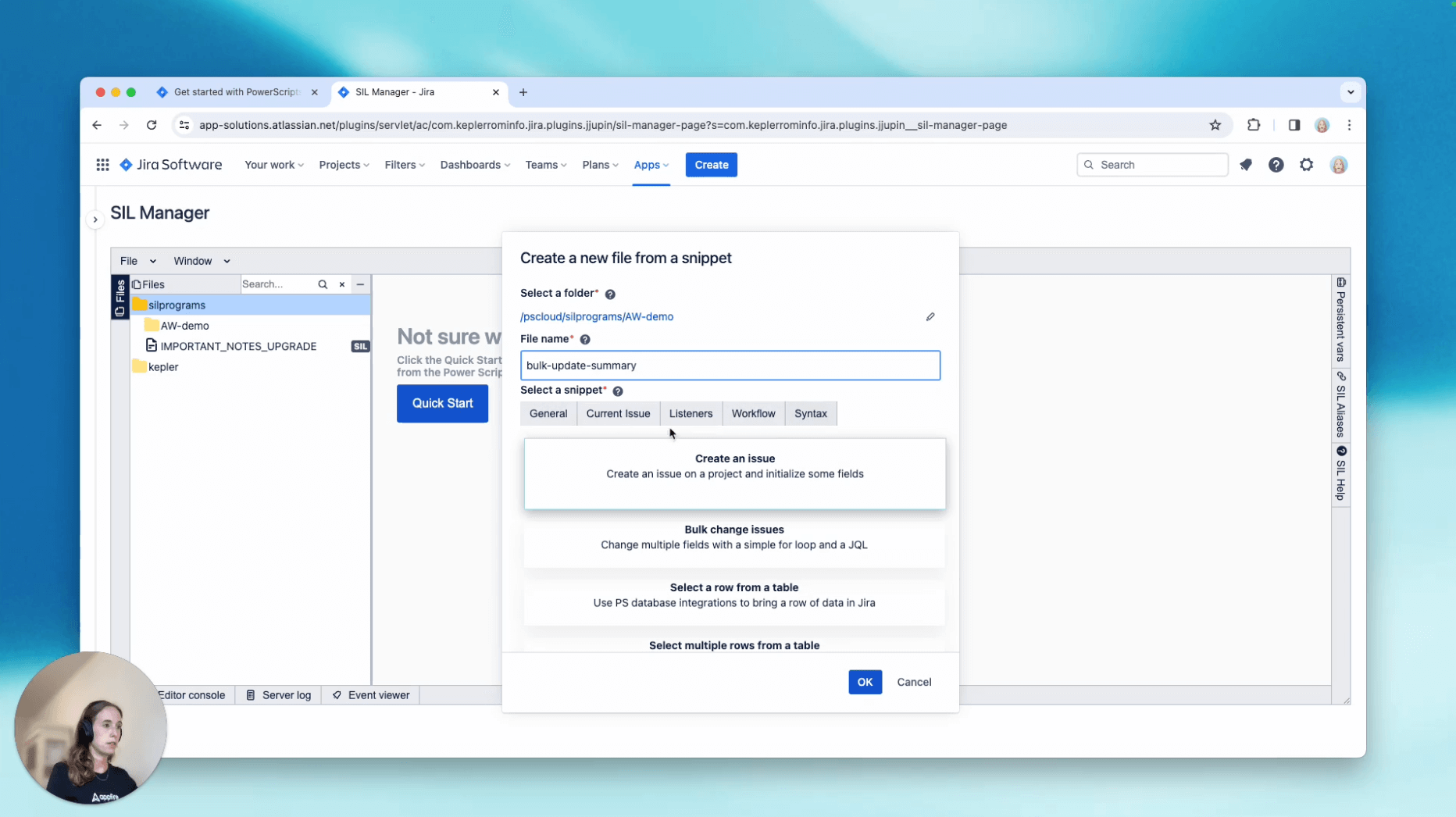
Power Scripts is a Swiss Army Knife that can help you customize Jira to your needs by building advanced automations with easy-to-use SIL (Simple Issue Language). In this video, we’ll show you how to make bulk updates to fields with one short script, using ready-made Script Snippets (short snippets of code).
- Save time: Instead of making manual updates, perform tasks at scale.
- Reduce errors: Bulk changes ensure that no manual errors can slip in.
- Turbocharged automation: Ready-made scripts can be customized your scenario.
To get started
- Open the SIL Manager – your central repository where all scripts are stored in a file system.
- Start building your script with the “Bulk change issues” Script Snippet
- Customize your script with the “[Current Issue] Subtask” Script Snippet
- Once you’re done customizing the script, save it and test it.
Example script
const string jql = "project = HP"; // change the JQL to match your reality

for(string k in selectIssues(jql, 100)) { // select first 100 issues

    for(string s in subtasks(k)) { //iterate over subtasks of current issue

        %s%.summary += "[H1 Planning]";

    }
}
Learn more about Script Snippets in the product documentation.
