
The ability to manage a large chunk of your work from one place is a lifesaver. Consolidating saves you time, helps you keep track of ongoing tasks, makes it possible to manage support and messages in one place, and boosts overall productivity and focus.
Did you know that you can use Slack to manage Jira issues?
With the help of Integration+ for Slack, a seamless two-way integration app, you can set up dedicated support channels in Slack, create Jira tickets, view and update tickets directly from Slack, and much more. Let’s explore some of the things Integration+ can do for you.
Using Integration+ for Slack
Integration+ for Slack helps teams stay on track by enabling you to create channels and issues directly from Slack, get notifications, share updates, and generally manage Jira from Slack without switching contexts. The app also improves workflow by enabling you to:
- Let users easily create Jira issues from Slack using an emoji.
- Create Jira issues in shared Slack channels with custom fields.
- Create Jira issues from direct messages using message actions.
- Change the user assigned to an issue during your conversations inside Slack using emojis or an “@” mention.
- Assign an issue to the developer while discussing the priority.
- Mark an incoming ticket as assigned to you from a notification.
- Ask someone to help by assigning an issue and adding a comment.
And Integration+ for Slack isn’t just for development teams. The app can support a variety of departments within your organization.
Engineers can use the app to help decode discussions between them and other teams and eliminate the need to open Jira and look up an issue.
Product managers can use it to understand what developers are talking about without going into Jira.
Marketing can use Integration+ to capture marketing information from prospects, create support tickets and incident reports, or perform lead generation for sales teams.
HR teams can use it for efficient onboarding/offboarding, ultimately saving time by aligning teams and reducing information gaps across departments.
Benefits of Integration+ for Slack:
In addition to the examples mentioned above, Integration+ for Slack offers:
- Accurate and efficient issue tracking: Create Jira issues with precise mapping of Atlassian’s custom fields, proper user attributions, and comprehensive field display, ensuring precise tracking and reporting.
- Enhanced security and permissions: Ensure users only have access to projects for which they have permissions, enhancing security and control.
- Customizable and streamlined integration: Configure emojis to track conversations, map different issue types to a single channel, and easily create Jira tickets wherever the bot is present, streamlining the integration process.
- Effortless IT Service Management (ITSM) processes and proxy issue creation: Initiate ITSM processes seamlessly with simple issue creation in Slack, and generate Jira tickets on behalf of users who do not have Jira access.
- Time savings and reduced manual tasks: Save time by tracking and updating work more accurately, eliminating the need to copy and paste Slack conversations into Atlassian, and minimizing context switching between Slack and Jira.
- Improved client support and feedback tracking: Provide world-class support to clients by ensuring their messages are seen and addressed promptly, and track customer feedback and important discussions as they occur in Slack.
- Reduced errors and communication gaps: Capture Slack discussions that might otherwise fall through the cracks in Jira, and reduce manual errors and communication gaps by performing Jira actions directly from Slack.
How to install Integration+ for Slack:
- Download and install Integration+ for Slack.
- Download the free companion app in the Slack App Directory.
- Connect to Jira.
At this point, processes vary a little depending on your goal. Here’s a quick overview of some of the app’s features in action:
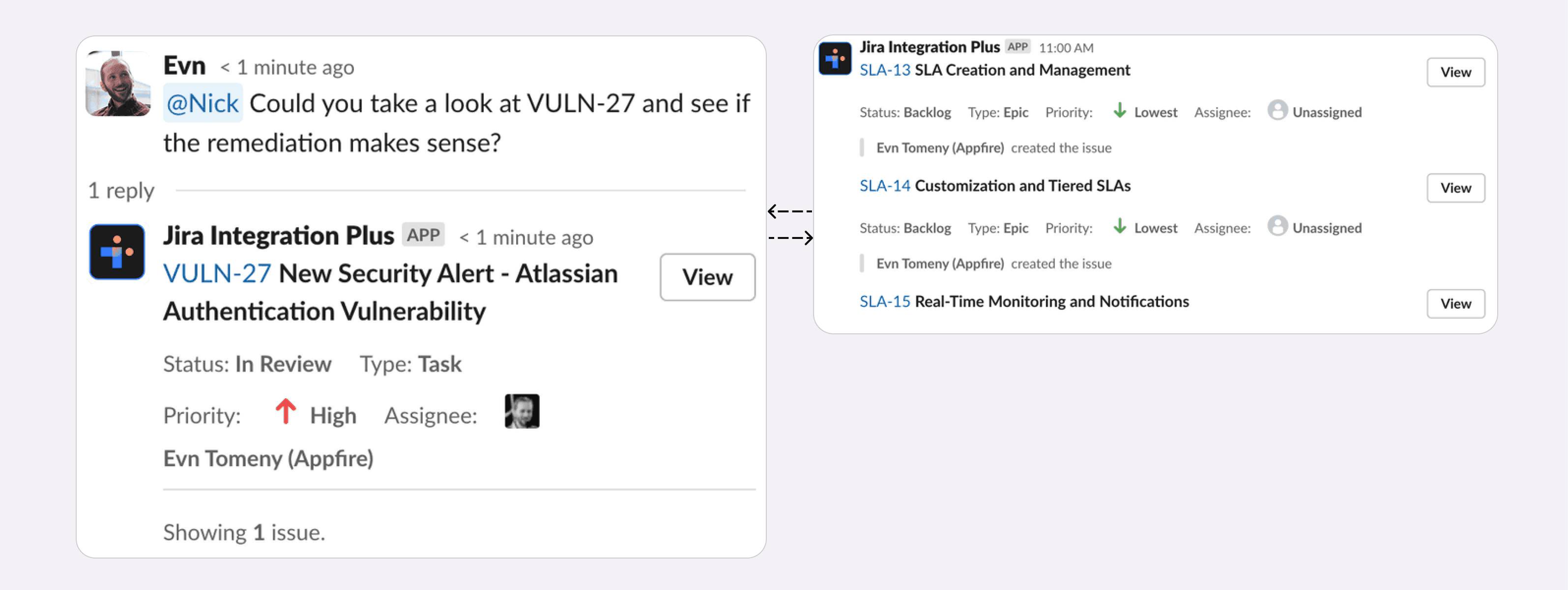
Issue expansion
Issue expansion in thread mode and Issue expansion in channel mode with multiple issues mentioned:
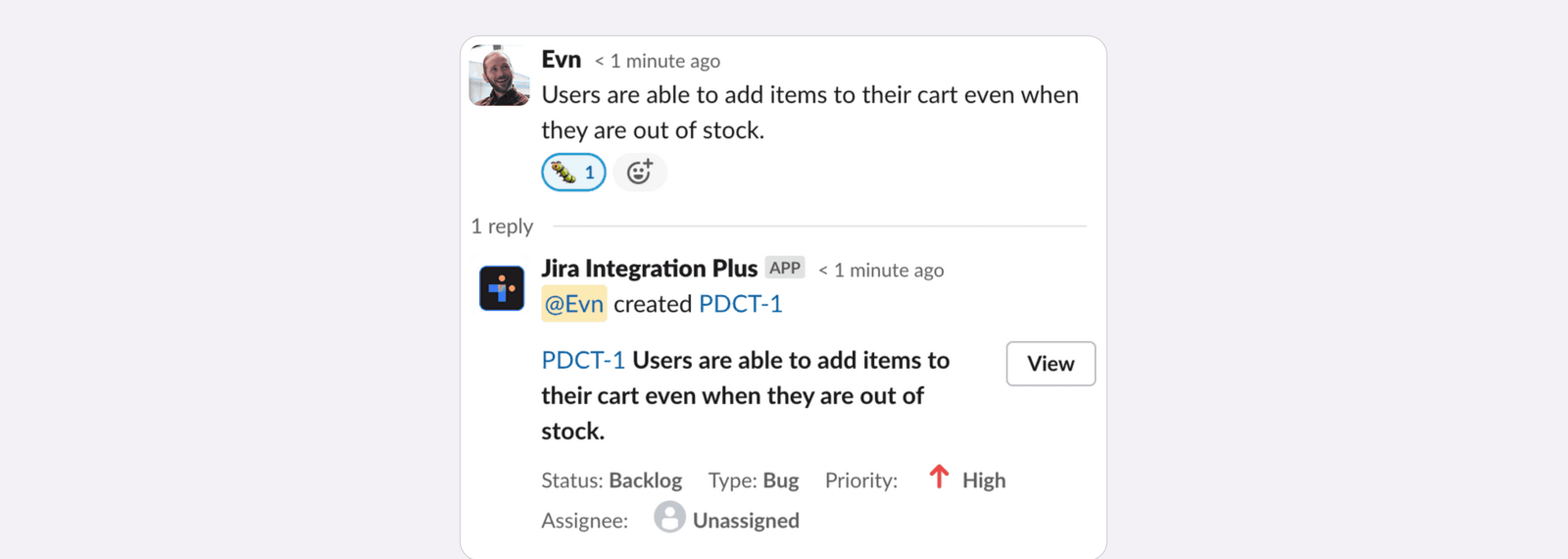
Using emojis
- You need to invite the bot to your channel to use this feature.
- Configure the channel using quick create.
- Use bug emoji to create a new issue from a single message.
- For Additional issue type mapping, you can use quick create.
- You can assign additional emojis to issue types globally or on a per-channel basis.
Create a Jira issue
- Hover over the message that you’d like to use to create the Jira issue.
- Select “More actions” (the three dots on the right-hand side).
- Then select “Create Jira issue.”
- If you don’t see “Create Jira Issue,” select “More message shortcuts…” and type “Jira” to find the action.
See it in action:
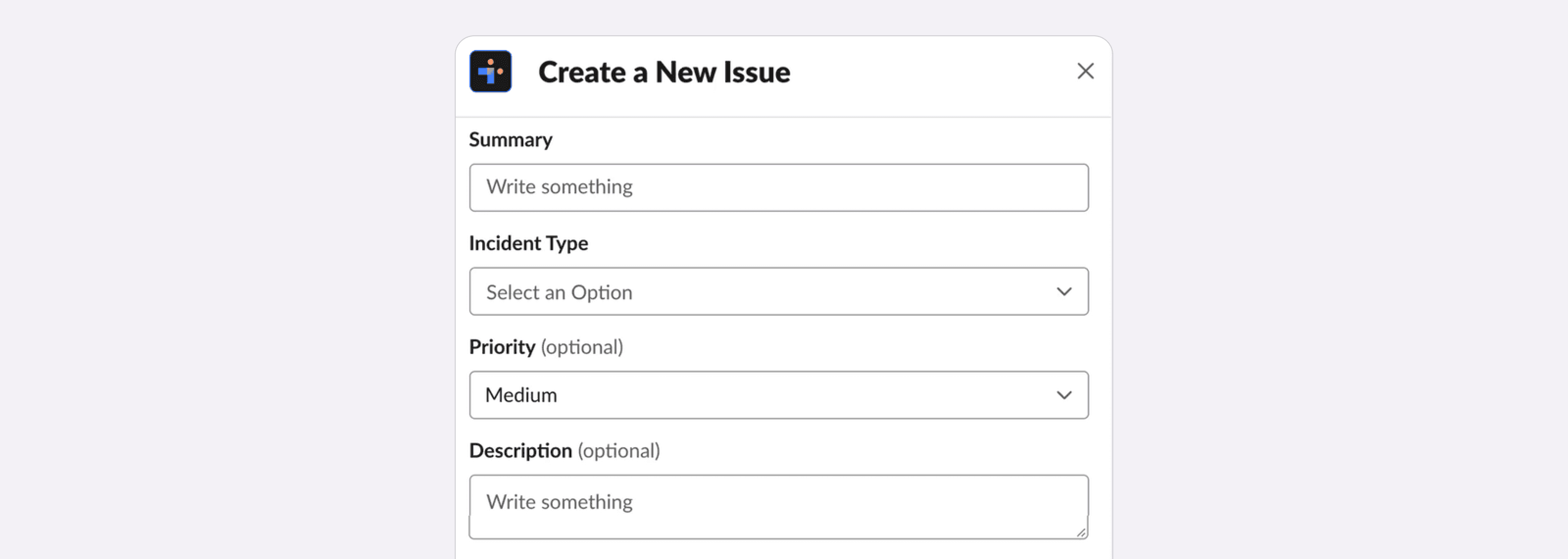
Jira issue via workflow builder
To get started:
- Create a workflow from the Slack Workflow Builder and select “Integration+.”
- Select “Create Jira Issue.”
- Continue creating your workflow.
See it in action:

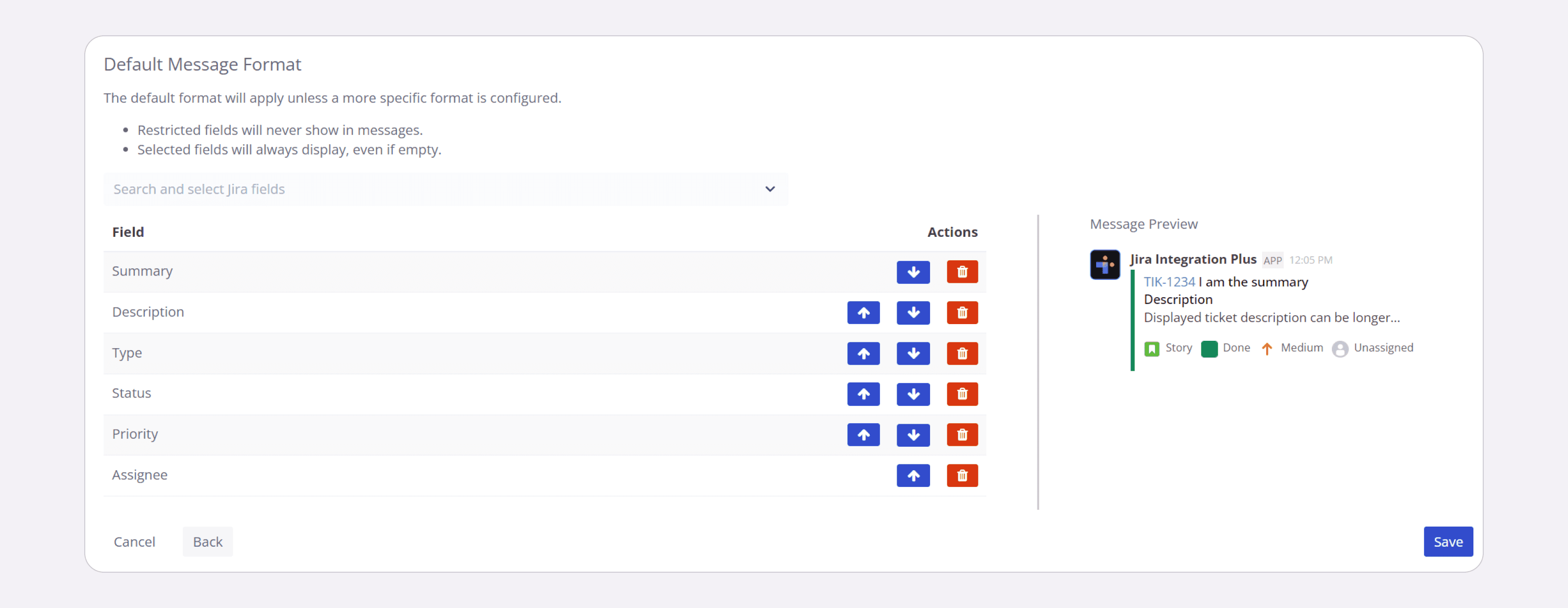
Jira field configuration
- Navigate to the Account Portal.
- Click Jira Field Configuration on the sidebar.
- Click Add Configuration.
See it in action:
See for yourself how integrating Jira and Slack with Integration+ will help you boost productivity by reducing context switching.
