
Introduction
Visualizing sprint goals in a dashboard ensures that your team keeps current objectives in mind. Everybody should be able to check in and remember the goals they’re working towards. Otherwise, the results of the sprint will likely prove disappointing.
Keeping goals in mind is especially important (and especially challenging) when you have more than one Scrum team, each with its own sprint goals. “Which were team A’s goals?” “Weren’t these team C’s goals?” “I have to go fetch Team B’s goals. I can’t remember them.”
You don’t need to find yourself in that situation again. Because you can capture sprint goals in a dashboard.
Here’s how
What are the best 10 Scrum gadgets for Agile Jira dashboards?
Limited native workarounds
There isn’t an out-of-the-box way to see sprint goals in a Jira dashboard. There isn’t any native Sprint Goals gadget. There is a workaround that can help, but it can be inconvenient in the long term.
There’s a free text gadget you can use to manually type out the goals for each sprint: the Rich Text Gadget for Jira app that helps you add and edit the text in a Jira dashboard.

Install the free app, add the gadget to your dashboard, and manually type your sprint goals to keep your team in the loop. But remember, this is just text. You’ll have to update and edit this text for every future sprint.
The most powerful (and easiest) way to add a Sprint Goals gadget
The Sprint Goals gadget is the easiest and most powerful way to see sprint goals in a Jira dashboard. The gadget automatically populates pre-set goals from Jira, so this information is instantly pre-defined each time you start a sprint.
We all get better results when we stay focused on our goals. That’s why having sprint goals clearly displayed in your dashboard is key. The Sprint Goals gadget enables you to check the goals of active and upcoming sprints in a single view, saving time and reinforcing each team’s focus.
You can even check the goals of future sprints to stay one step ahead so you’re always ready. Start working with advanced visualization of your data and help your team provide better outcomes.
The easiest way to track and report on sprint goals. See it in this live Agile dashboard.
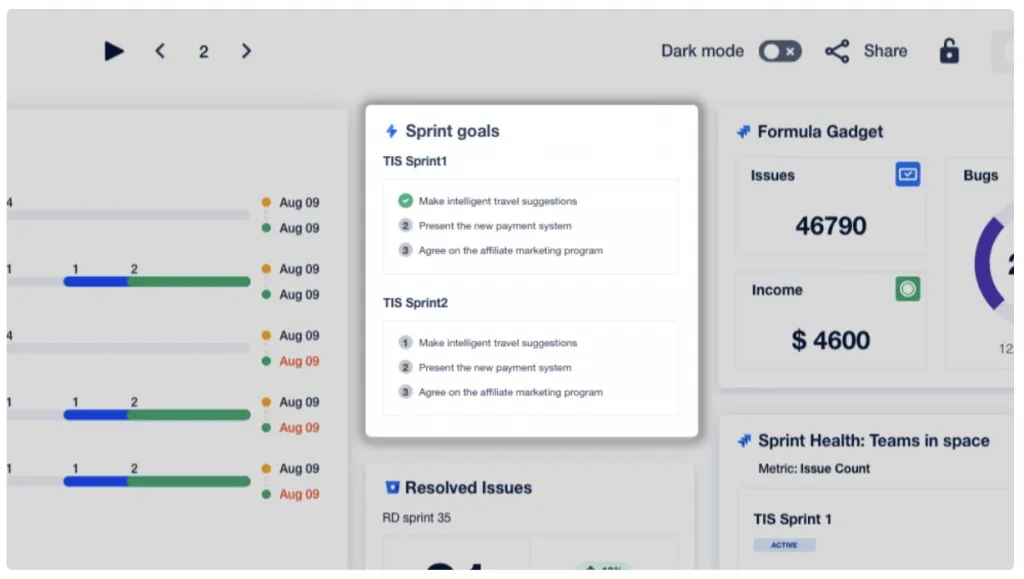
The Sprint Goals gadget is available in Dashboard Hub for Jira, an app developed by Appfire, Atlassian Marketplace’s well-known Platinum Vendor. Dashboard Hub for Jira is an add-on that lets you overcome native Jira dashboards’ limitations by empowering you to create easy custom charts with JQL, or a collection of +70 original gadgets, pre-built dashboard templates, and integrations. It even simplifies reporting. The ability to send unique and secure links saves you hundreds of hours you’d otherwise spend creating reports.
Pro tip: Use Dashboard Hub’s 30 free day trial to try the Sprint Goals gadget, along with nearly 100 gadgets, custom charts, and external and fast report sharing.
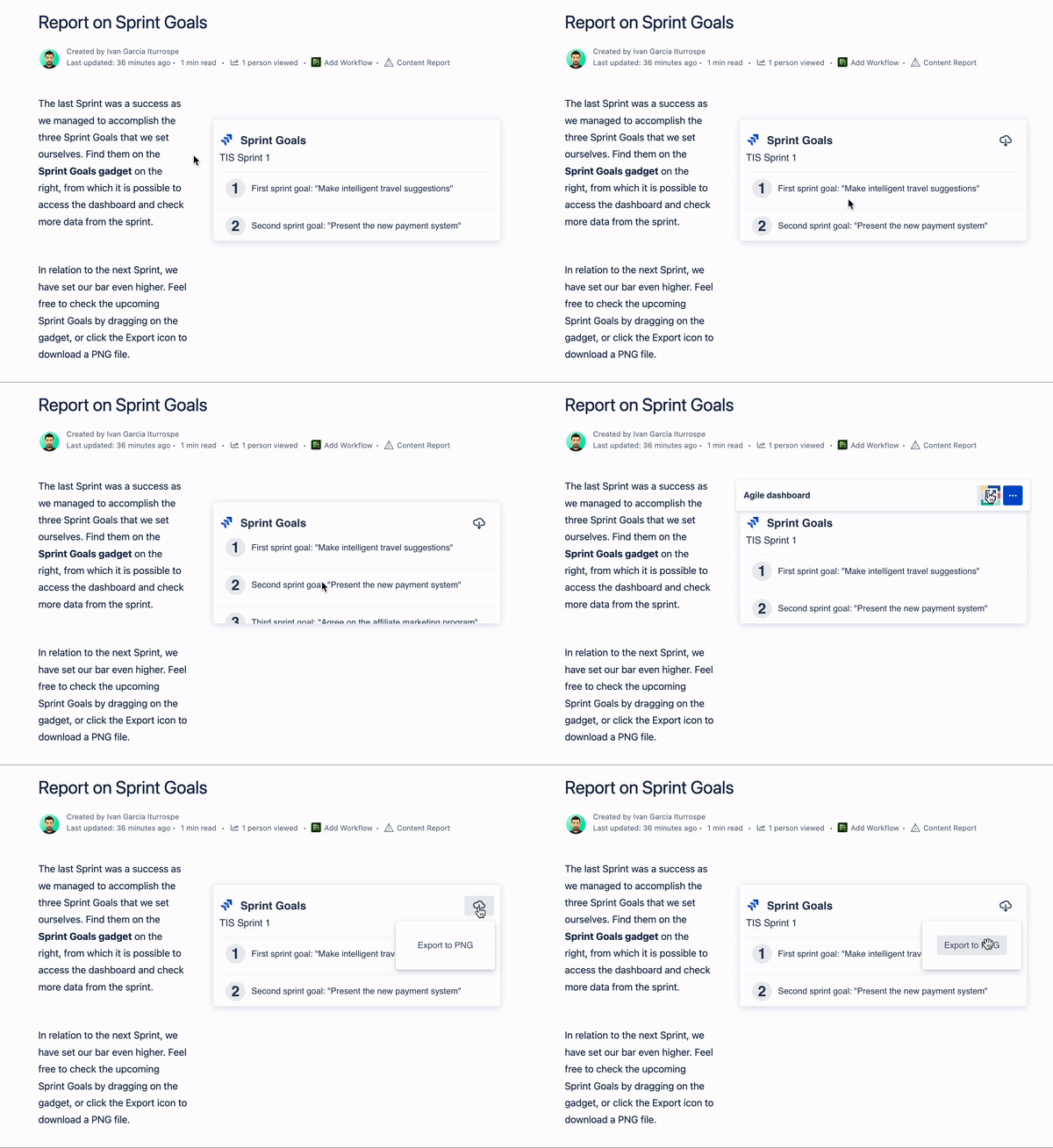
You can also pull sprint goals into Confluence pages with Dashboard Hub for Confluence! This is how it would look:
Interested in dashboard and gadget macros for Confluence? Check out this article!
Conclusion
You can report on sprint goals natively with the workaround mentioned above. If you have time to spend configuring this and tweaking it for every sprint, that might be all you need. It isn’t the most effective way to visualize sprint goals in a Jira dashboard because of the manual updating required, but it is free.
If you’d prefer a fast, easy way to powerfully visualize and report on sprint goals, Dashboard Hub is the best solution. It’s got numerous features that could change the game for your team’s data visualization and reporting processes.
And you can try Dashboard Hub free for 30 days. Use the Sprint Goals gadget in your next sprint, and see if your team likes it. If not, just go the native way. No compromise. Just solutions.
Also, remember if your team’s under 10 people, you can always use Dashboard Hub for free!
Free trial