
Did you know that over 200,000 companies worldwide use Slack? Additionally, almost 80% of these companies are those of Fortune 100. Slack is not only a great communication app but can also be used in customer service, ticketing, and internal collaboration and is applied in a wide variety of businesses from HR or sales, through IT and support, to e-commerce and marketing.
Even though it's a helpful tool, you may still encounter problems like losing chats, having to copy and paste information over and over again, transferring data by hand, and having trouble saving significant Slack conversations straight into Jira.
Fortunately, there is some good news for Slack users who use Jira or Confluence. You can now easily pull Slack conversations into your Confluence pages and Jira tickets using apps like Docs+, Integration+, and HelpDesk+, so crucial information never gets lost in Slack again.
Let’s explore these apps further.
Integrate Slack and Confluence with Docs+
The two-way integration between Slack and Confluence enabled by Docs+ allows you to use Slack to search, view, and share pages. But also save important information from Slack channels, messages, and threads to pages in your Confluence with no need to copy/paste. You can easily view your starred Confluence pages in Slack, record conversations, convert Slack meeting notes to documents or Confluence comments, and receive notifications in Slack when a document has new comments. Essentially, it allows you to manage your knowledge base directly from Slack. Why is this important? Because switching between apps can reduce productivity by up to 40%!
Quick how-to guide:
Now that you know that Slack can be used to manage your knowledge base directly from the app, let’s explore how to do so.
To get started:
- Firstly, download Docs+ from the Atlassian Marketplace.
- Install the companion Docs+ Slack App.
- Connect to Docs+ to your Confluence knowledge-base.
- Invite the app into your channels.
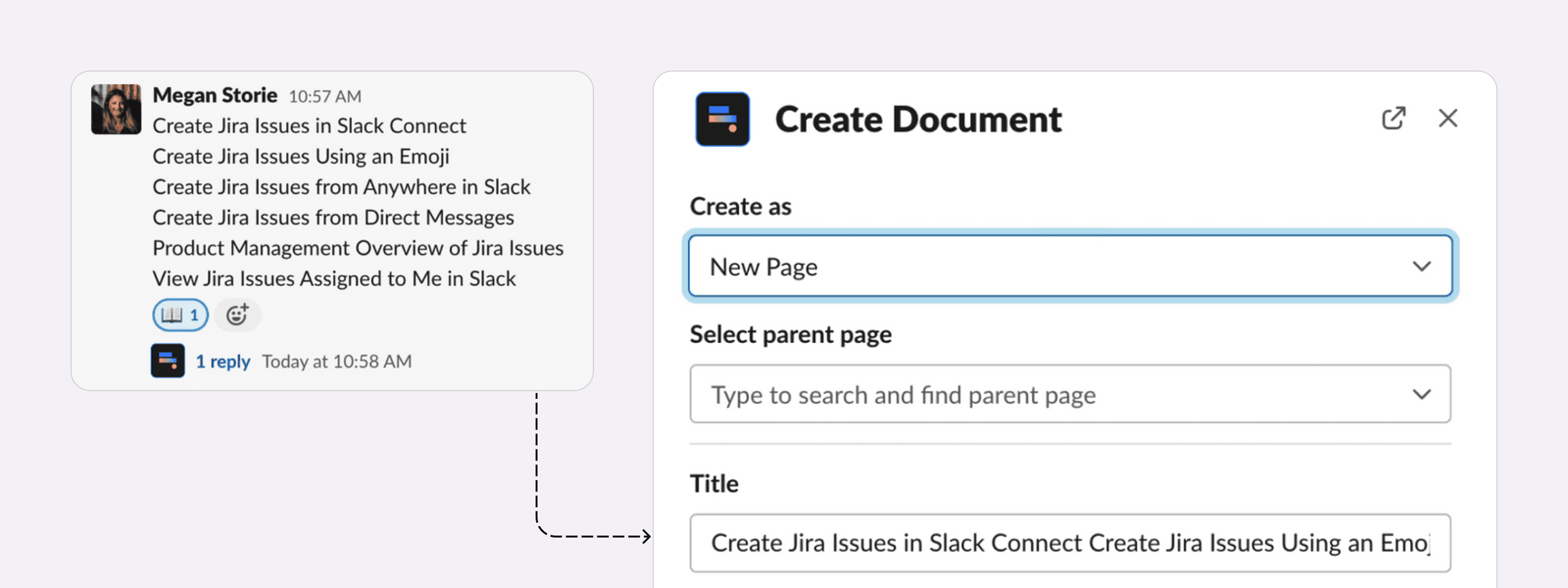
- Use emojis or message actions to capture content.
See it in action:
Capturing content from Slack threads with the camera emoji.
Capture content with message actions

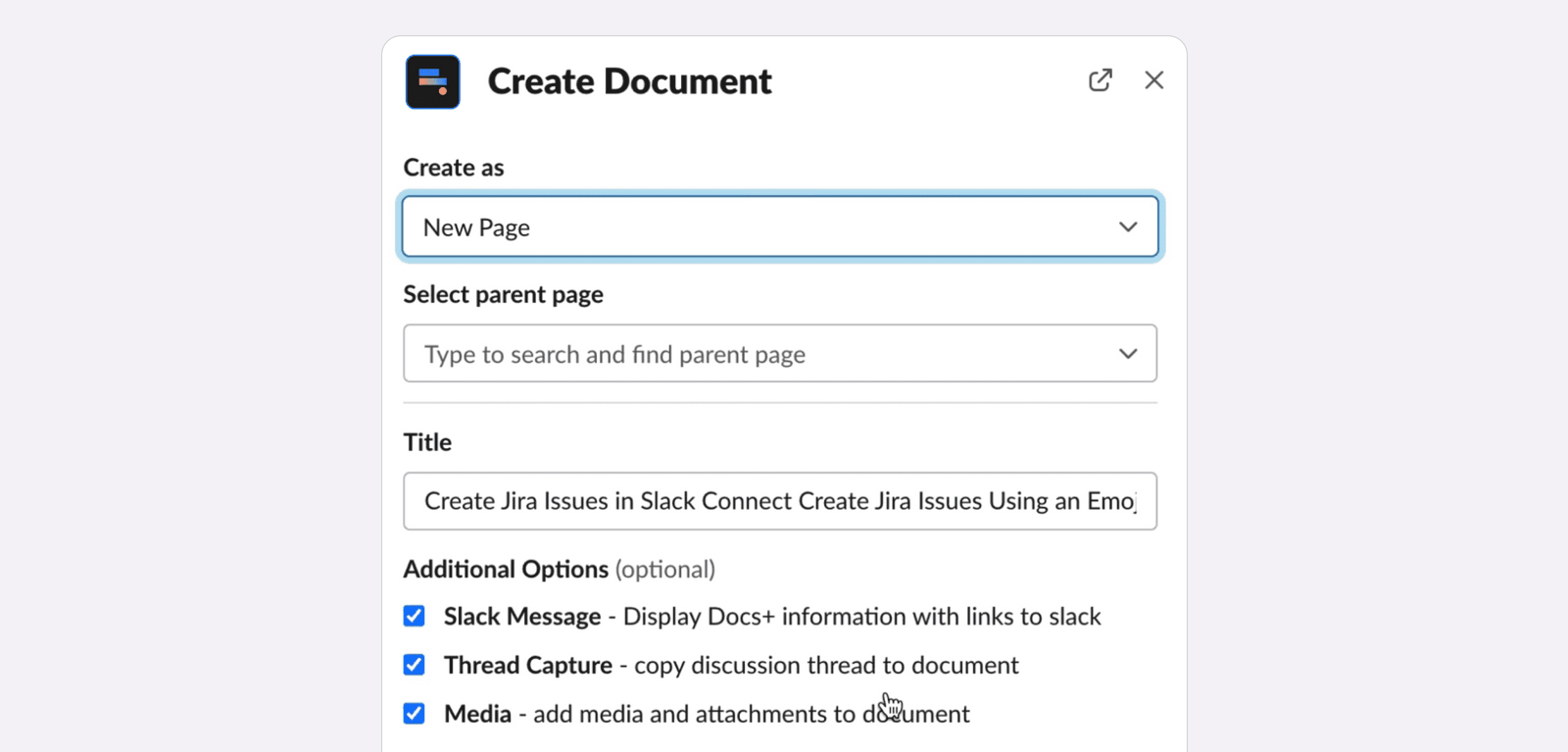
Create wiki pages from Slack conversations
Integrate Slack and Jira with Integration+
Integration+ allows you to seamlessly connect to Jira and Slack in order to streamline your workflows and minimize the need to switch between applications. It allows you to view and update Jira issues from Slack directly and customize notifications to your preferences using JQL. You can also create dedicated Slack channels for specific issues, which can result in speeding up resolution times by bringing the appropriate people together to quickly resolve issues and swarm incidents.
The ability to create Jira issues from Slack messages, complete with custom fields, optimizes convenience and enhances team productivity. Developers can save an estimated two hours a week by cutting down on the time they spend switching between Slack and Jira. This can result in saving, or creating more time for more critical tasks but also leads to considerable cost savings.
How can you use Integration+ to prevent copying and pasting data between Slack and Jira by using the app to capture discussions into your tickets?
Capture Slack threads in Jira with a camera emoji.
Get started:
- Firstly, download Integration+ from the Atlassian Marketplace.
- Install the companion Integration+ Slack App.
- Connect to Jira.
- Invite the app into your channels.
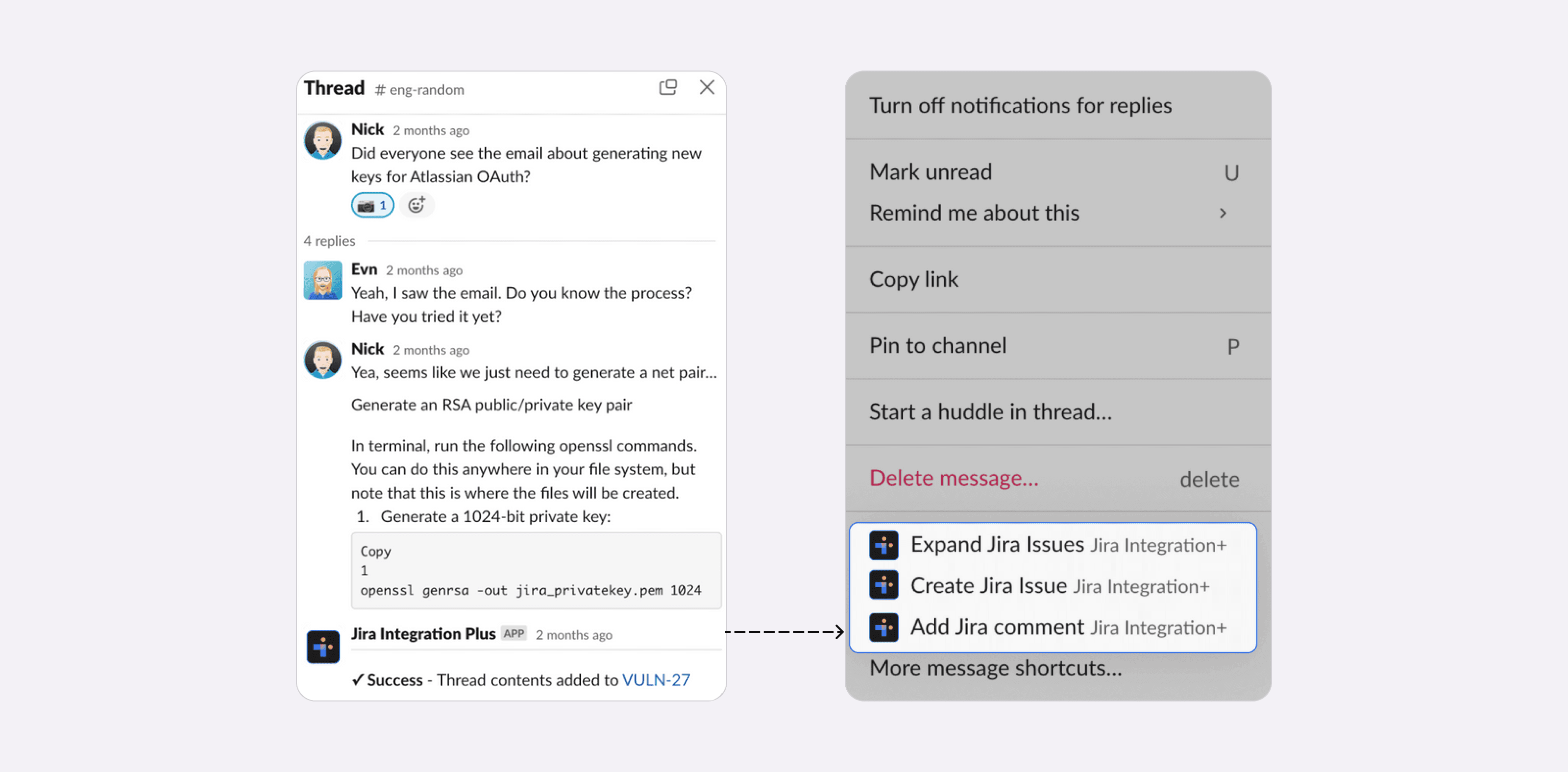
- Reply to any thread with a camera emoji.
See it in action:
Add a camera emoji to any message in the thread, create a new ticket, or add it as a comment.
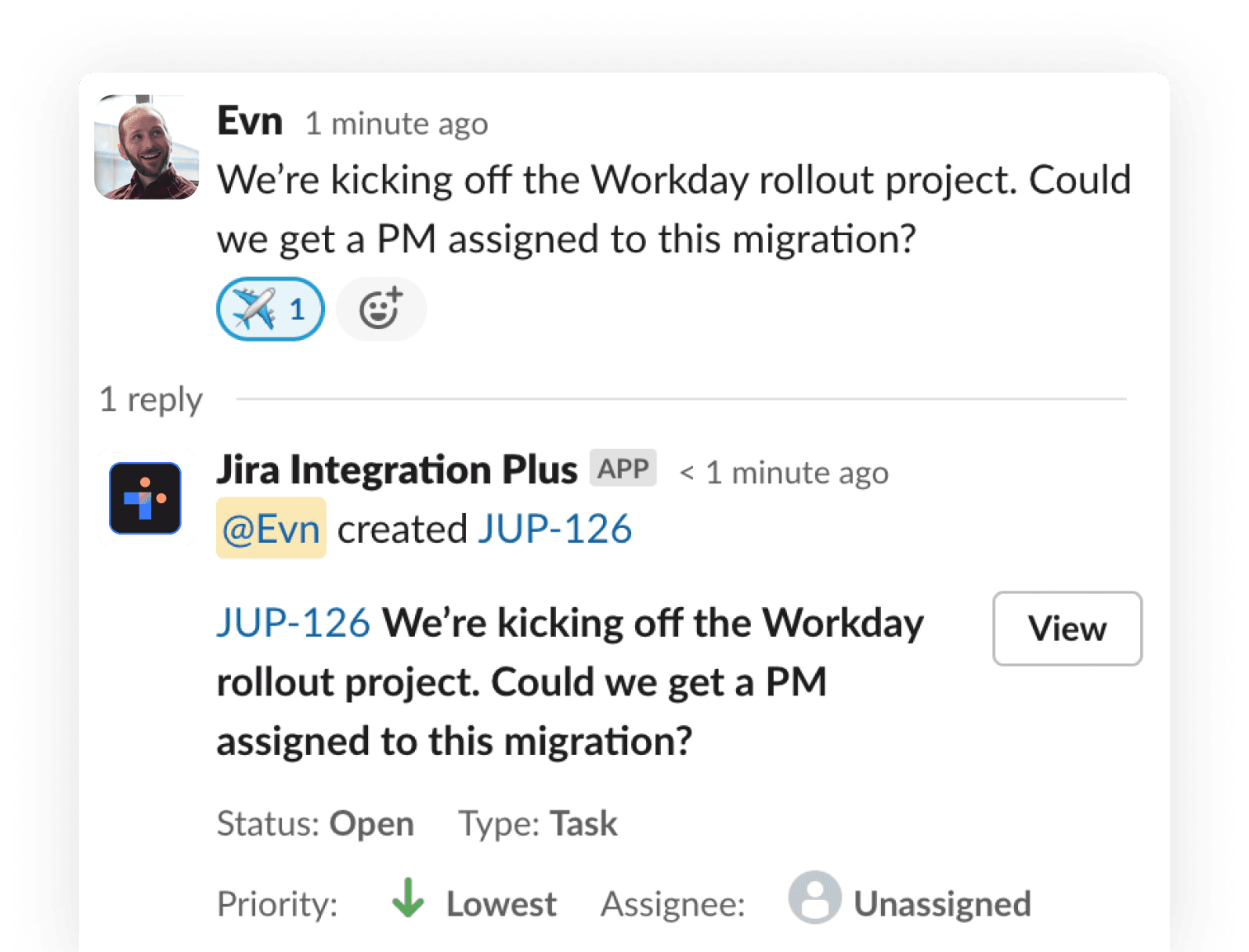
Captured issue result.
Integrate Slack and Jira Service Management with HelpDesk+
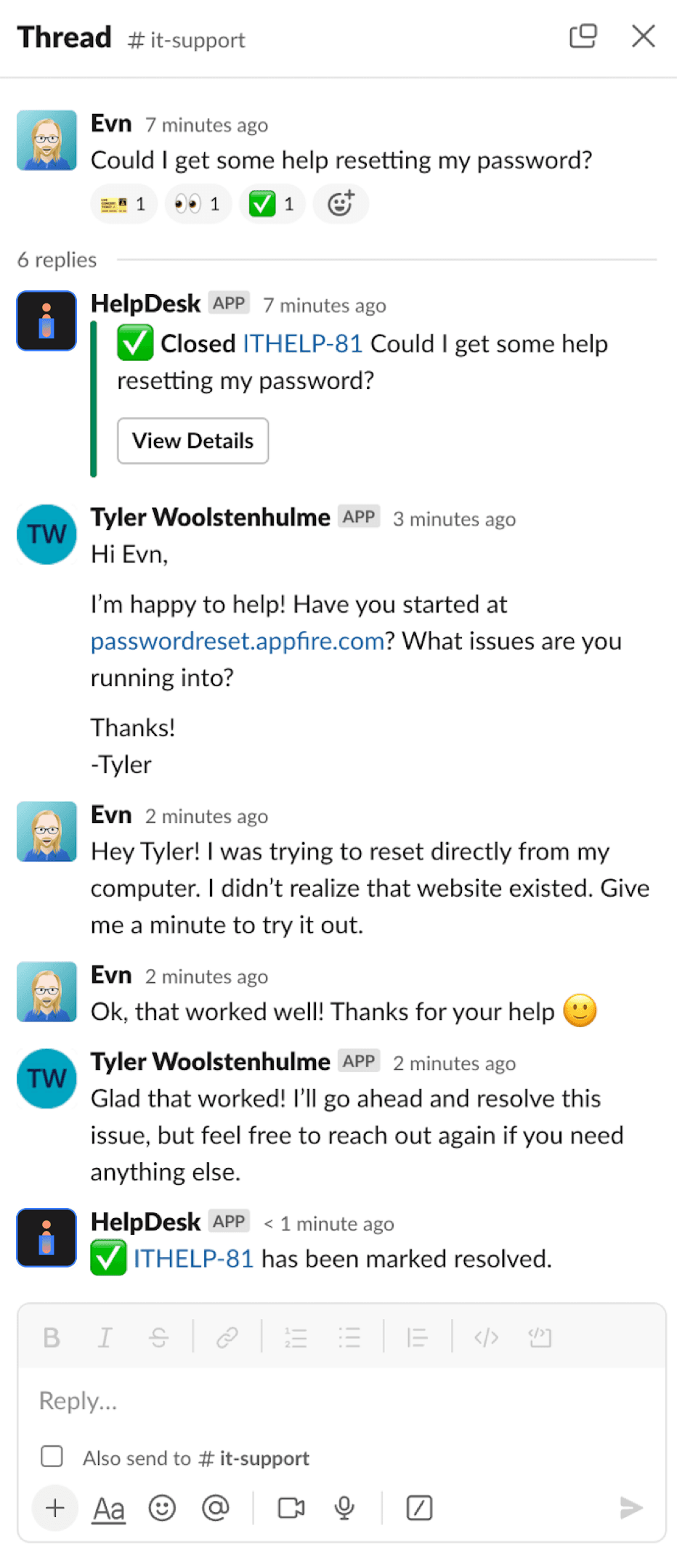
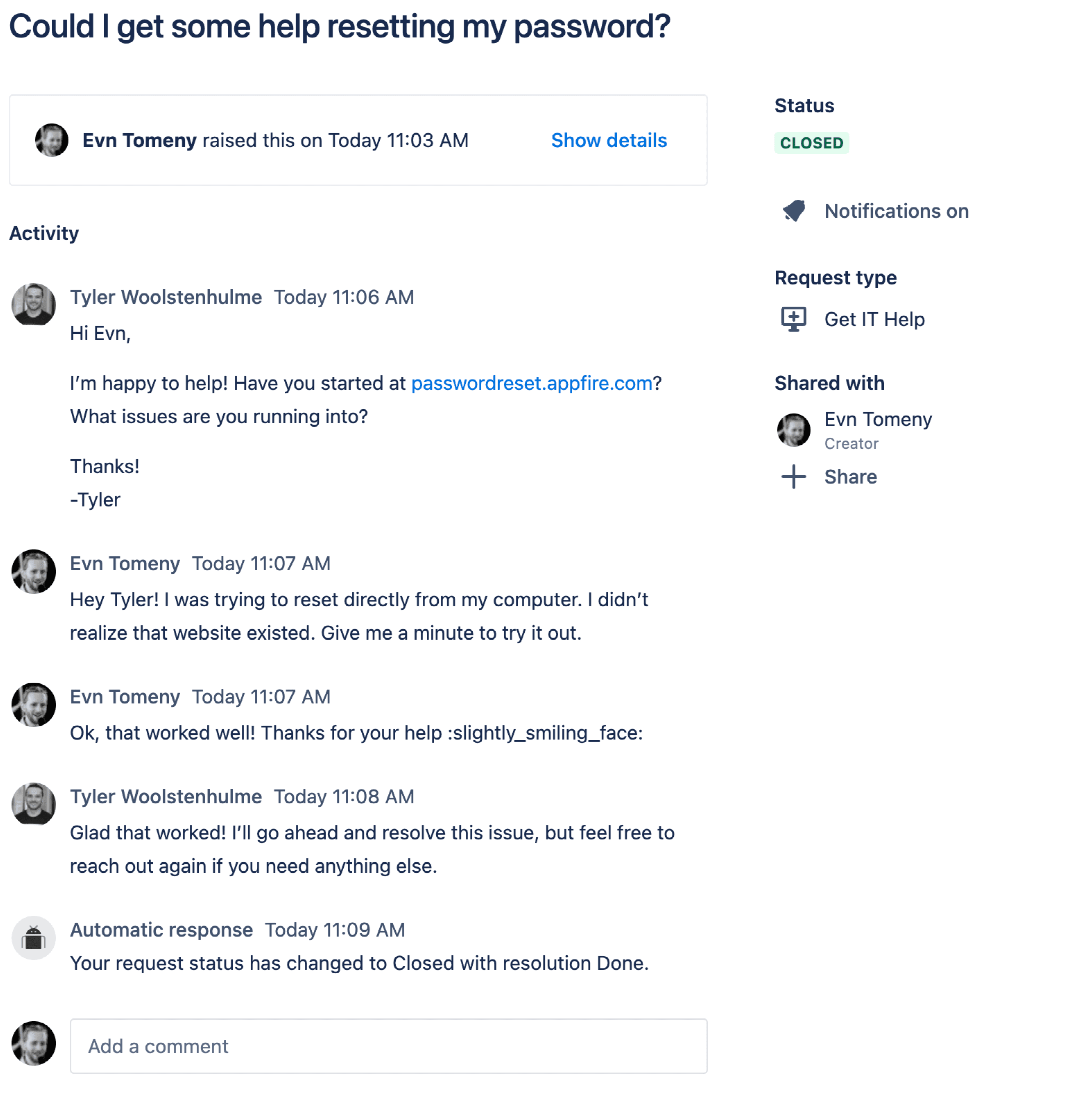
Additionally, you can automatically sync conversations in Slack with tickets in Jira Service Management to keep everyone on the same page. This workflow allows users to stay within Slack for updates, avoiding the need to switch to a support portal. It keeps users up-to-date on issue statuses directly from their agents, gathers real-time data to resolve issues quickly, and maintains agent efficiency by enabling them to work within Jira Service Management (JSM) without disruption. Additionally, it simplifies support by auto-synchronizing conversations between Slack and the support channels, where anyone can create an issue directly from a message.
To get started:
- Download HelpDesk+ from the Atlassian Marketplace
- Install the companion HelpDesk+ Slack app
- Connect to Jira
- Invite the app to your channels
See it in action:
Slack conversation between user and agent.
Auto-synchronized conversation in JSM.
With these quick instructions, you can enhance your productivity, save time, and explore the possibilities of capturing content directly from Slack.

