

Your team already ships fast. You have CI pipelines, automated tests, and cloud deployments humming along. And yet, security reviews still show up late. A compliance request stalls a release. Or a vulnerability scan turns into a fire drill two days before launch.
That tension is why the DevOps vs. DevSecOps conversation matters. DevSecOps isn’t a rejection of DevOps. It’s what happens when mature DevOps teams realize speed alone is no longer the hard part.
The hard part is sustaining speed while security, compliance, and risk expectations keep rising.
DevSecOps builds security into the same workflows you already rely on, so protection scales with delivery instead of slowing it down. Let’s look at the differences so you can decide which approach fits your team’s risk and delivery goals.
DevOps vs. DevSecOps: How do they differ?
In a DevOps model, security often shows up as a review step, either before release or after something slips through.
In a DevSecOps model, security runs inside the same pipeline as your tests. Vulnerability scans trigger on pull requests (PRs). Risky infrastructure configs fail automatically. The workflow looks similar, but the guardrails are built in.
DevOps prioritizes speed and operational efficiency, while DevSecOps builds on that foundation and prioritizes security at every level, from tools and automation to shared responsibility.
Here are a few key DevSecOps vs. DevOps differences:
Category | DevOps | DevSecOps |
|---|---|---|
Goals | Deliver software faster and more reliably | Deliver software fast and reduce security risk continuously |
Who owns it | Shared between development and operations | Shared across development, operations, and security — with distributed accountability |
Use cases | Rapid feature delivery, cloud migrations, scaling engineering output | Regulated industries, complex environments, distributed teams, products handling sensitive data |
Scope | Code build, test, deploy, monitor | Entire software lifecycle — design, code, test, deploy, monitor, secure |
Security | Reactive; usually reviewed near release | Proactive, automated, and built in throughout the project lifecycle |
Daily focus | CI/CD automation, uptime, performance, and deployment frequency | CI/CD plus automated security scans, policy checks, vulnerability remediation |
Metrics | DevOps metrics such as deployment frequency and change failure rate | All DevOps metrics plus vulnerability counts, remediation time, policy compliance rates |
Tools | CI/CD platforms, monitoring systems, and container orchestration | All DevOps tools, plus SAST, DAST, dependency scanning, container scanning, policy-as-code tools |
Collaboration model | Dev and Ops are tightly aligned; security is often separate | Dev, Ops, and Security collaborate early and continuously |
Challenges/risks | Speed can outpace security visibility; late-stage vulnerabilities | Cultural shift required; initial slowdown while security automation matures |
What DevOps focuses on
Daily workflows center on:
- Continuous integration and continuous deployment (CI/CD) automation
- Faster lead time and higher deployment frequency
- Tracking DevOps metrics like change failure rate and mean time to recovery
- Improving performance and uptime
Security matters, but it may sit with a dedicated team or appear as a later checkpoint.
What DevSecOps adds
The core pipeline stays. The ownership expands. In practice, that means:
- Automated security scans run in CI
- Infrastructure-as-code is validated before deployment
- Vulnerability remediation becomes part of normal development work
- Policy checks are embedded directly into release workflows
Some call it SecDevOps. The label varies, but the shift is consistent.
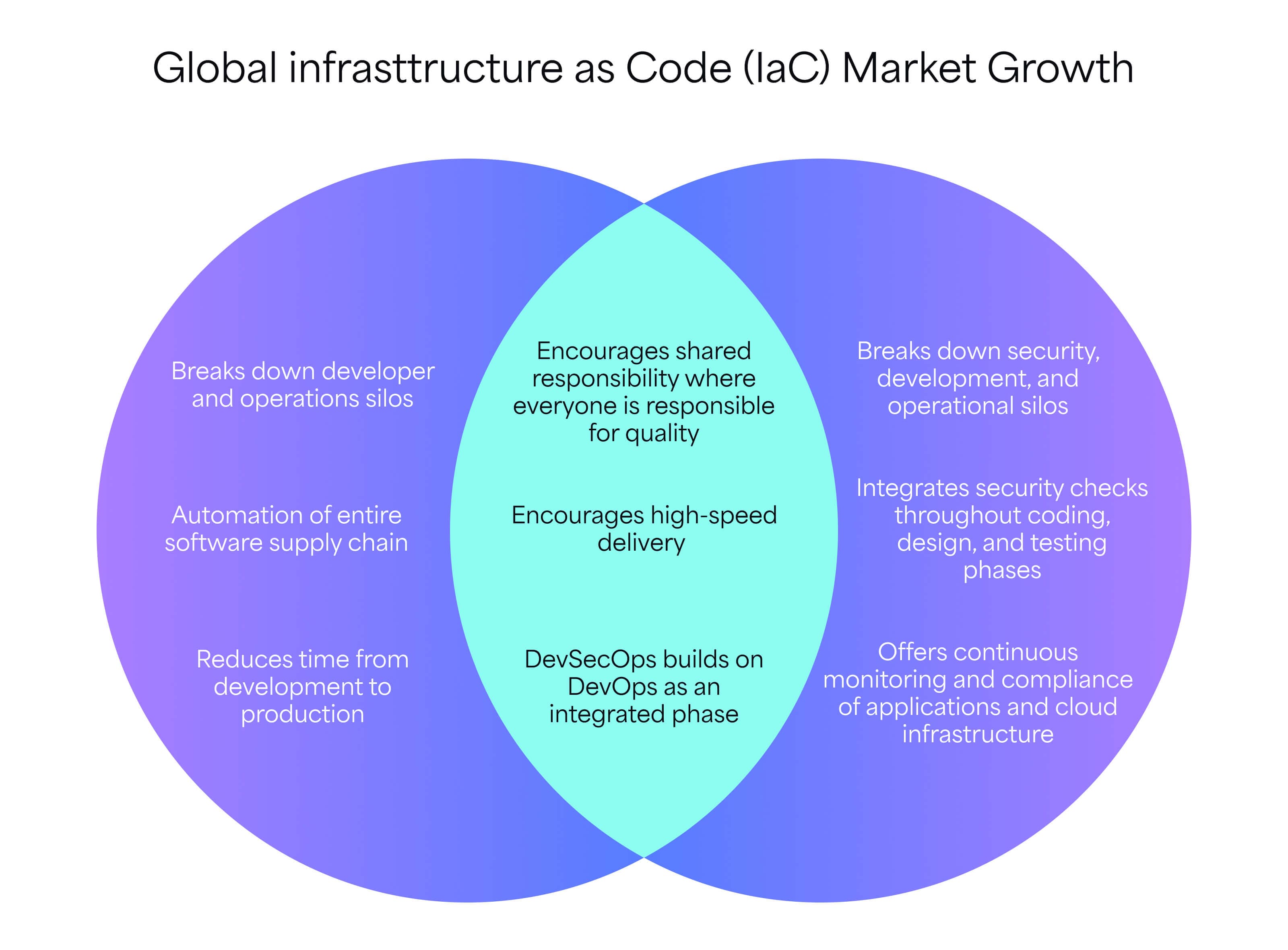
DevOps vs. DevSecOps use cases
DevOps fits well when speed is the primary constraint and risk is easier to contain. Teams are focused on delivering features quickly, learning from production, and iterating often. The attack surface is smaller. Regulatory pressure is limited.
DevOps monitoring tools give visibility into performance and availability, and security issues are typically handled through reviews or periodic scans.
Common DevOps use cases:
- Early-stage products or internal tools
- Low regulatory exposure and minimal compliance requirements
- Smaller systems with limited external access
- Teams optimizing for release frequency and fast feedback
At this stage, DevOps is not less mature. It’s appropriate for the risk profile.
DevSecOps becomes necessary as risk grows. When teams handle customer data, operate cloud-native systems, or expose services to the public internet, security gaps scale quickly.
A shift-left mindset helps teams surface issues earlier, when fixes are cheaper and less disruptive. This is also where many teams realize they are doing DevOps plus scanners — security tools exist, but they are bolted on, not built in.
Common DevSecOps use cases:
- Products handling sensitive customer or financial data
- Environments with strict compliance requirements, such as PCI, HIPAA, and SOC 2
- Large, distributed teams with frequent deployments
- Systems where data privacy and security directly impact trust
Example workflows
A DevOps pipeline is designed to move work from commit to production with as little friction as possible.
A common flow looks like this:
Commit > build > unit and integration tests > package > deploy > basic monitoring
Teams rely on automation and DevOps best practices to keep releases frequent and predictable. Monitoring focuses on performance, errors, and uptime.
And when you combine DevOps and value stream mapping, you can see where work slows down and remove delays across teams and tools.
Hidden risk: Security issues often surface late. If a vulnerability appears after deployment, fixing it usually means context switching, rework, and a slower next release.
A DevSecOps pipeline follows the same path, but security runs alongside every step:
Commit (secure linting, secrets scanning) > build (SAST, SCA) > test (IaC policy checks) > package (container scanning) > deploy (security gates) > runtime monitoring (threat detection)
Each stage includes automated checks that can block or gate releases when risk is too high. The workflow stays fast, but unsafe changes never move quietly downstream.
Hidden risk: Many teams think they’re doing DevSecOps, but security tools run outside the pipeline. If scans don’t influence release decisions, the risk still ships.
There are many tools that can help you evolve without rebuilding your pipelines. For instance, Appfire Flow embeds automated controls directly into existing CI/CD workflows.
Power Scripts supports advanced automation and policy enforcement where native tooling falls short. Together, they help you move from fast delivery to fast and safe delivery.
DevSecOps vs. DevOps: What’s right for your team?
DevOps fits teams optimizing for speed and operational efficiency, while DevSecOps is better for teams managing higher security risk and compliance pressure. That said, the right approach depends on what your business is optimizing for.
If your primary goal is faster releases, improved uptime, and leaner operations, DevOps aligns well. It drives shorter lead times, stronger collaboration, and clearer visibility into delivery performance.
For many growing products, that speed directly supports revenue goals and smarter software development budgeting.
If your organization handles sensitive data, operates in regulated markets, or faces rising customer trust expectations, DevSecOps becomes harder to ignore.
Compliance requirements, such as PCI, HIPAA, and SOC 2, shift the equation. Security moves from a supporting concern to a core business risk. In those environments, preventing incidents matters as much as shipping features.
The ROI conversation you should care about
DevOps improves ROI through operational efficiency, resulting in:
- Faster release cycles
- Lower infrastructure waste
- Fewer production failures
DevSecOps adds another layer of value, leading to:
- Fewer security incidents
- Lower remediation costs because issues are caught earlier
- Reduced audit overhead through automated policy enforcement
- Shorter breach response time
- Less rework churn late in the cycle
That said, DevSecOps often requires more upfront investment. But the long-term savings show up where you already feel pressure: avoiding audit surprises, containing breach impact, and reducing expensive late-stage fixes.
In contemporary, cloud-native environments with distributed teams and constant deployments, risk scales quickly. DevSecOps helps scale risk management.
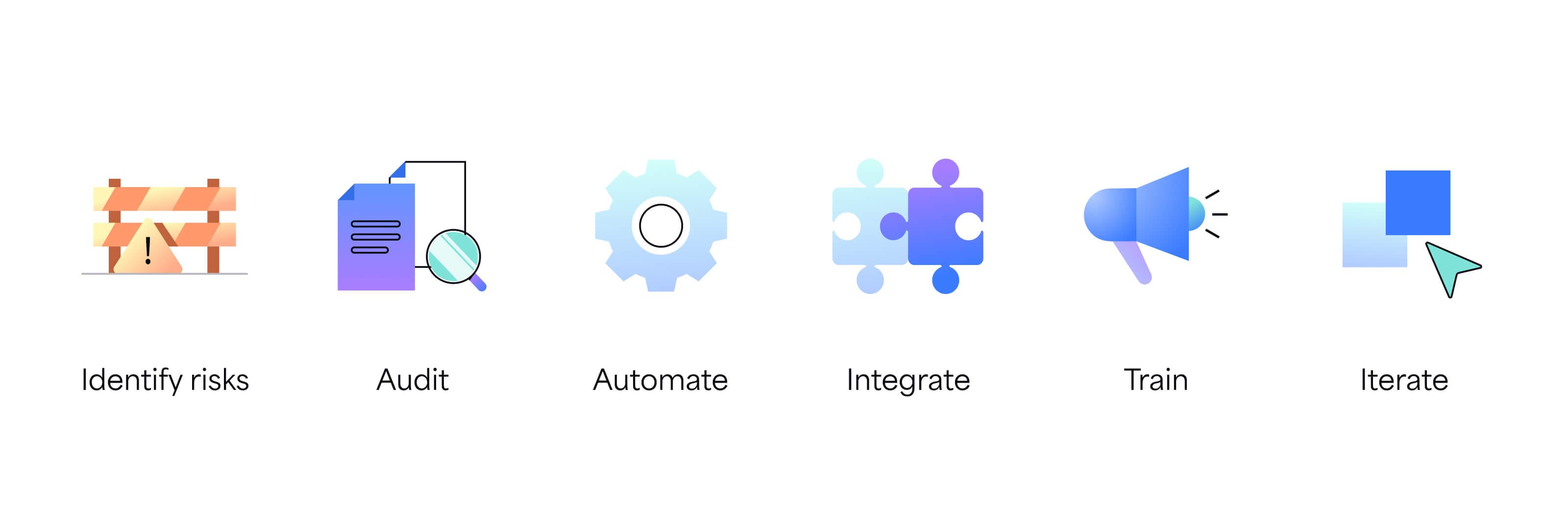
How to transition from DevOps to DevSecOps in 6 steps
DevSecOps transitions succeed when you treat security as a shared responsibility instead of just a tooling update. The most effective shifts happen when culture and ownership evolve alongside automation — so developers, operations, and security work from the same playbook.
Security is a continuous process. Expect some early friction as workflows adjust and responsibilities expand. That adjustment is part of building resilience.
Teams that embed security into daily work reduce breach response time, avoid audit surprises, and limit costly rework later.
This shift reflects broader current software engineering patterns, including deeper automation and earlier feedback across the lifecycle.
Step 1: Identify risks
Start with clarity. Identify which risks actually matter to your business.
Look at external requirements, such as PCI DSS, HIPAA, SOC 2, and other government standards, alongside internal security policies. Then map those risks to your systems. Where does sensitive data live? Which services are internet-facing? Which teams deploy most often?
This step keeps DevSecOps grounded in business reality.
Step 2: Audit
Next, audit your current DevOps pipeline.
Do security issues show up after deployment? During audits? In incident reviews? Identify where data security problems surface late, when fixes are most expensive. These gaps often reveal process issues.
Document the flow. This becomes your baseline for change management.
Step 3: Automate
Automating everything at once can be too much. Start with one or two high-impact checks, such as:
- Secrets scanning in pull requests
- Dependency or container vulnerability scanning
Choose checks that reduce real risk and can block unsafe changes automatically. Early wins build trust and reduce pushback.
Step 4: Integrate
When security runs inside the pipeline, it shapes releases. When it lives inside dashboards, it gets ignored.
Integrate scans, policy checks, and approvals directly into CI/CD and workflow tooling. When security signals influence release decisions, behavior changes naturally.
Appfire supports this approach by orchestrating automated checks within the workflows you already use, rather than forcing you to adopt a new stack.
Step 5: Train
Automation without training creates frustration.
Developers and ops teams need to understand findings, assess severity, and remediate issues independently. Your training should focus on patterns instead of theory. Fixing security issues becomes part of normal development work.
This step reinforces shared ownership and reduces handoffs.
Step 6: Iterate
Measure quality. Track which security signals actually lead to fixes. Avoid vanity metrics like scan counts or alert volume. Focus on meaningful indicators: time to remediate, repeat issues, and risk reduction over time.
Use team feedback to refine checks, tune thresholds, and improve signal quality. DevSecOps maturity grows through iteration. You can’t achieve perfection on day one.
Done well, this transition keeps the speed DevOps promised while adding the resilience modern software demands.
Strengthen security in your workflows with Appfire Flow
The DevOps vs. DevSecOps conversation often comes down to one question: How do you strengthen security without slowing delivery? For most teams, the answer is not a rebuild. It’s embedding automated checks into existing workflows.
Appfire Flow makes that shift practical. It helps your teams evolve toward DevSecOps by orchestrating security checks directly inside existing CI/CD pipelines.
Instead of adding side tools or manual reviews, you can embed automated scans, approvals, and policy controls into the way work already moves. This means protection scales with delivery.
What is DevSecOps vs. DevOps? FAQ
Below are answers to help clarify how the two approaches relate, where they differ, and what adoption looks like in real-world environments shaped by evolving software development trends.
Will DevSecOps replace DevOps?
DevSecOps won’t replace DevOps because it extends the latter by embedding security practices into the same collaborative and automated workflows. It keeps the speed and operational focus of DevOps, while expanding responsibility to include continuous security.
What is the shift-left mindset in DevSecOps?
Shift-left means addressing security earlier in the development lifecycle — during design and coding rather than after deployment. By identifying vulnerabilities sooner, you can reduce remediation costs, minimize rework, and lower the risk of incidents reaching production.
How does regulation work in DevOps vs. DevSecOps?
In traditional DevOps environments, compliance checks often occur near release or during audits. DevSecOps integrates regulatory controls directly into pipelines through automated policy checks and documentation, allowing continuous compliance rather than periodic checks.
What is the difference between DevOps and DataOps?
DevOps focuses on delivering and operating application code efficiently and reliably. DataOps centers on managing data pipelines, analytics workflows, and data quality processes. While both emphasize automation and collaboration, DataOps targets data engineering and analytics teams specifically.
How long does it take to transition from DevOps to DevSecOps?
Many teams begin seeing progress within a few months by automating high-impact security checks first, while full maturity may take longer as processes and ownership evolve. But the timeline varies by organization size, regulatory complexity, and cultural readiness.
Why does the DoD use the term DevSecOps instead of DevOps?
The U.S. Department of Defense (DoD) emphasizes DevSecOps to signal that security is inseparable from delivery in mission-critical systems. Given national security requirements and strict compliance standards, integrating automated security throughout the lifecycle is essential rather than optional.
Book a free demo