7pace Timetracker for Jira
Deeply integrated,
effortless time
tracking for Jira teams
Deeply integrated,
effortless time
tracking for Jira teams
Automate time tracking, centralize time management, approve with confidence, and report accurate progress data. Track billable hours, project progress, and more. Make the lives of managers and teams that much easier.

Key features 01
Time tracking in Jira, supercharged
7pace Timetracker enhances native capabilities, so you can control and report time more effectively.
Time tracking that's actually easy
Track time in seconds, on epics or stories, right where work is done. Keep track of progress with at-a-glance insights on any issue.

Centralized time management
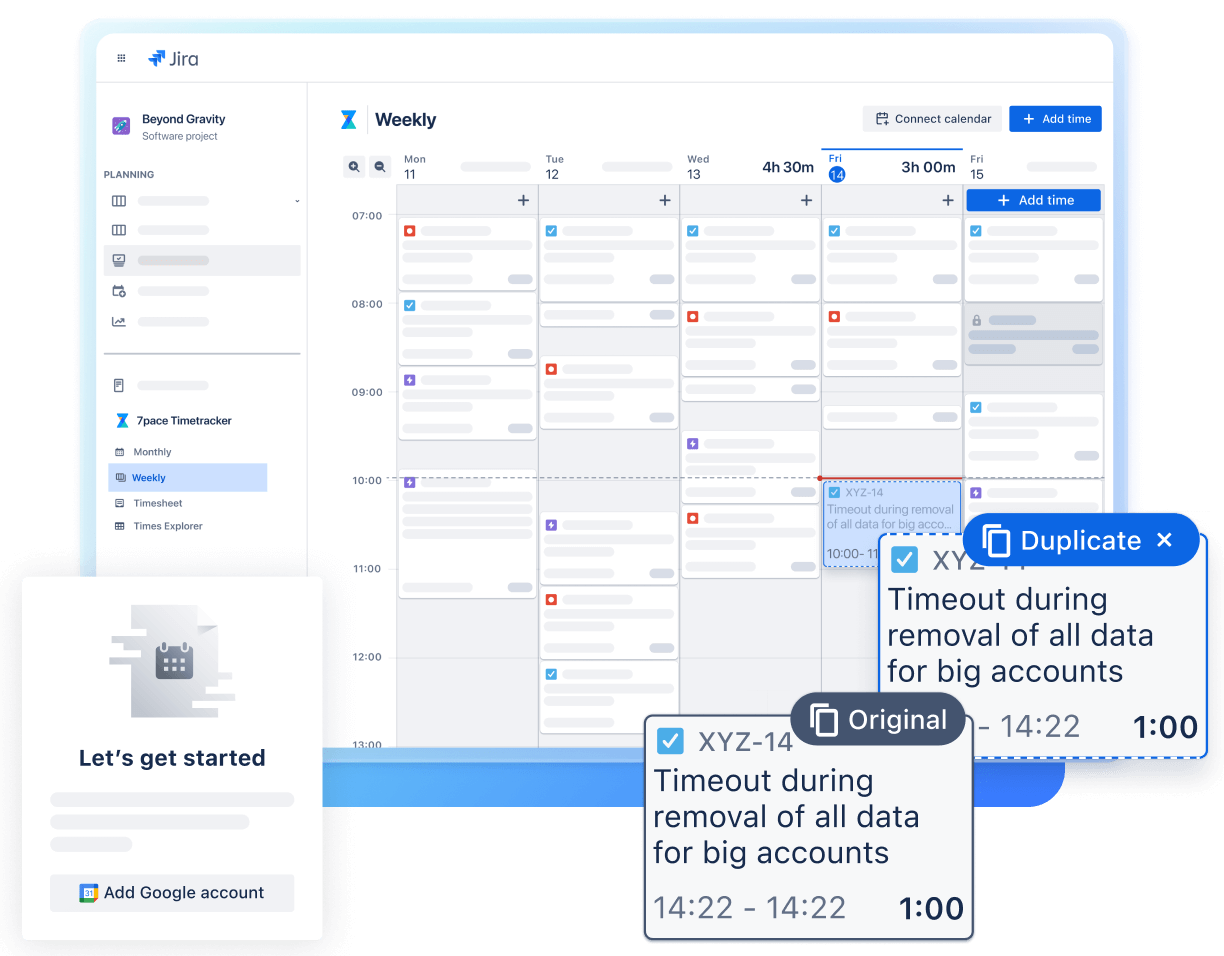
Manage time visually using a weekly or monthly calendar and timesheet view. Create worklogs faster with drag-and-drop and duplication.
Sync Google Calendar events with 7pace to reduce manual input and tool-switching. Review and approve time easily.

Powerful reporting to drive business insights
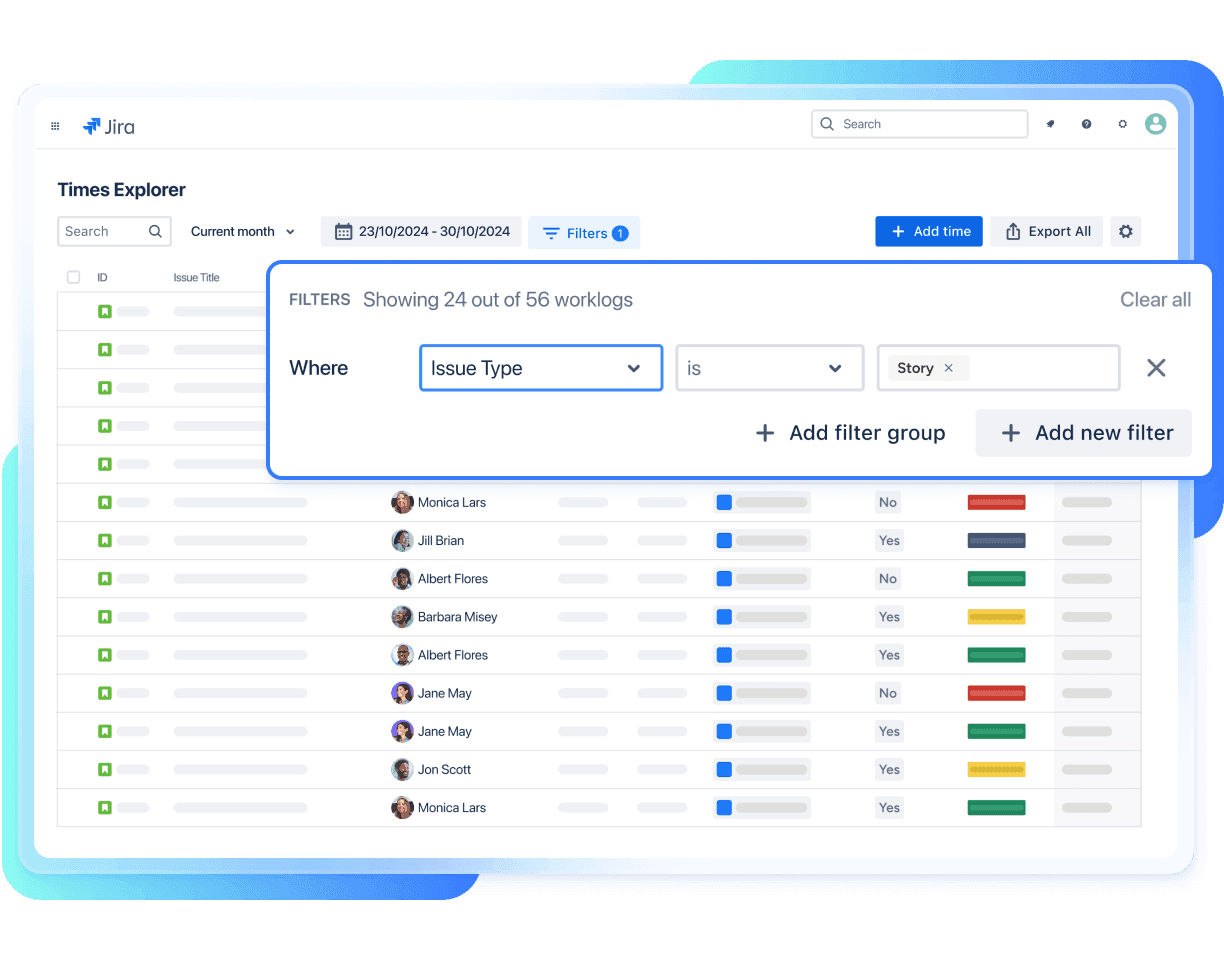
See and manage all work logs in one place. Slice and dice Jira and 7pace data to see exactly what you need and nothing else.
Export time-tracking data to other tools and automate reporting or build custom dashboards with the Reporting API.

Record more than just time
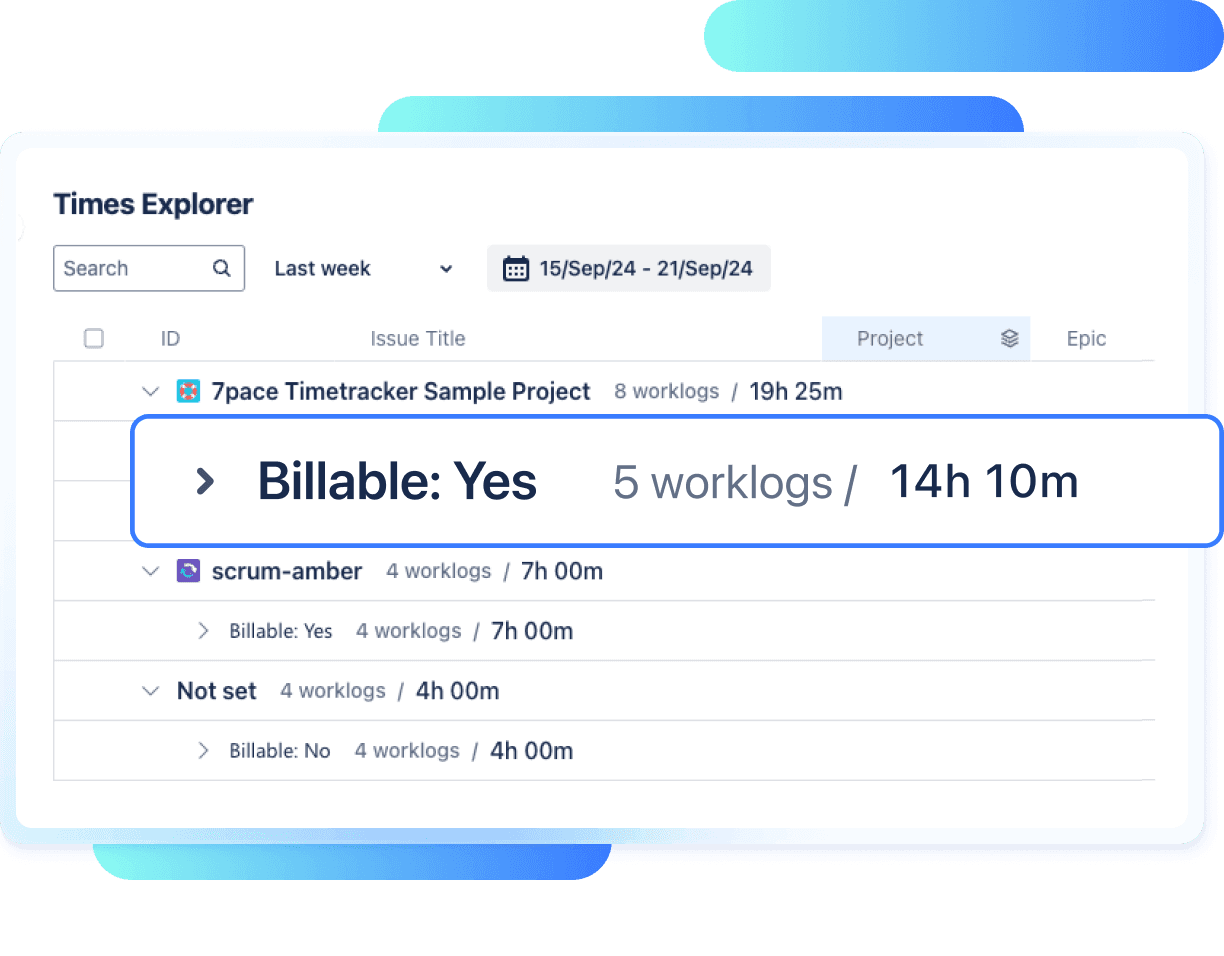
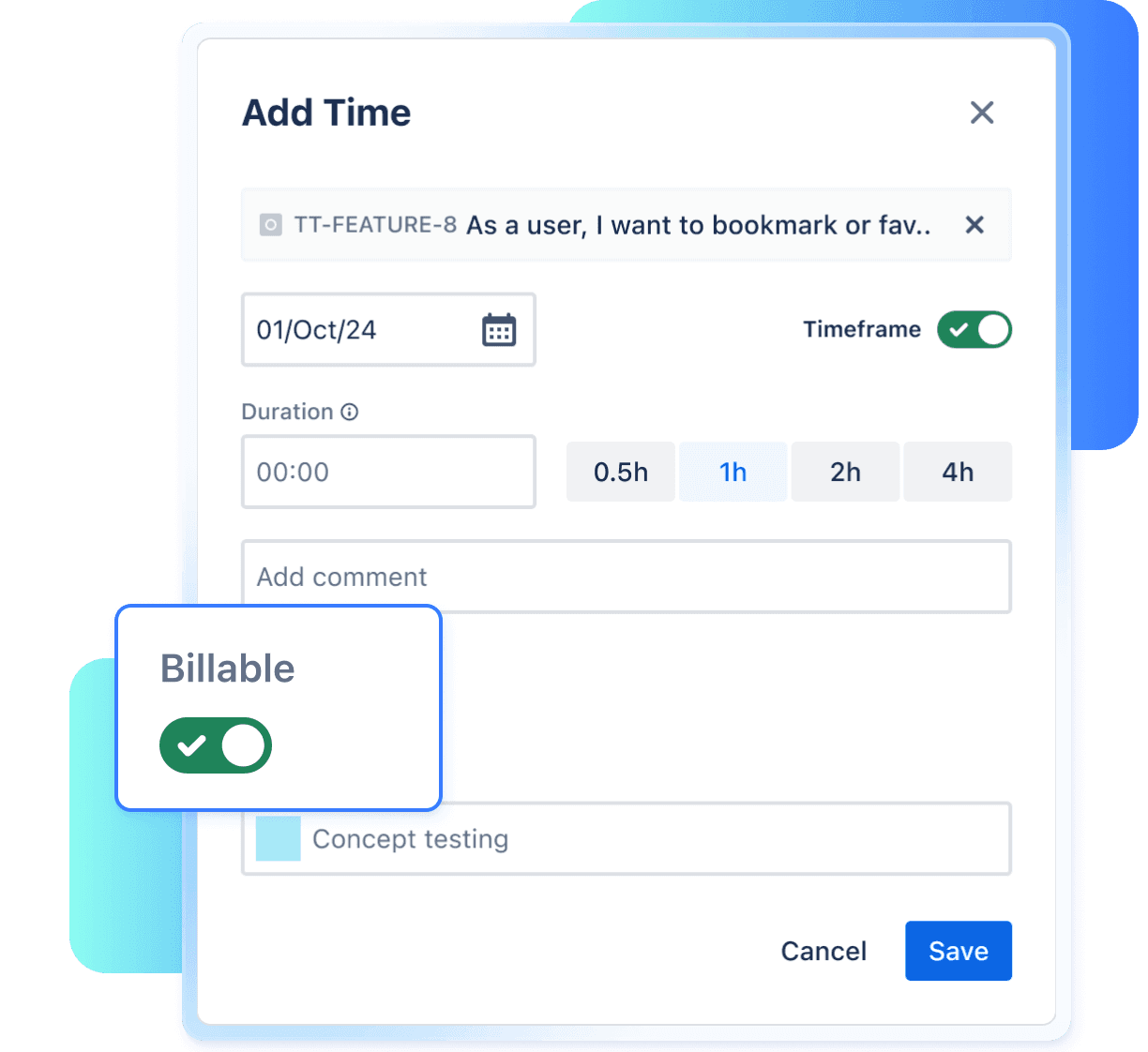
Use 7pace’s custom time tracking fields to capture critical data on billable vs. non-billable hours, expenditures, activity type, or anything else important to your work. Report on or export this data to create invoices, manage budgets, calculate CapEx and OpEx, and more.

Monitor capacity seamlessly
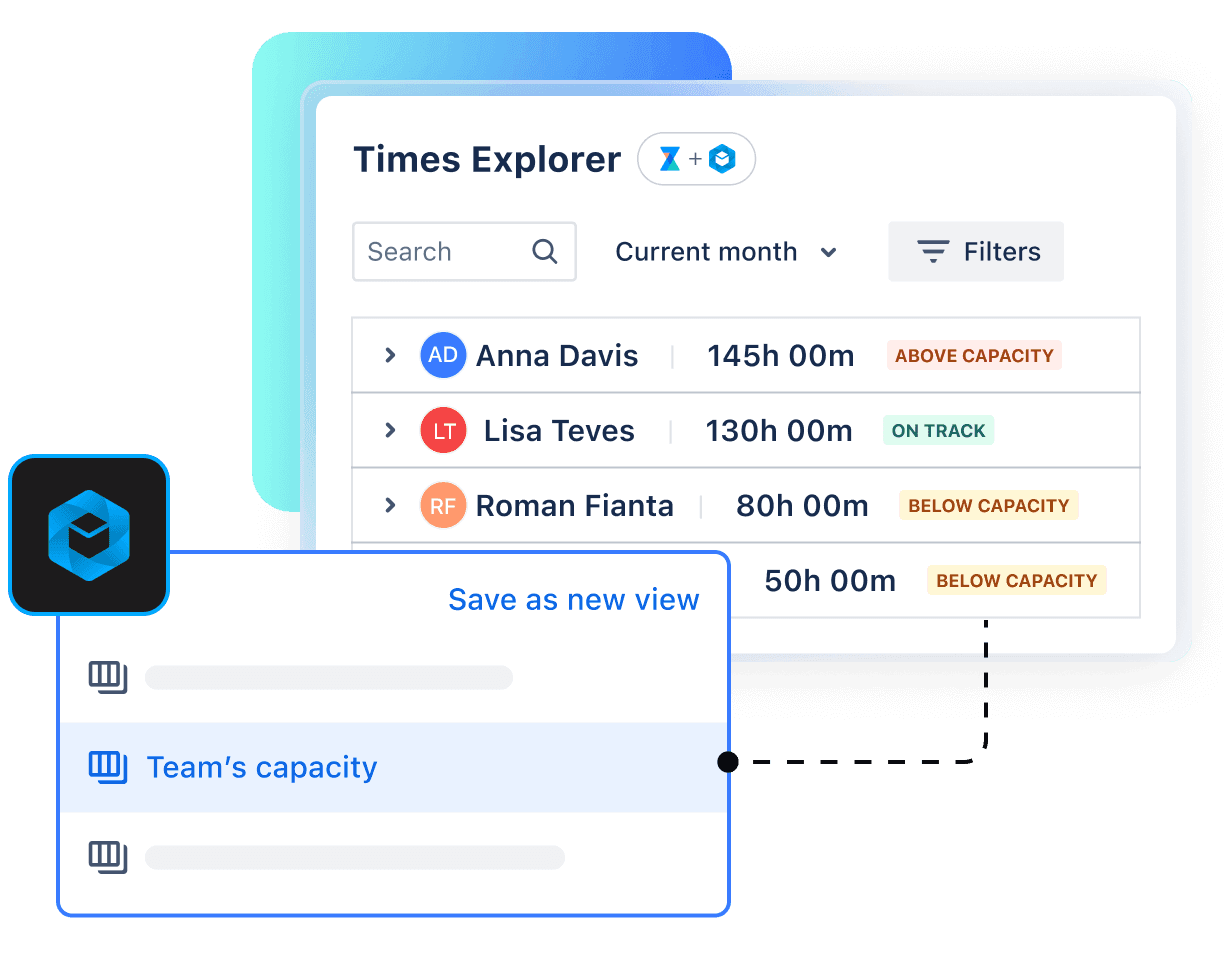
See where your team’s time goes, without chasing down data. Pull capacity insights directly from BigPicture, complete with built-in factors like workload, PTO, and sick days. So your reports stay accurate, up to date, and ready to share.

More features
Straightforward tracking and data
Track time directly on issues in a more intuitive way while getting project insights, such as estimated vs. tracked or exceeded time.
Seamless integration
7pace and Jira are always connected, so your data is in sync and up-to-date.
Custom fields
View all time tracked by all users across all workspaces in one place. Use advanced filtering and grouping to analyze the data.
Comprehensive reporting
Managers can search, filter, group, visualize, and export data for project progress, status updates, financial reporting, and more.
Advanced permissions
Assign specific roles to users to ensure the right people have the right access to sensitive data.
Quick, simple setup
Install in seconds, configure permission and custom fields, and begin tracking time.
Approve and lock time
Approve worklogs and lock time to stop retroactive changes for accurate and consistent reporting.
Push API
Import worklogs from another tool, instance, or deployment type with ease.
Pricing 02
Pricing that fits every team size
Enter the number of users specified for your Jira instance to see the total cost. But before you make a commitment, you can test the app during a 30-day free trial.
You can save up to 17% with annual billing, getting 12 months for the price of 10.
User tier: 51-100
$1,100
/ year (billed annually)
- Full access to all features
- Automatic product updates
- Email support
Need help setting up your team? Get in touch.
FAQ’s 03
Pricing questions and answers
7pace Timetracker for Jira is a cloud app that can be sold as a monthly or annual subscription. The subscription price is based on the number of users in your instance and includes app support.
If the app’s pricing changes, there's a 60-day grandfathering window where you can renew based on the old pricing.
Yes, the app is free for up to 10 users.
The app can be purchased on the Atlassian marketplace or through one of our preferred Solution Partners.
If you need to cancel your subscription, you can do so by going to the Atlassian Marketplace > Manage apps, select the app, and then select Uninstall.