Connector for Salesforce and Jira

Seamlessly integrate

Salesforce Connector for salesfore and jira logo and Jira 

Seamlessly integrate

Salesforce Connector for salesfore and jira logo and Jira 

Keep everyone on the same page and ensure all teams have the latest and most accurate info on customer inquiries and service requests.

Keep everyone on the same page and ensure all teams have the latest and most accurate info on customer inquiries and service requests.

Key benefits 01

Enhance visibility

Enhance visibility

Boost teamwork and productivity with bi-directional data flow that aligns Sales, Support, and Dev teams, reducing communication gaps and unnecessary back-and-forth.

Improve productivity

Improve productivity

Replace error-prone manual duplication of data with fast automated workflows. Teams can begin work on customer requests in minutes instead of days.

Reduce use license fees

Reduce user license fees

Decrease the number of Salesforce user license needed by enabling team members to access vital customer information directly in Jira.
Customers 02

Teams who trust us

Key features 03

Streamline workflows for smarter, faster decision-making and support

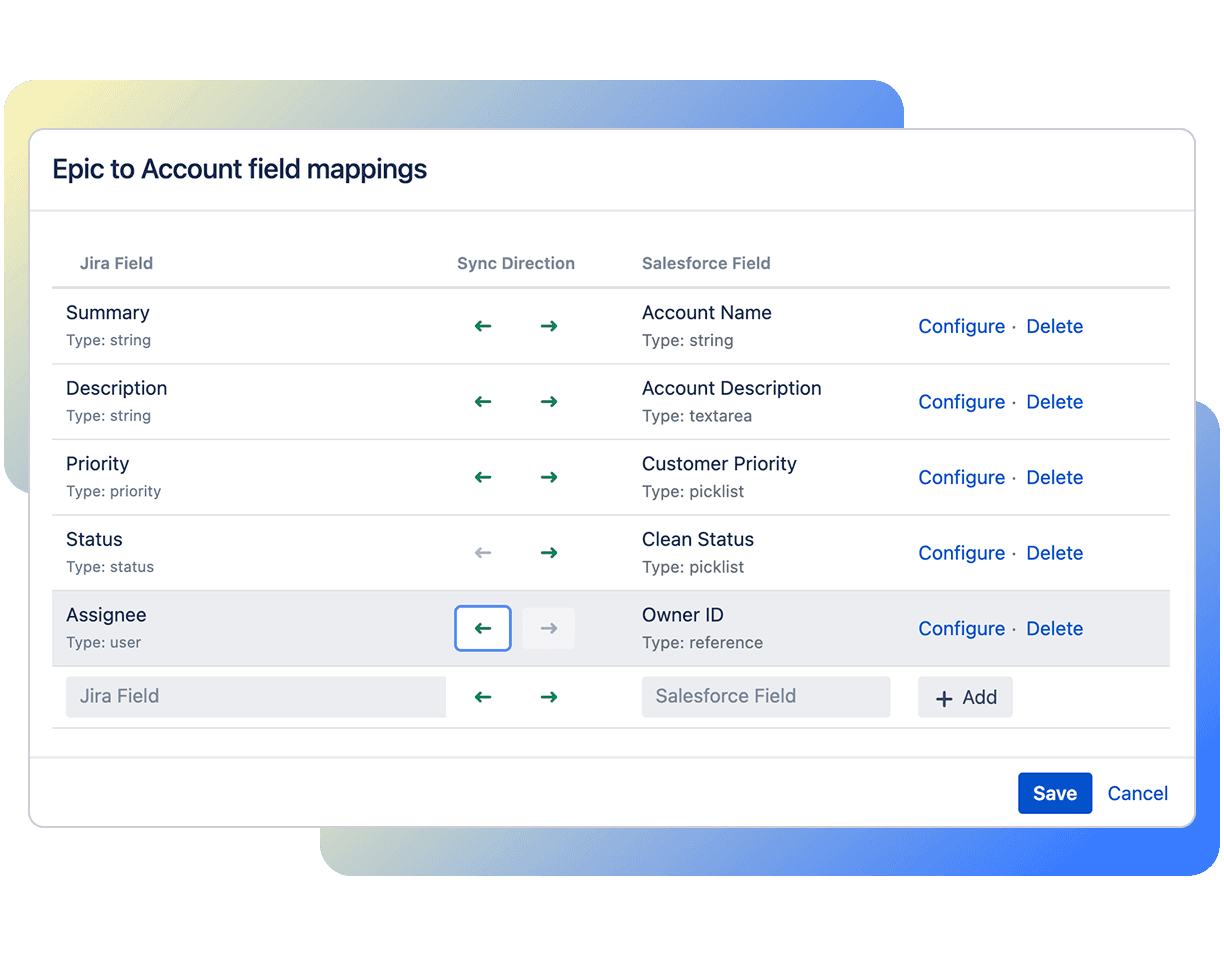
Auto synchronization and aggregated comments

Keep data reliable and current, ensuring Salesforce and Jira users can easily access updated, consolidated info for smarter decisions and better service.

Jira interface displaying Epic to Account field mappings with sync directions between Jira fields and Salesforce fields, showing configuration and delete options

Automate workflows

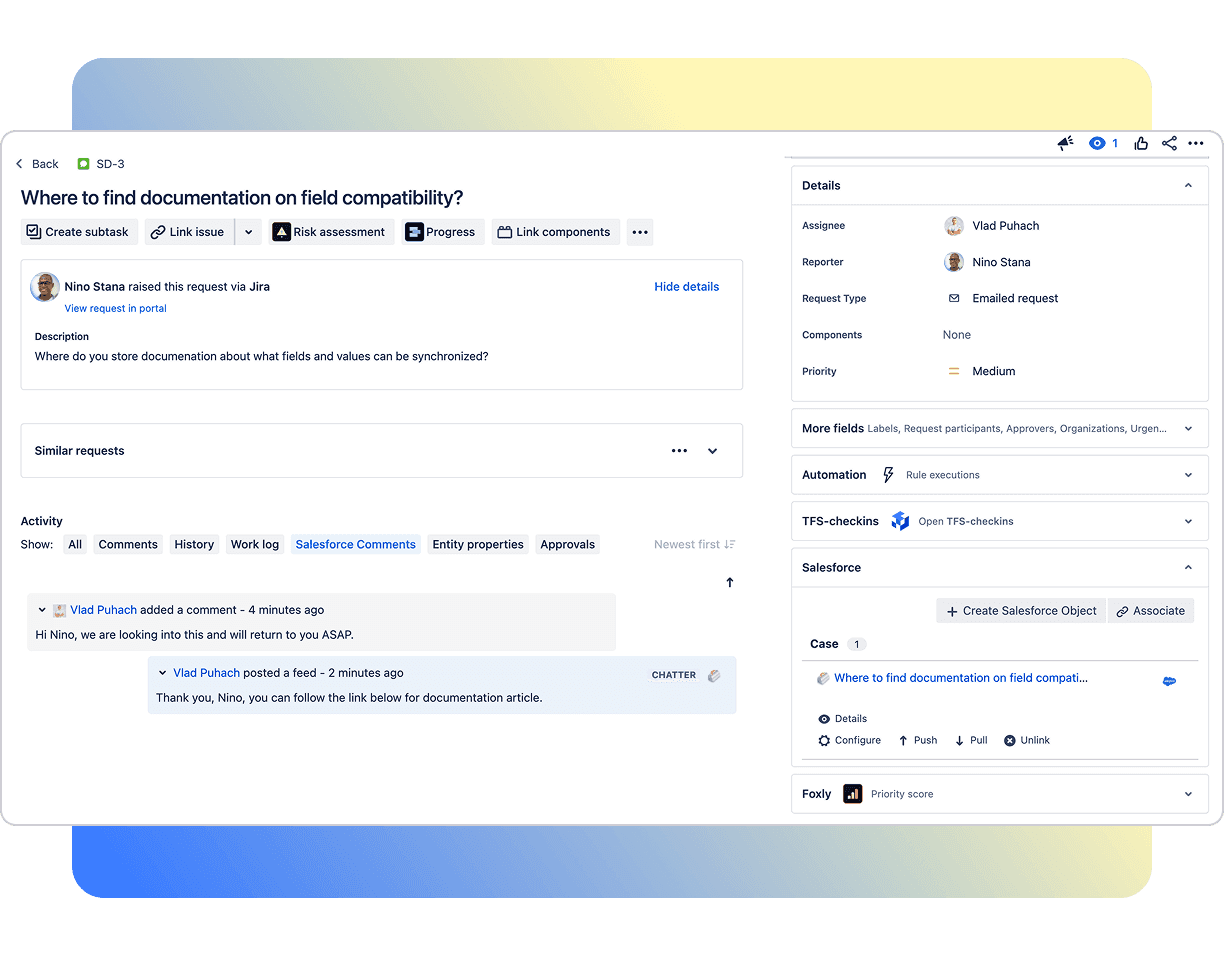
Automatically create Salesforce records in Jira and vice-versa. Associate Salesforce records to a Jira issue and vice-versa.‍ Supports one-to-many and many-to-many relationships.

Jira Service Desk interface showing a support ticket about field compatibility documentation, with Salesforce case association visible on the right panel.

Advanced field mapping

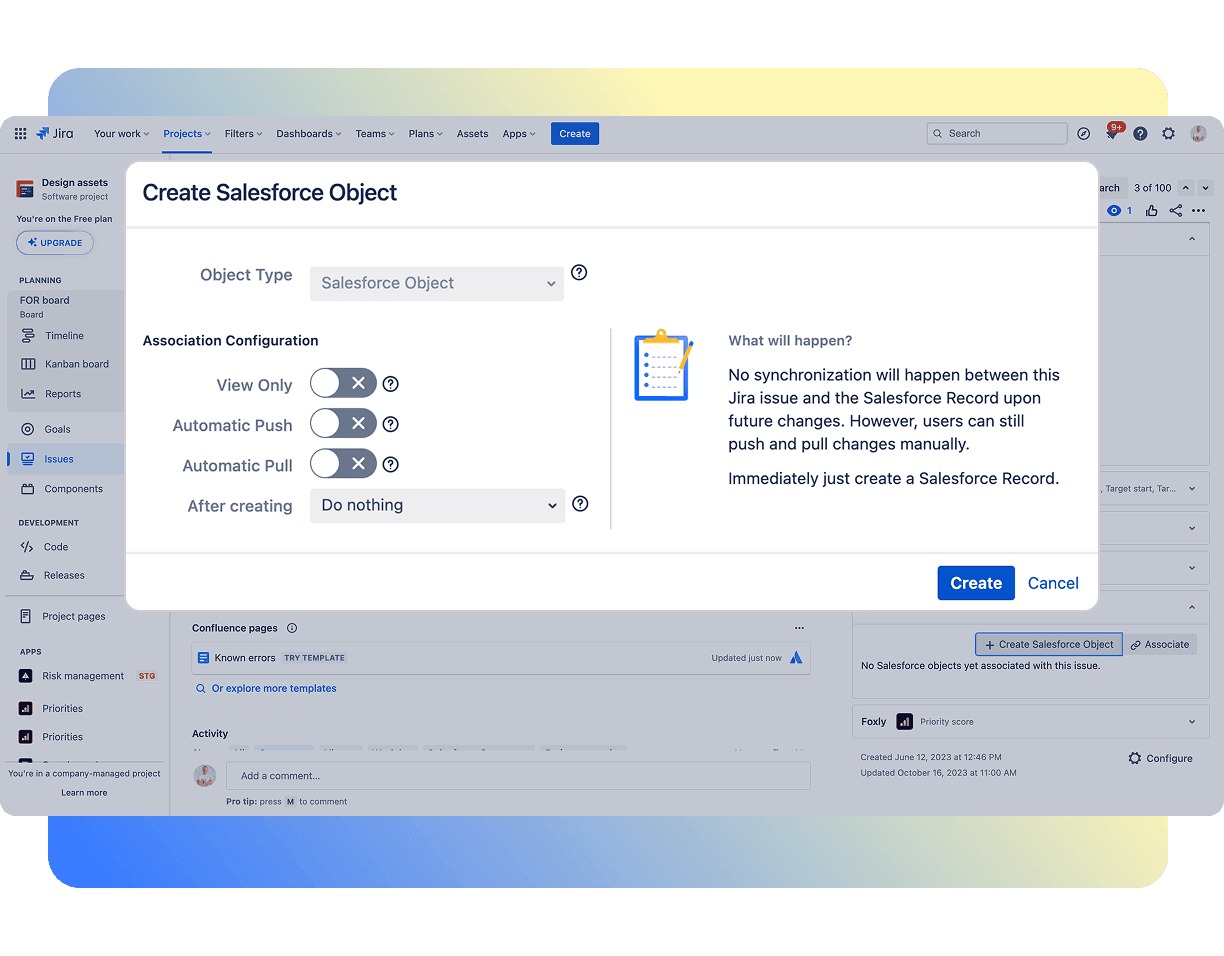
Map custom fields between Salesforce and Jira, map different fields between Salesforce and Jira based on the object type, and create Jira issues with multiple subtasks.

Jira screen displaying the "Create Salesforce Object" popup with object type selection and sync settings including automatic push and pull toggles.

Ramp up customer satisfaction

Empower employees and external customers alike to request service support within the tools they already use, like Slack, MS Teams, and WhatsApp to drive higher CSAT scores.

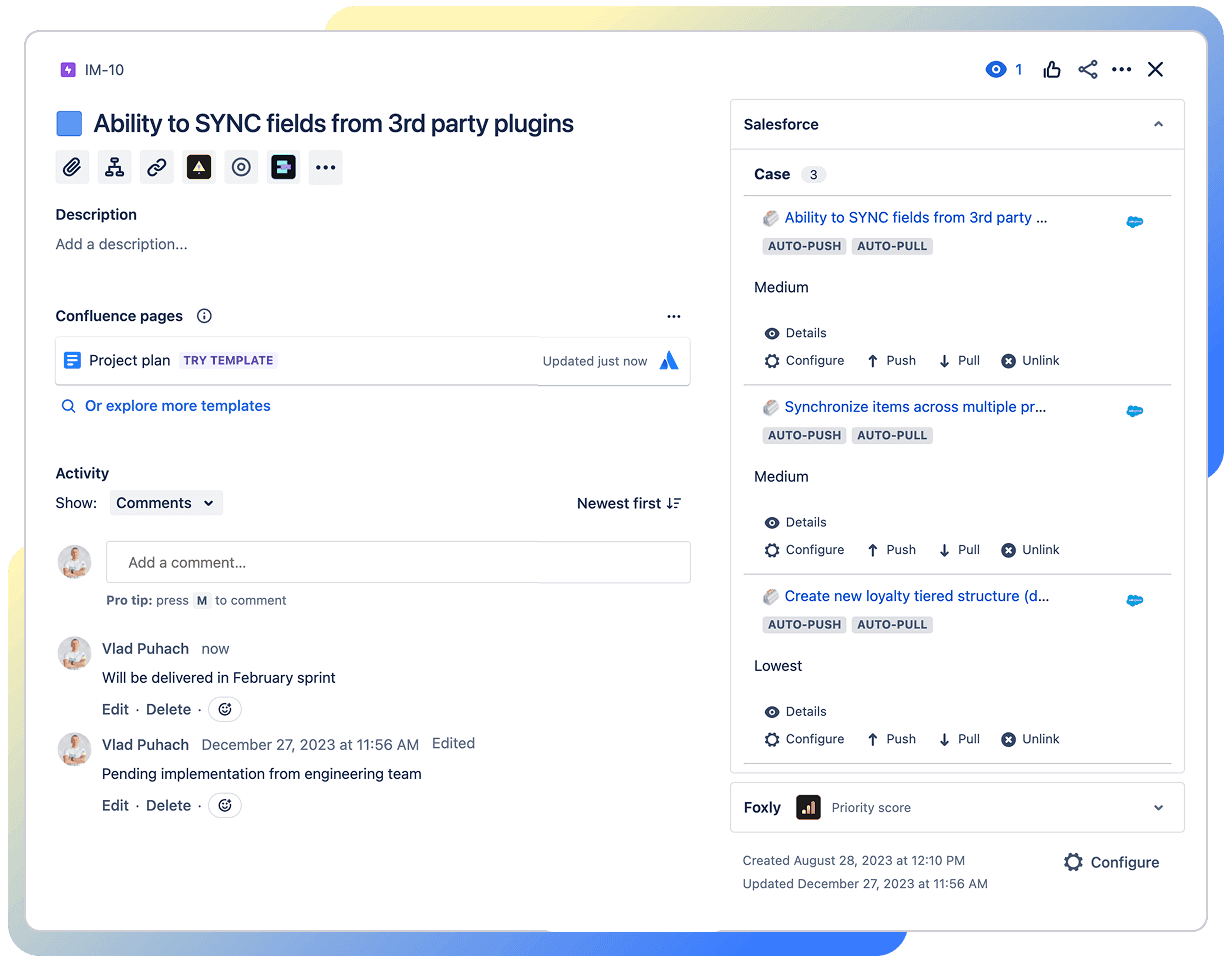
Jira issue view showcasing Salesforce case sync with multiple connected Salesforce records, each offering configure, push, pull, and unlink options.

More features

Configure settings icon

"Set it and forget it” configuration

Easily connect cases and customers right out of the box for a plug-and-play solution for non-developer administrators.

Account tree icon

Quick View Panel and reporting features

Give yourself (and your team) instant access to the data you need without having to switch platforms.

Shapes icon

Support for all custom and standard 
Salesforce objects

Get the confidence you need for complete Salesforce object coverage so nothing ever gets missed.

Account circle icon

License Consolidation

Lower licensing costs by optimizing the total number of user licenses you need for the developers on your team.

“Great product and a must-have if you want to be able to escalate a SF case to a Jira bug or other ticket for resolution by a development team.”

John P.

“We have been using this product for sometime now. Seamless integration between JIRA and SF.”

Chaitanya N.

FAQ’s 04

Frequently asked questions

For pricing details, check out the pricing table.

Yes! Head on to Atlassian Marketplace for a free 30-day trial license.

Yes, Connector for Salesforce and Jira (Cloud) has passed Salesforce Security Review and are officially available on Salesforce Appexchange.

Yes, the Data Center version of the app is available on the Atlassian Marketplace.

You may review our notes on supported platforms and system requirements.

Raise a support ticket with our 24/7 support team.