

In the ever-evolving landscape of project management and software development, where time efficiency reigns supreme, Jira emerges as a formidable tool. And automations in Jira are indispensable if you’re striving to optimize your processes, minimize manual efforts, and elevate overall productivity. Although you can achieve some of the basic automations using Jira’s built-in automation functionality, third-party automation apps can help you get even more out of your Jira instance to achieve peak productivity.
Why is automation for Jira so important?
Automating Jira isn’t just a nice-to-have: It's a game-changer. Automation helps streamline repetitive tasks, ensure consistency, and reduce errors, enabling teams to focus on more strategic aspects of their work.
As you look to scale operations or simplify work processes, you’ll find that automation is key.
In this article, we explore six powerful Jira automation ideas to achieve with Jira’s built-in automation engine and some third-party apps that can significantly improve your workflow. For more on how to set up all of these Jira automation ideas, make sure to check out our free Jira automation guide!
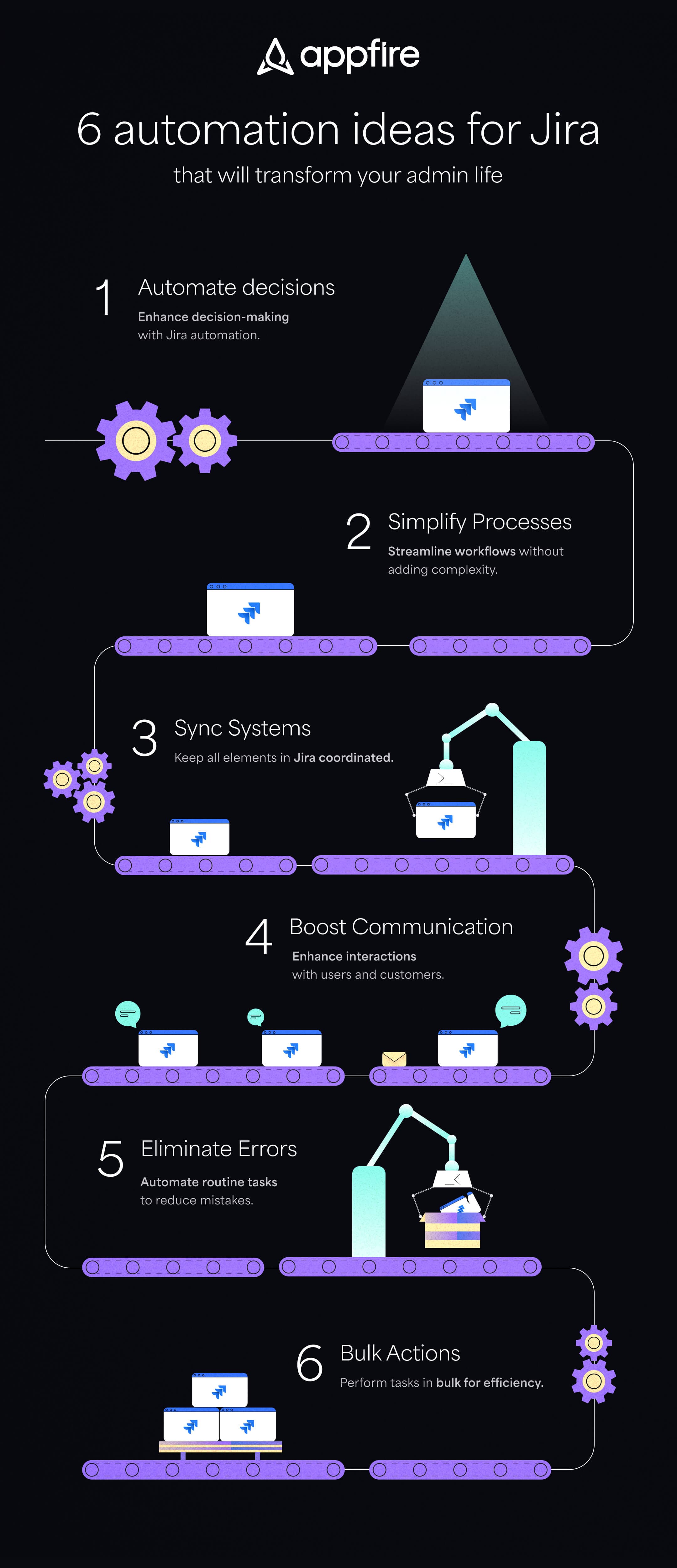
1. Empower human decisions with automation in Jira
Jira automation is great at empowering human decisions through automated processes. It enables your team to streamline tedious tasks (like generating the same tasks in various projects) while avoiding costly mistakes, (e.g., triggering messages prematurely). Here are a few Jira automation ideas you might want to consider.
Resolve customer requests faster
With automation, you can prioritize and route customer requests more efficiently. This ensures that critical issues are addressed promptly, which boosts customer satisfaction. For example, you can notify all affected customers once an issue has been fixed by setting up automation to update internal stakeholders and external users by email.
Automate documentation updates for faster releases
Documenting new features is a standard step in software development. With automation, you can streamline the documentation update process, for example, by linking the documentation request to the issue that has all the information about the newly released feature. This saves you time, provides a reference, and reduces the chance of errors.
Enable Jira users to build Confluence pages automatically
Integrating Jira with Confluence becomes seamless with automation. Enable your team to build Confluence pages right from Jira without having to leave the platform, fostering collaboration and knowledge sharing. With apps like Jira Misc Workflow Extensions (JMWE), you can automate this task using a short script.
2. Create smarter business processes without complicating workflows
Simplicity is key, and so properly configuring Jira is essential for user success. Creating the right Jira automations will enable you to create smarter business processes without introducing unnecessary complexity.
Consider these Jira automation ideas:
Save hours by automating repeat tasks
Identify repetitive tasks within your workflow and automate them to save valuable hours. Be it updating fields, assigning tasks, or sending notifications, automation can help you streamline it all.
Automation examples for this include tasks in your employee onboarding, product announcements, or marketing promotions — situations in which you need to complete several of the same tasks over and over. To keep things simple, get started with Jira’s built-in automation, or use the fan-favorite app for fast-and-easy workflow automations: JSU.
Automate approvals without complicating Jira workflows
Streamline approval processes without adding complexity to your Jira workflows. Make sure that necessary approvals are obtained quickly and automatically, reducing bottlenecks.
For example, set up a validation rule with an app like Jira Misc Workflow Extension (JMWE) to ensure issues pass through the approval status before work is started, or you can ensure compliance by separating duties and preventing the same user from triggering two incompatible transitions. Here’s how leading satellite service provider Inmarsat implemented security guidelines, automated approvals, and introduced a solid review process to escape the admin black hole!
Automate expense reports and budget tracking
Financial processes can be time-consuming. Automate expense reports and budget tracking to ensure accuracy and compliance with financial policies, so you don’t have to complete a lengthy spreadsheet every time.
Avoid mistakes by automating calculations
Manual calculations are prone to errors. Automate calculations within Jira to reduce the risk of mistakes and ensure accurate data across your projects. Apps like Jira Misc Custom Fields (JMCF) can help you calculate labor cost estimates based on custom fields, and add up story points for subtasks in a parent story.
3. Streamline your Jira by keeping everything in sync
Maintaining synchronization across projects and processes is crucial for a seamless workflow. Here are four Jira automation ideas to better streamline your processes.
Automatically close issues to keep things aligned
Close completed issues automatically to keep your projects organized and avoid clutter. This keeps your team focused on the most relevant tasks. Jira automation examples include automatically closing the parent issue when all child issues are closed; closing customer tickets if no reply has been received after a specified number of days; and reopening the original customer request instead of creating a new one.
Synchronize software versions across projects
What about doing the work versus communicating the status of the project? For IT service management projects, you’ll typically want two projects: one public, for customers to report bugs and request features, and one for your development team to track their work.
Setting up the right automation in Jira can help you keep both software versions in sync. For example, you can create a rule that when a new version is released, the system automatically creates a corresponding version in the public project.
Automatically add high-priority bugs to sprints
Identify high-priority bugs and automatically include them in the current sprint to make sure critical issues are addressed promptly during development cycles. For example, if verification isn’t critical for certain high-priority bugs, you can create rules to automatically add those high-priority bugs to your current sprint.
Take your synchronization processes to the next level
Once you’ve set up some basic automations, you can explore other, more advanced automations in Jira with apps like Jira Misc Workflow Extensions (JMWE) and Power Scripts for Jira. For example, you might try automatically updating the original estimate of an epic whenever child issues change; updating the due date of all stories within a sprint to the end date of that sprint; transitioning the epic (and all child issues) back to a particular status if code review is rejected; and so on.
4. Improve communication with users and customers
Effective communication is at the heart of successful projects. And while that’s true, 86% of employees and executives cite a lack of effective collaboration and communication as the main cause of workplace failures.
Improve flow by displaying custom messages at the right time
Use automation to display custom messages to team members at key points in the workflow. This ensures that everyone is informed and aligned on a project's progress. One example automation would be to set up a required field with predefined values, like a dropdown to kick off a transition. More advanced Jira automation examples — like displaying a message to a user when attachments are required, or while validating input on field changes — can be achieved with an app like Power Scripts.
Enable agents with canned responses and automate actions
For support teams, automation can streamline communication by providing canned responses to common queries. Third-party apps like Canned Responses enable you to set up templated responses that help service desk representatives answer common questions faster.
Take your communication up a notch
Once you’ve set up some of the common automations to keep teams in sync, consider more advanced automations to meet the unique needs of how your teams interact. Advanced Jira automation examples that keep your teams aligned include automatically notifying stakeholders of scope changes; notifying customers about new releases; auto-notifying team members when an issue includes words like “important” or “urgent,” and integrating Jira with external tools and databases.
5. Automate mundane tasks to remove user errors
Human errors can be costly. Automating mundane tasks can help eliminate these errors and improve overall productivity, which brings us to our fifth set of Jira automation ideas.
Automate actions based on field selection
Set up automation rules based on specific custom field selections to prevent common mistakes. For example, when triaging support requests in Jira Service Management, a support technician could classify issues so they initiate various actions, such as immediate escalation, high-priority level, etc. Instead of providing all options in a long drop-down field, you could create two custom fields, where the first selection determines the second field’s available option.
Copy attachments between issues
Copying attachments between related issues is a common but time-consuming task. Automate this process to reduce the workload on your team and ensure consistency in documentation. For example, you can set up an automation in Jira that copies an attachment from the parent issue to all of its subtasks.
Automate ticket assigning and routing
Ensure that tickets are assigned to the right individuals automatically, preventing bottlenecks in your workflow. While email requests often lead to queues that require manual triage, use automation to avoid bottlenecks and route tickets based on criteria you define. Categorize incoming emails based on specific keywords, then automatically route and assign the requests to the correct team. Advanced conditional automations like this can be set up with third-party apps like Power Scripts for Jira.
Supercharge your team’s productivity
Here are some Jira automation examples of processes that can take your productivity to the next level by shortening response time for ticket handling:
- Using the project and component selected to kick off different workflows
- Automatically assigning issues created by upper management as highest priority
- Assigning issues to specific users or groups based on current workload or order
- Using custom field data to assign someone who has a certain skill or location
- Automatically escalating requests to the correct team when a field changes
6. Do more things in bulk
For large-scale operations, performing tasks in bulk is essential. Here are Jira automation ideas to get you moving faster.
Standardize processes by bulk-cloning and customizing issues
Maintain consistency by bulk-cloning and customizing issues. This is particularly useful when managing repetitive project structures or templates. As part of the bulk cloning process, you can adjust who gets copied from the original issue into the cloned one. This reduces redundancy and saves time when multiple teams are working on the same issue. You can clone single issues with Jira’s built-in functionality, but for bulk cloning, we recommend Clone Plus for Jira.
Skip data entry and add new users in bulk
Onboarding new team members becomes efficient with bulk user management. Add new users, assign roles, and set permissions in bulk, eliminating manual data entry. An app like Jira Command Line Interface (CLI) can help you bulk-upload hundreds of users from a CSV file in minutes.
Update issues in bulk
Forget about making updates one at a time! Whether you’re updating due dates, priorities, or other fields, setting up the right Jira automation enables you to make updates in bulk.
Some of the most popular Jira automation examples in this area are:
- Automation that triggers an email if there’s an outage
- Integrations via RestAPI and webhooks that connect external tools with Jira (See, for example, how Cprime connected Jira and Salesforce.)
- Faster password resets to Jira (and other) instances
- Automatic provision of new accounts based on service requests
Automation has the power to significantly enhance the efficiency of your project management processes. By strategically implementing these Jira automation ideas, you can keep your team focused on meaningful work, reduce errors, and streamline communication.
And while every job might require some tedious, repetitive tasks, yours doesn’t need to. Not anymore.
To get started on your automation journey, download our comprehensive guide and transform the way you manage projects.
Get your free Jira automation guide now