
Introduction
“You can’t manage what you can’t measure,” as the old saying goes. To keep your team humming along towards success, you need to measure progress toward sprint goals.
Throughout each sprint, you need to track remaining story points against the completion date. Analyzing performance enables you to review priorities if things aren’t going as expected.
But what’s the best way to know whether your team’s on pace to meet deadlines?
The answer is the sprint burndown chart, which many people consider a must-have metric for your Agile dashboard. This chart displays the amount of work remaining — and the work that’s been completed — in a sprint.
But it’s tough to read in Jira.
Are you struggling to make sense of the native Sprint Burndown gadget? We got you. Let’s break it down.
How to read the native Sprint Burndown chart in Jira
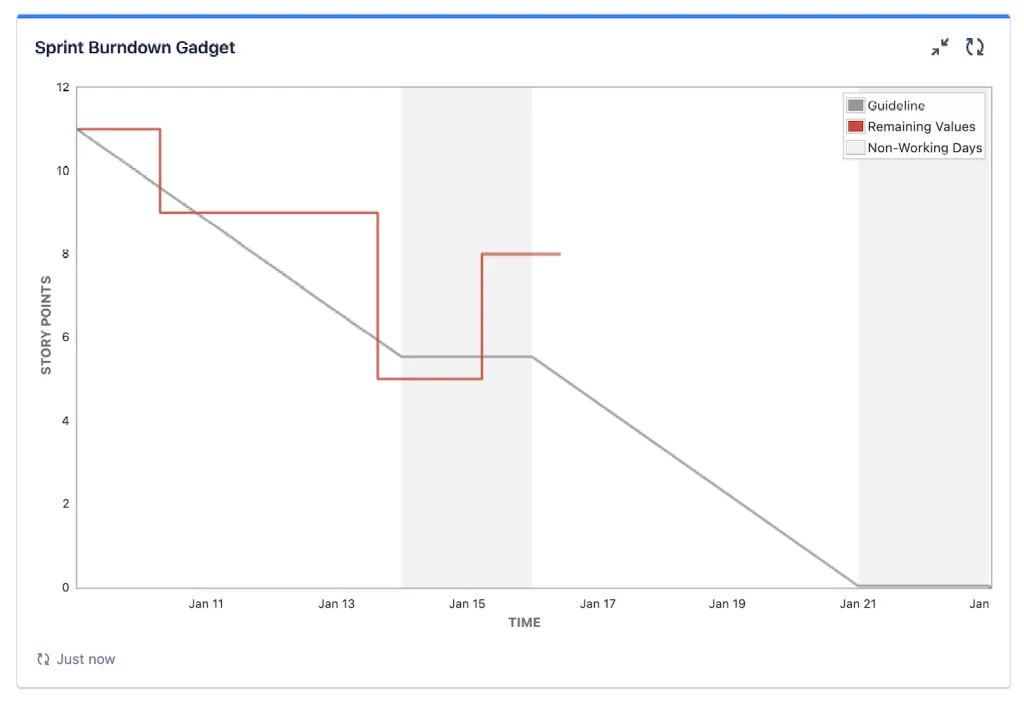
This chart is divided into four basic points:
- The x-axis for the time
- The y-axis for the work estimation
- The ideal progress line (gray line)
- The actual work line (red line)
On the x-axis (horizontal), there's the sprint timeline. In the y-axis (vertical), there’s the work you aim to complete in this project. The starting point is in the upper left point of the chart - from day zero of the sprint. The endpoint is the in the bottom right, and refers to the last day of the iteration.
The grey line crossing the chart is based on estimates: it shows the recommended pace the team must maintain in resolving story points in order to meet the deadline.
Once the iteration starts, you’ll see a second line displaying the actual progress of the sprint. This line is based on the work left in the sprint, and the goal is to match — or stay below — the ideal work line. If the actual work line is above the ideal work line, it means that the current pace is not enough to meet the deadline.
If you still find this gadget difficult to work with, read on and we’ll tell you about an improved Sprint Burndown metric available in the Marketplace.
The best and easiest Sprint Burndown gadget in Jira
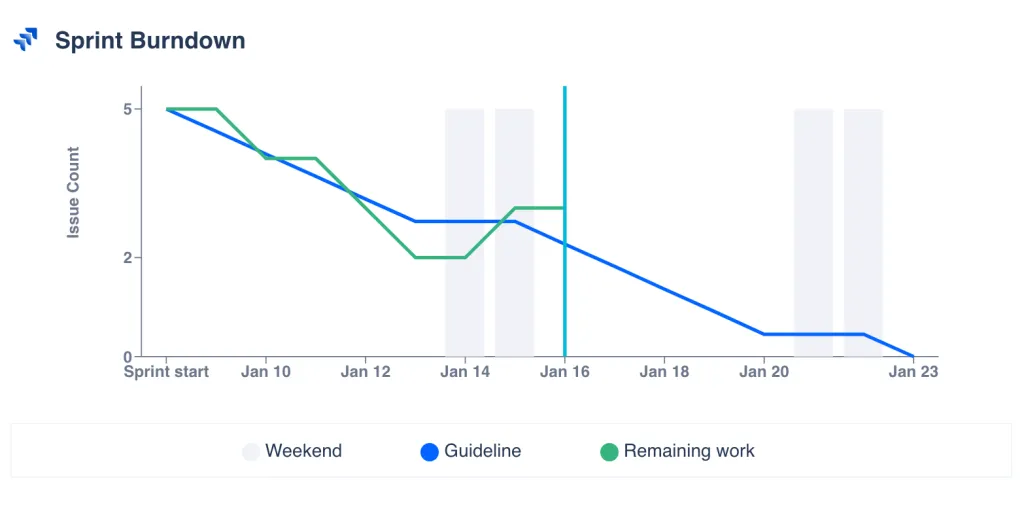
The best way to optimize measuring and tracking team progress in your sprint is with Dashboard Hub’s Sprint Burndown gadget.
This gadget has an improved user interface. It’s user friendly and super customizable.
This improved version of the Sprint Burndown presents a unique compatibility with other powerful Agile metrics like the Epic Progress, Sprint Goals, Sprint Blockers, Scrum Velocity, and more. See a live Agile dashboard that combines these other powerful gadgets with the Sprint Burndown gadget. This gadget (like the rest of Dashboard Hub’s metrics) is compatible with native Jira dashboards.
This gadget is one of our Top 10 gadgets for Agile dashboards: get the complete list.
Dashboard Hub for Jira is an app that helps you overcome native Jira dashboards' limitations by empowering you to create easy custom charts with JQL, or a collection of nearly 100 original gadgets, pre-built dashboard templates, and integrations.
Dashboard Hub for Jira also simplifies reporting. The ability to send unique and secure links saves you hundreds of hours you’d otherwise spend creating reports (Check out this customer success story).
Pro tip: Use Dashboard Hub’s 30 free day trial to try the Sprint Burndown gadget, along 75+ other gadgets, custom charts, and fast external report sharing.
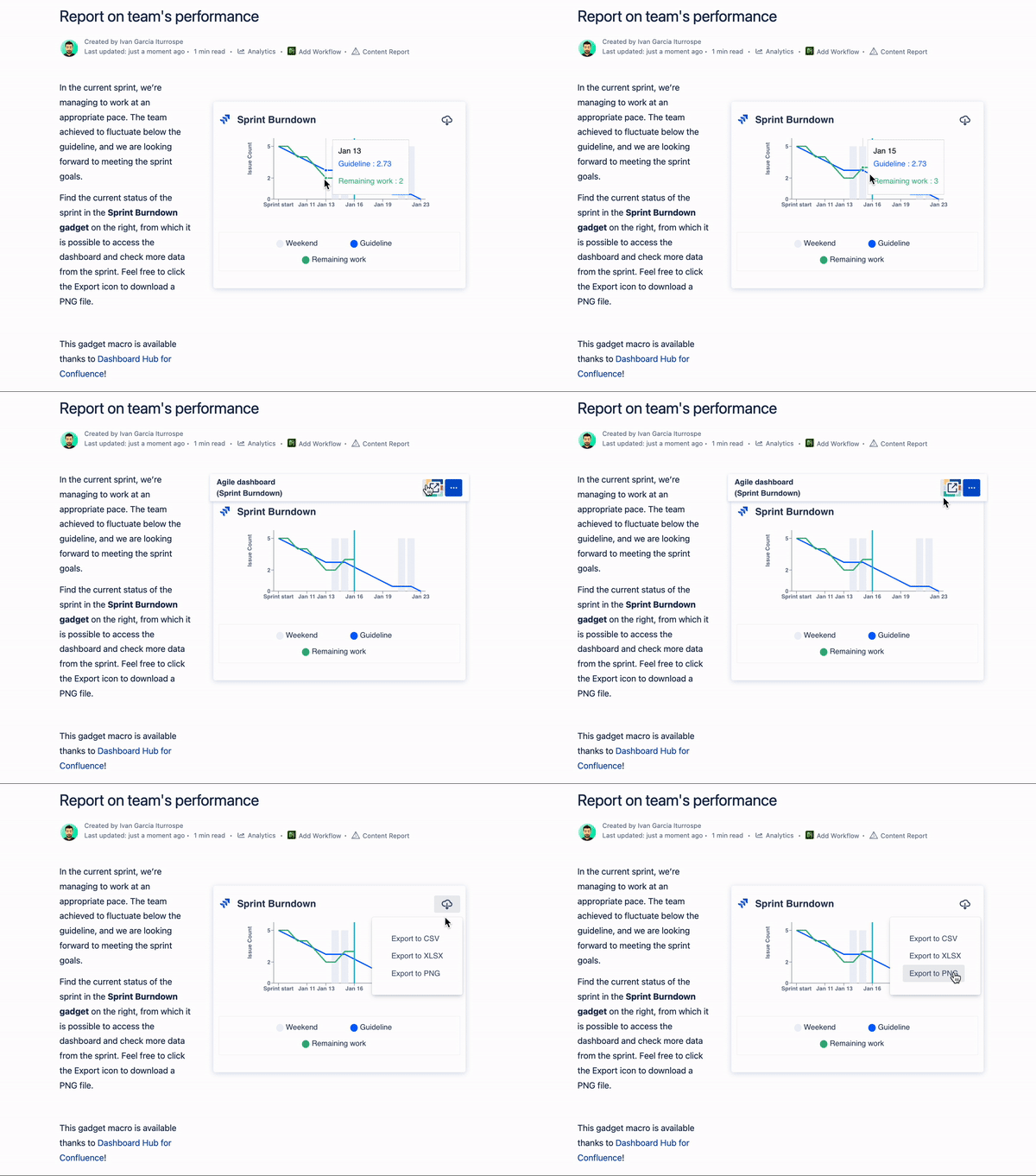
You can also report on the Sprint Burndown in Confluence pages with Dashboard Hub for Confluence! This is how the Sprint Burndown macro looks:
Conclusion
The Sprint Burndown chart can look intimidating at first, but we can help. Try tracking a sprint for free with the Sprint Burndown gadget in Dashboard Hub for Jira.
Free Trial