

Time tracking is like fitness tracking; it helps you, as an individual, assess and improve yourself. Yet, it's no surprise that developers would rather focus on coding than stop to log their time. Many companies require time tracking, despite the extra effort it demands from their teams.
Unfortunately, this tool, which could empower people to take more ownership of their work, is often distorted into a control mechanism.
If your developers dislike time tracking, it's probably due to poor implementation.
When used correctly, time tracking can help developers own and improve their abilities. But this requires management to resist using it for control.
Developers' main objections to time tracking are:
- It becomes burdensome.
- It lacks autonomy.
- It impacts team morale.
The primary issue with time tracking in software teams is the top-down management approach. This method assumes workers should be measured and evaluated like factory workers on an assembly line, which doesn't apply to knowledge work.
Pitfalls of time tracking for software developers
Time tracking becomes its own job
The biggest complaint about time tracking in software development is the time it takes. If tracking itself takes up a disproportionate amount of the team’s time and energy, it’s self-defeating.
Any time-tracking solution that requires developers to agonize over filling in their timesheets or recalling last week’s work will lead to friction.
Time-tracking software makes life harder, not easier
Time tracking often feels like a chore because many software teams lack the right system or software. They still use intrusive, outdated methods that hinder productivity, from clunky software to tracking on scraps of paper.
Developers, more than anyone, know that using the wrong tools makes any job a serious chore. This turns many against the idea of time tracking altogether.
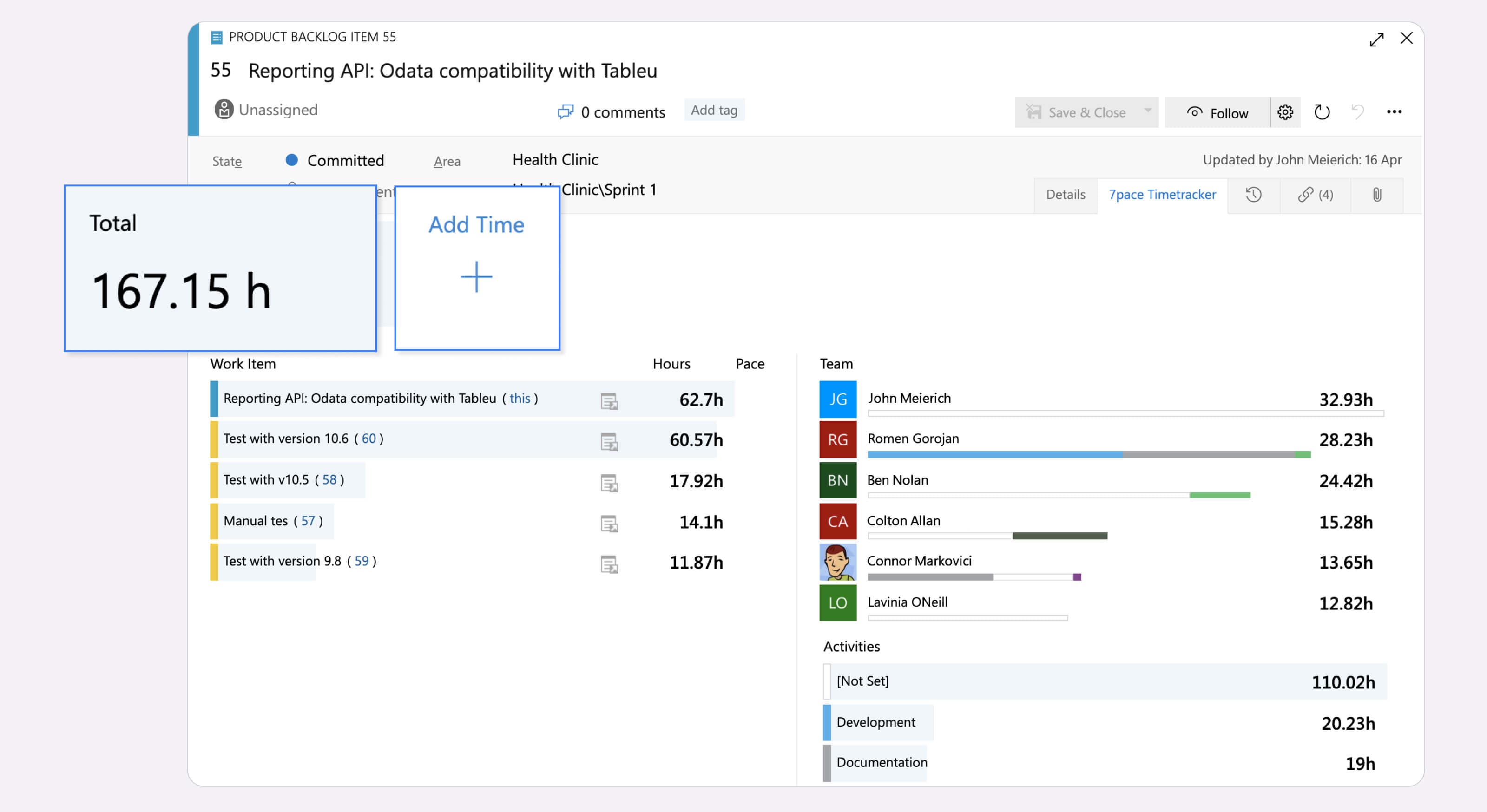
Teams prefer using 7pace Timetracker because it integrates directly with Azure DevOps, making time tracking almost seamless. Work is done and tracked in sync. There’s also a time-tracking app for monday.com.
This removes the first barrier to smart time-tracking practices by eliminating extra busy work for the team.
If your team uses work management software, an integrated solution for tracking time just makes sense. Better yet, choose something that requires little or no manual data entry.
This allows your team to reap the benefits of time tracking without the extra work that can make it unappealing.
Time tracking leads to time quotas
Tracking time is beneficial. Using story points to measure story size is also beneficial. So, combining them must be better, right?
It's tempting to put story points alongside a timesheet and calculate how many hours it takes to complete a story point. Then, you’d have a simple SP-to-hour conversion rate to use all the time!
This is a common fallacy. Never conflate time with effort. Story points measure the effort and difficulty of a task, while time measures—well—time.
A major setback for companies implementing time tracking is using the collected data to create and enforce quotas on the time spent on a project or iteration.
“Hey John, last iteration you completed 10 story points in 76 hours. This time, you should take on 11!”
This sets a bad precedent and confuses two different ways of evaluating work.
Time data can benchmark scoping and planning similar user stories or types of work. But it breaks down when you mix and match different measures. If your team tries to convert one unit of work into another, you're heading for disaster.
It's fine to have two separate measures of work. Story points are subjective; time is absolute.
Use both to solve different problems and diagnose your work in various ways. But don't conflate or convert them to pinpoint a single unit.
Time tracking as a band-aid for management or trust problems
Take the last point and crank it up to 11. If you want to distance your engineering team and make them distrust time tracking and management, use their timesheet data against them.
A good manager understands that knowledge work is not linear. There’s no straight path to the final answer, so there’s no quantifiable way to determine exactly how long it will take to solve a given engineering problem. So, there’s no value in scolding your team for using “too much time” on a task.
The message you send is clear: you don’t trust your team. If you trusted them, you would give them autonomy to complete their work. You would assume their interests align with yours, with no ulterior motives or reason for them to lie or falsify their time.
Don’t wield a developer’s time data like a weapon against them. If you do, it’s clear the problem runs deeper than time management.
Time tracking doesn’t fit naturally into the way developers work
There are many ways time tracking doesn’t make sense for developers.
For one, developers often work strange hours and in irregular cycles of productivity. Software development is not a nine-to-five job, complicating the time-tracking process.
Different types of coding take varying amounts of time. In a culture that uses time tracking to judge productivity, getting stuck on a tricky problem or mired in complex code can feel like a waste of company time—yet these situations are unavoidable for developers.
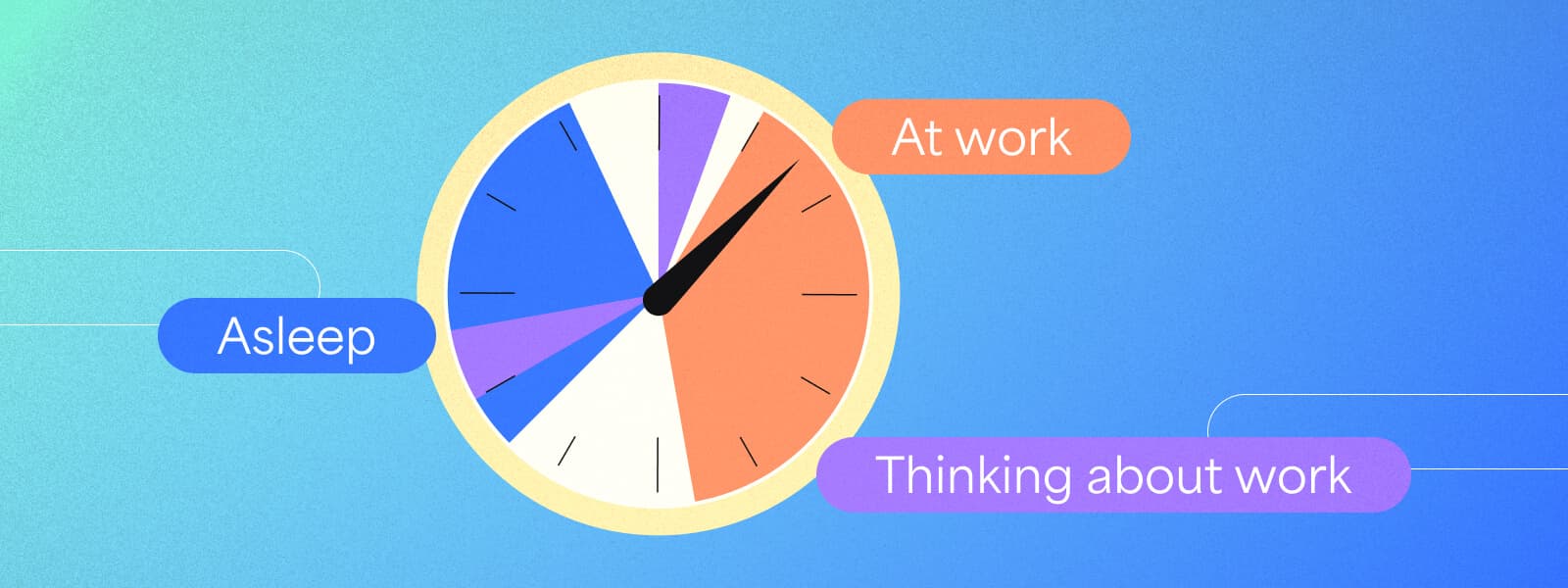
Finally, time tracking creates the impression that only focused work time counts as work. Software development requires a great deal of mental energy. Coding isn’t like an assembly line, where a worker can clock in, do the work, and clock out. Knowledge workers often think over tricky problems even when not at their desks, blurring the lines between work time and time off. How do you track that with traditional time-tracking methods?
What makes time tracking worth it for developers
Even though time tracking is often adopted by businesses as a way to keep tabs on employees' productivity, it can actually be very helpful to developers. The key is to view time tracking as a tool for developers themselves.
Time tracking supports professional development
Time tracking allows developers to measure, understand, and learn about their abilities. With this data, they can grow and become more productive and efficient without management using timesheets as a performance stick.
It’s less important for a software engineer to know how long it took to complete two story points than to compare this month’s time to last month’s. Did they improve? Are they becoming better developers? Have they improved their problem-solving abilities?
These are the true benchmarks that developers should use to assess their professional growth, but they’re difficult to measure.
Time is one of the only static metrics that can evaluate an engineer’s performance and growth. Managers must allow engineers to own and control their time. If there are arbitrary goals or quotas around time metrics, engineers are likely to do the bare minimum to meet those quotas.
But, if time is used as a personal tool to assess progress, it becomes a source of empowerment.
Time tracking helps improve estimating, forecasting, and planning
One of the most common challenges for developers is dealing with estimates, forecasting, and planning. The reason why time estimates don’t line up with reality is seldom some kind of intentional sabotage. It’s a lack of data–it’s inexperience.
More experienced engineers with access to more accurate data (and more time to evaluate their performance) will be able to provide better, more accurate forecasts on future projects.
Imagine that you ask someone on the street about their bowling average. Chances are, they will have no clue–they rarely, if ever, go bowling, and they have no consistent frame of reference. But, any long-time bowler can rattle off their average in a second. They know exactly where they stand, and they strive to raise that average every week or every year.
Based on that, they can tell you with a pretty high level of accuracy what they’ll score in any given game of bowling. They can begin to understand their own tendencies and adjust for externalities, like if they tend to bowl their best at the start of the night or if they know they don’t perform well when people are watching.
With the right data and consistent feedback, bowlers–and developers–gain insight into their abilities. This leads to better predictions and more accurate estimates.
Getting time tracking right
Let’s recap: time tracking in software development is often flawed, but it’s worth doing. So, how can you balance getting the value out of time tracking without repeating common mistakes?
Start with a discussion about the underlying reasons why time tracking is valuable
Reframe time tracking for your team, especially for senior engineers who remember archaic systems. Make it clear that time tracking benefits the developers, not just management.
Ensure management understands the correct use of time tracking. Even with good intentions, they might scrutinize timesheets too closely. This must be avoided to prevent the concept from becoming toxic and manipulative.
Team leads should set clear expectations with management about the role of time tracking. Set ground rules to use time tracking data to bolster internal motivation, not as a mechanism for external reward and punishment.
Find the right time-tracking solution
Developers often complain that time tracking is arduous. Avoid this by finding a solution that works seamlessly with your current workflow and tracks time by task status. This eliminates the need for manual logging and makes the process simpler.
Integrate time tracking into the planning process
Demonstrate the value of tracking time by incorporating it into sprint planning, retrospectives, or annual reviews. Use time records as individual metrics for personal performance and goals, not for public leaderboards or quotas.
Instead, use time tracking to identify bottlenecks and opportunities for improvement, helping everyone grow and improve.
Get productivity insights without friction with 7pace Timetracker
Time tracking doesn’t have to be a chore. With the right software, it’s almost invisible yet provides developers and managers with accurate, actionable data.
That’s the idea behind 7pace Timetracker. This app is built into your work management system (like Azure DevOps or monday.com) and lets you log or record time right where your work is done. No need for complex, time-consuming external time logging—stay focused on what matters most.
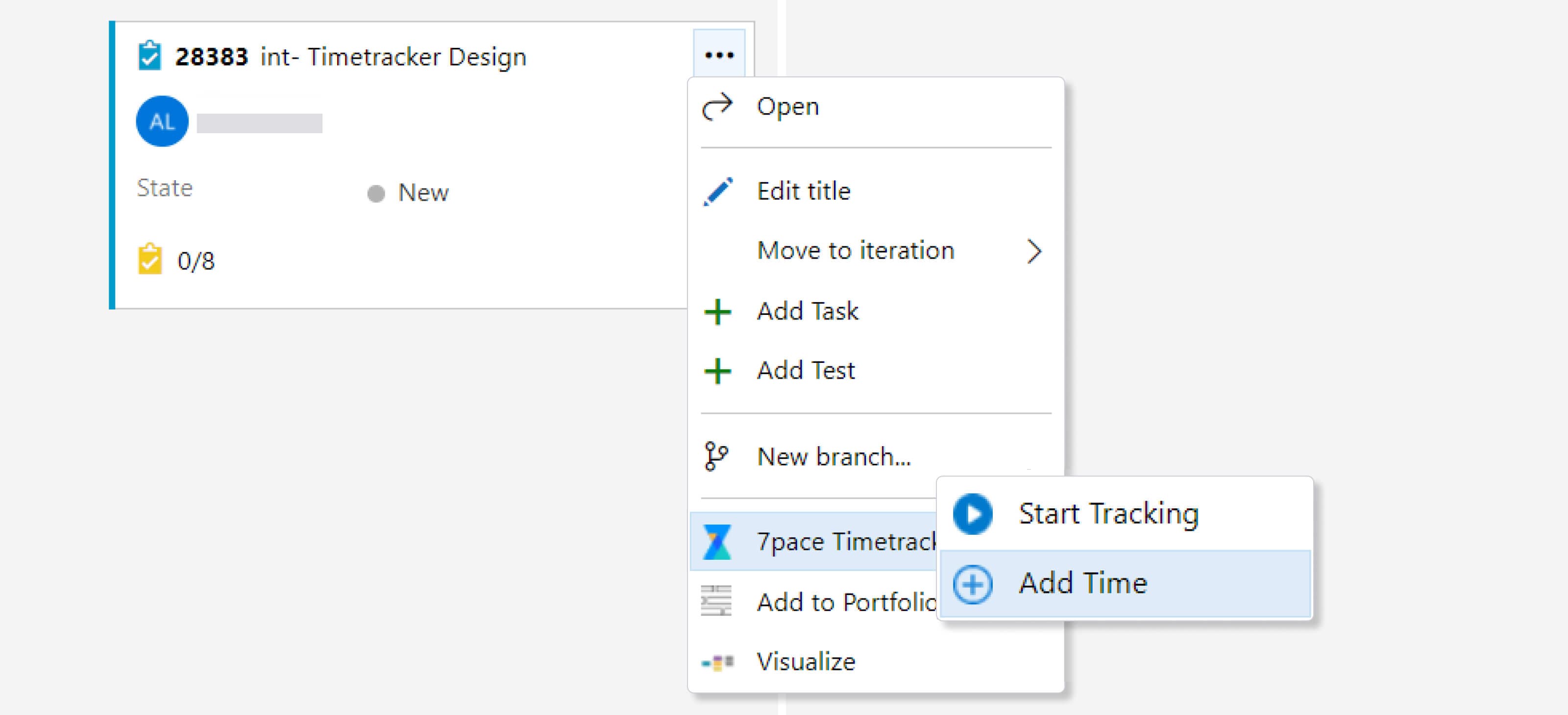
But easy tracking is just part of the story. 7pace Timetracker’s deep integration provides insights into how much time you spend on work items, leading to better estimation and more efficient time management. Understand personal productivity and efficiency based on real data.
If you need to track time to keep managers informed, 7pace Timetracker can save you the hassle. Managers can easily track time spent on each work item, see which team members completed tasks, monitor the current burndown rate, and check if projects are on time and budget.
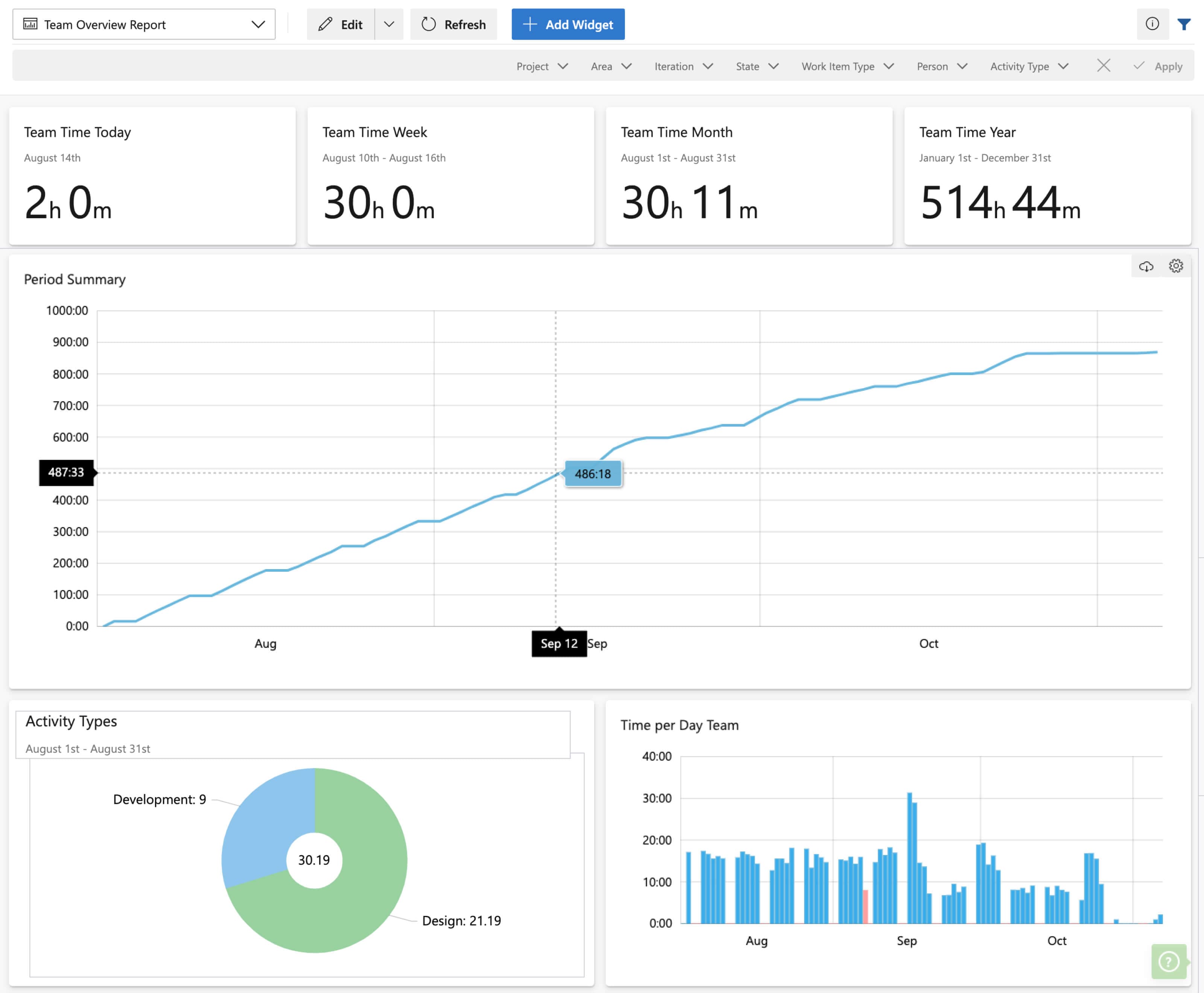
7pace Timetracker uses worklog data to deliver built-in reporting for project status updates, like instant burndown reports. Managers can dive into the health of each software sprint and overall team performance.
Empower your developers to take ownership of their time tracking and gain data-driven insights. Better yet, try the app for free with a trial.
Try 7pace Timetracker for Azure DevOps