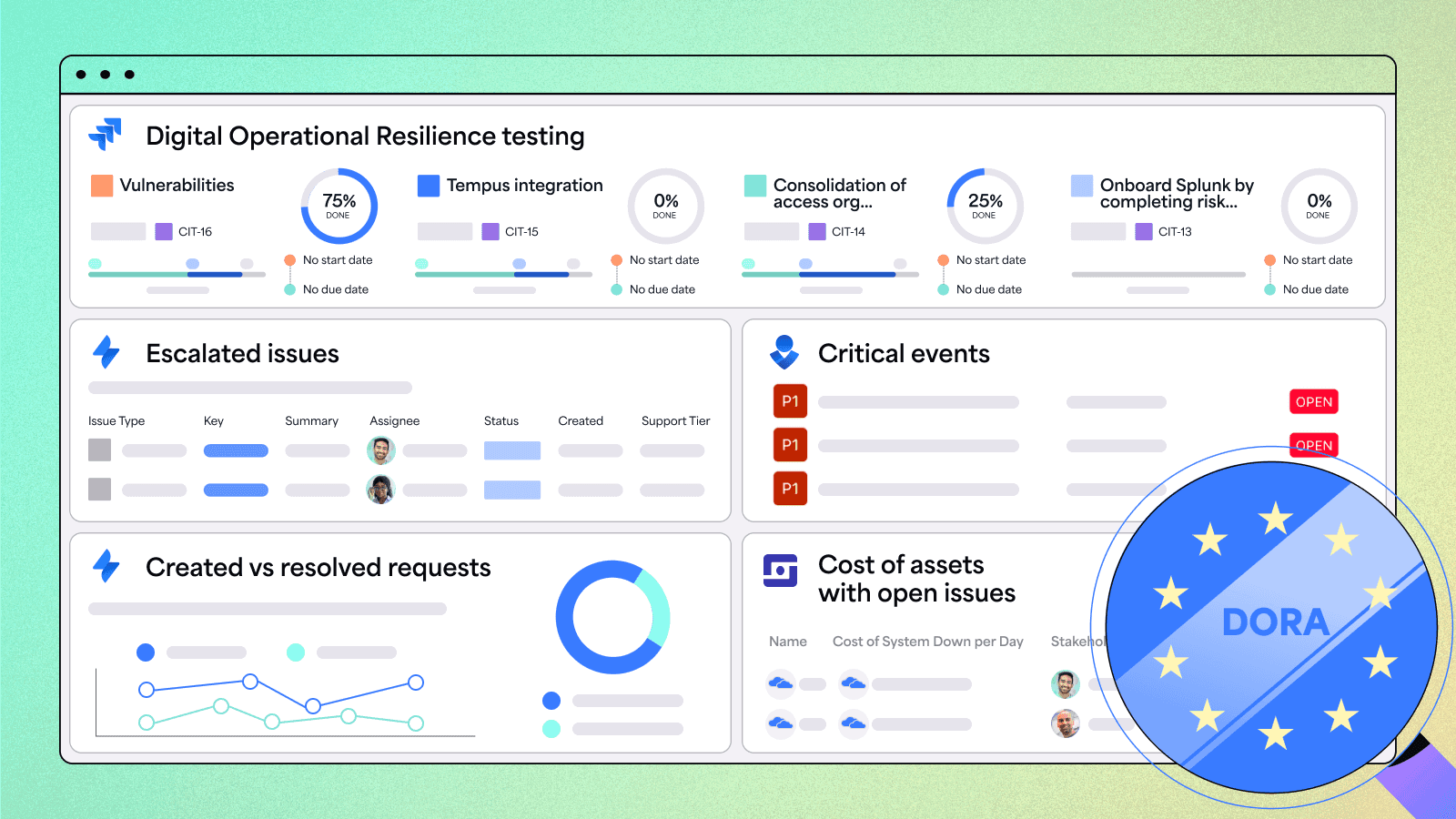

The Digital Operational Resilience Act (DORA) is a sweeping EU regulation aimed at strengthening IT security and ensuring that financial institutions can withstand, respond to, and recover from major disruptions—whether from cyberattacks, system failures, or third-party outages. DORA applies to banks, insurers, and critical Information and Communication Technology (ICT) providers. It even reaches beyond the European Union to include global companies that operate in the region or support its financial infrastructure.
If your organization falls under DORA, you’re already navigating a complex regulatory environment. But compliance isn’t just about checking boxes—it’s about protecting the stability of a financial system that millions of people rely on every day.
That means taking a proactive approach: putting the right controls in place, building oversight into everyday processes, and being ready to act when issues arise. The good news is, you don’t have to start from scratch.
By using Jira and Confluence, you're already in a strong position to build integrated compliance workflows right into the tools your teams use daily. Adopting a connected Governance, Risk, and Compliance (GRC) approach can help you simplify compliance efforts while strengthening operational resilience.
While Atlassian’s System of Work provides the foundation, Appfire enhances it with the automation and control needed to scale compliance end-to-end. Together, they enable you to embed policy, incident, and third-party risk management directly into Jira and Confluence—so you're not just meeting requirements, you're staying ahead.
Curious how it all comes together? Let’s dive in.
DORA requirements at a glance
To comply with DORA, your organization must address these five key areas:
- ICT risk management
Develop a robust framework to identify, assess, and mitigate ICT risks. Conduct regular reviews to stay ahead of threats. - Incident management
Create response plans for ICT incidents, ensuring swift recovery and adherence to DORA’s reporting standards. - Operational resilience testing
Regularly test resilience using DORA-approved methods, tools, and personnel roles. - ICT third-party risk management
Establish principles for managing vendor risks and oversee critical ICT service providers effectively. - Information sharing
Exchange threat intelligence securely to bolster sector-wide resilience.
What happens if your organization isn’t compliant with DORA? Here’s a short list of potential penalties you might face:
- Fines (up to 2% of the annual revenue for institutions or €5,000,000 for critical ICTs),
- Unplanned additional audits,
- Reputational damage and loss of business,
- Suspension of operations.
Given all these factors, meeting DORA requirements isn’t optional—it’s essential. So, how can you take your Jira and Confluence compliance setup to the next level? Let’s explore real DORA-related use cases, common challenges, and how integrated solutions can help you overcome them, delivering stronger outcomes with less effort.
From collaboration to compliance: Unlocking the full potential of Atlassian
Here’s what’s great about Atlassian solutions:
- Jira is great for tracking and managing compliance issues and tasks, helping teams stay aligned and audit-ready with full traceability and accountability.
- Confluence allows teams to centralize policies, procedures, and documentation, ensuring all stakeholders have access to the most up-to-date, approved content in a single, secure location.
- Jira Service Management (JSM) streamlines requests and approvals, enabling teams to build workflows for incident management or vendor assessments, with clear SLAs and audit logs.
These apps are designed to streamline operations and boost productivity, offering robust features that help organizations manage projects and processes effectively.
While Atlassian products provide a strong foundation, they aren’t built for comprehensive DORA requirement compliance out of the box. For example, if you’ve ever tried tracking custom SLAs in Jira or managing policy workflows in Confluence, you’ve likely encountered some roadblocks.
In the next section, we’ll explore common challenges teams face when preparing for audits and provide solutions to overcome them using easy-to-implement apps that enhance Atlassian’s native capabilities for stronger control, visibility, and compliance readiness.
You’ll discover practical, integrated solutions that transform your existing setup into an end-to-end DORA management system seamlessly and effectively.
Compliance monitoring: Key use cases
Staying compliant with DORA is not about checking boxes. It’s about contributing to the resiliency of the financial industry that millions of Europeans rely on daily. Each use case poses unique challenges and requires its own solution. Let’s examine the most common ones and see how Appifre apps enhance Atlassian’s capabilities for DORA compliance monitoring.
1. Risk management and resilience testing
Under DORA, proactively identifying system vulnerabilities is essential to preventing compliance failures. A strong risk management strategy should incorporate resilience testing to ensure continuous risk mitigation and regulatory readiness.
Example: The Compliance Officer at a European investment firm has implemented a new policy requiring quarterly operational resilience tests to assess their ability to recover from cyberattacks.
Challenge: The organization’s IT infrastructure is fragmented, making it difficult for teams to execute and document test results efficiently, raising the risk of missed vulnerabilities.
Solution:
- Jira: Create a resilience testing project to manage, track, and log testing.
- Power Scripts: Configure advanced workflows to automate quarterly stress tests, manage execution, and ensure full traceability by automatically logging risk assessments and test results.
- Dashboard Hub Pro: Aggregate test data across Jira, JSM, and other ICT systems. Export dashboards in seconds to create neat-looking and clear reports for stakeholders.
Outcome: Centralized tracking provides real-time visibility into system vulnerabilities, enabling teams to respond faster and reduce both regulatory and operational risks. This proactive approach helps minimize financial and business disruptions, while giving Compliance Officers a clear, audit-ready view of organizational resilience.
2. Incident response
Delayed incident responses can jeopardize your compliance efforts. Implementing a structured system for logging, tracking, and managing incidents ensures swift resolution, maintains regulatory alignment, and provides a clear audit trail for compliance.
Example: The IT Operations Lead for a German bank spearheads an initiative to reduce incident response time to ensure compliance and operational continuity.
Challenge: Security incidents are delayed or missed due to poor visibility, outdated information, and a fragmented incident management system. It leaves the IT Operations team unable to prioritize or resolve root causes effectively.
Solution:
- Jira/Jira Service Management: Manage ticket logging, categorization, prioritization, SLAs, incident workflows, and escalation.
- Confluence: Build a centralized knowledge base and integrate with JSM, enabling responders to act quickly.
- Power Scripts: Optimize your service desk performance with workflows that prioritize critical incidents. Generate resolution reports using Jira data, including root causes and resolution steps.
- Time to SLA: Differentiate SLAs by priority or request type, surface violations in real time, and generate SLA audit reports with just a few clicks.
- Dashboard Hub Pro: Visualize incident response management data from Jira, JSM, and Opsgenie in a single dashboard for faster insights and decision making.
- Comala Document Management + Comala Publishing: Automate reviews and approvals, then publish approved knowledge articles to a dedicated space for easy responder access.
Outcome: The response team receives accurate incident data in real time, leading to faster incident resolution. The IT Operations Lead has easy access to accurate data in a comprehensive DORA dashboard and can generate reports in the blink of an eye.
3. Third-party risk management
DORA regulations emphasize the need for financial institutions to monitor risks associated with third-party ICT providers. Ensuring vendors comply with security and resilience standards is critical to maintaining regulatory compliance and safeguarding operational stability.
Example: Your bank uses a network of cloud service providers to power key operations. The Compliance Manager focuses on the regulatory burden of vendor assessments, while an IT Operations Lead needs visibility into how those vendors integrate into and impact service delivery.
Challenge: Financial institutions rely on third-party vendors for IT services. However, limited visibility makes it harder for Information Security personnel to monitor and manage vendor-related risks, creating potential compliance issues.
Solution:
- Jira/JSM: Standardize vendor onboarding with structured intake forms. Automatically create linked issues for security assessments and contract reviews.
- Hedge: Create Jira-based risk registers to log, categorize, and track compliance risks across work items. Score risk metrics such as probability and impact to support qualitative and quantitative evaluations.
- Assets & Inventory: Track third-party providers and their associated risks by linking them to Jira issues for incidents and risk events.
- JXL: Visualize and manage escalated risks more effectively using a highly customizable spreadsheet-like interface in Jira. Track real-time priority, ownership, and status to support faster decision-making.
Outcome: The Compliance Officer can verify due diligence and audit trails. The IT Operations teams can proactively monitor third-party SLAs and service impacts without switching between tools.
4. Business continuity planning and disaster recovery
DORA mandates that financial institutions establish and test robust business continuity plans (BCPs) and disaster recovery (DR) strategies to minimize disruptions in the event of cyber incidents or system failures.
Example: The Compliance Manager at your financial services firm tracks system uptime, incident reports, and disaster recovery drill outcomes across multiple locations.
Challenge: Many organizations lack centralized visibility into business continuity plans and disaster recovery processes, making it difficult for Compliance Managers to ensure compliance and readiness. Metrics like incident frequency or system restoration times can be hard to interpret, especially if the data is poorly visualized.
Solution:
- Jira: Create epics or issues for different types of resilience tests (e.g., DR tests, stress tests, failover drills). Log failures, system impacts, or delayed responses as separate risk or incident issues.
- Confluence: Document test results and resolution plans in a centralized location for clear visibility and audit readiness.
- Dashboard Hub Pro: Visualize BC/DR test completion, outcomes, and trends over time with tailored DORA dashboards—customized for team tracking, audit readiness, or executive reporting.
- Comala Document Management: Ensure stakeholders are notified of test results and approve the resolution plan, with all document activity logged for full audit traceability.
Outcome: Dashboards provide executives with real-time insights for informed decision-making, while Compliance Managers maintain traceable disaster recovery drills and testing cycles aligned with regulatory requirements.
5. Audit readiness and compliance reporting
Regular audits are an essential component of DORA compliance. Real-time access to compliance data simplifies audit preparation, minimizes audit disruption, and reduces the risk of non-compliance.
Example: The Compliance Manager at a French insurance company is responsible for conducting quarterly internal audits to ensure preparedness for the organization’s annual regulatory review.
Challenge: Manually gathering data from disconnected systems is time-consuming and error-prone, often leading to outdated information, inefficiencies, and increased compliance risk.
Solution:
- Jira: Create Jira issues for each audit with custom fields for scope, objectives, business area, and regulatory framework (e.g., ISO, DORA, SOX). Use epics to group audits by year, quarter, or department.
- Confluence: Store audit evidence, collaborate with comments and co-authoring, and document final findings, responses, and action plans.
- Comala Document Management + Comala Publishing: Track all document activity, manage version-controlled procedures, automate policy updates, and restrict access to ensure a secure system.
- Dashboard Hub Pro: Compile data from Jira, Confluence, and other ICT systems via APIs, and share secure, password-protected dashboards with auditors to stay organized and audit-ready.
Outcome: Streamlined audit preparation saves the Compliance Manager hours of manual work. Improved policy management and document control ensure data integrity and version accuracy. Seamless and secure auditor access streamlines the exchange of information and protects valuable data from unauthorized access.
6. Information sharing and incident reporting
DORA urges financial entities impacted by ICT incidents to submit timely and detailed root-cause analysis reports to authorities. Open and extensive collaboration with the authorities strengthens the resilience and stability of the European financial system.
Example: After the Service Desk resolves a critical incident, the Compliance Officer shares the root-cause analysis that details how the underlying risks were identified and mitigated.
Challenge: Cross-functional coordination across teams and time zones slows down analysis, while siloed documentation adds complexity and hinders knowledge transfer, making accurate, timely incident reporting a challenge.
Solution:
- Jira/JSM: Implement structured workflows to guide and streamline every step of the incident response process.
- Confluence: Integrate with Jira to create and link root cause analysis documentation to the relevant work item, ensuring full context and traceability.
- Comala Document Management: Automatically apply context-specific workflows to documentation to ensure stakeholders collaborate, review, and approve.
- Scaffolding Forms & Templates for Confluence: Automatically apply a root cause analysis template to Confluence pages to ensure information is captured consistently, accurately, and in the correct format.
- Dashboard Hub Pro: Share secure, real-time dashboard views with regulators or export snapshots from specific time periods.
Outcome: Compliance Officers can demonstrate regulatory responsiveness through timely and accurate incident reports. Password protection bolsters the security of the reports and limits potential unauthorized access.
7. Data protection and access control
DORA requires strict, role-based access to sensitive compliance data to prevent breaches and ensure audit integrity.
Example: Compliance Managers must ensure and prove that critical documents like evidence logs and audit reports are only accessible by authorized personnel, such as auditors and legal teams.
Challenge: Configuring and maintaining granular permissions to ensure only authorized users can view or edit sensitive compliance content is tedious, especially when spaces, projects, or workflows are shared across multiple teams.
Solution:
- Jira/JSM/Confluence: Assign and manage permissions based on user roles and responsibilities; every permission change or access event is logged.
- Comala Document Management/Comala Publishing: Separate draft and approved documentation within Confluence spaces, applying strict access controls to each to ensure only authorized users can view or edit content based on its approval status.
- Dashboard Hub Pro: Restrict dashboards with role-based permissions so IT admins, risk managers, and Compliance Managers see only the data relevant to their roles. Password-protect dashboards and securely share them with authorized external stakeholders as needed.
Outcome: Reduced risk of unauthorized access, with Compliance Managers maintaining complete control over sensitive documentation through role-based permissions, access tracking, and clearly separated draft and approved content.
Overcoming the limitations of Jira and Confluence for DORA compliance
As you can see, continuous, modern compliance is possible with the right software and the right controls. It’s even better to integrate these controls into your existing tech stack for a seamless and truly integrated system.
Jira and Confluence provide solid starting points, but to move your DORA compliance across the finish line, adding Appfire apps is the way to go.
Tighter integration, better visualization
While Atlassian provides strong native integrations, there’s still room to improve visibility and control across apps, especially when managing compliance. By default, Jira dashboards don’t pull in data from Confluence, Opsgenie, Guard, or StatusPage.
A fully connected, cross-platform experience isn’t available out of the box, and the lack of native integration leaves teams managing fragmented data across multiple systems, without a unified view for monitoring and oversight.
Appfire helps close key gaps in the Atlassian ecosystem by enabling teams to consolidate data from Jira, Confluence, Jira Service Management, Opsgenie, Bitbucket, and StatusPage into a single, dynamic dashboard. Structured review and approval workflows in Confluence make it easier to manage and monitor the status of policies, audit reports, and other compliance-critical documents—data that can also be visualized within the dashboard.
With support for custom integrations via REST/API, you can surface metrics from nearly any system. These solutions extend Atlassian’s native capabilities, empowering you to build custom metrics, charts, and formulas that evolve with your processes, delivering a complete, real-time view of your compliance posture.
Internal sharing vs. external access
Jira and Confluence make it easy to collaborate and manage data within your organization, with built-in permissions to control who can view or edit content. However, sharing compliance data with board members or auditors requires an Atlassian account, which creates unnecessary friction and additional costs.
That’s where Appfire apps take things further. They enable secure, flexible sharing options like exporting dashboards and reports, generating password-protected links, and sharing individual items without requiring external users to log in.
You can also streamline document reviews and approvals, track risks and projects more effectively, and unify data from across your Atlassian tools—all while maintaining strict access controls. This results in better collaboration, easier compliance reporting, and complete confidence that sensitive data is only seen by the right people.
Turn Jira and Confluence into a compliance powerhouse with Appfire apps
Together, these apps help you create a centralized, transparent, and audit-ready environment, giving you deeper insight into your compliance posture with just a few clicks.
However, the capabilities go way beyond DORA compliance. By turning Jira and Confluence into a single source of truth, you empower multiple teams to access, share, and act on critical data more efficiently and with greater confidence, driving smarter decisions across the business.
For example,
- DevOps and Engineering teams can track development cycle velocity and visualize deployment metrics more clearly.
- Product managers can measure progress against roadmaps and timelines. HR teams can keep track of hiring and onboarding progress.
- Project managers can visualize timelines, resource allocation, and task completion rates, to name a few. With clear data, they can identify bottlenecks and deliver on time.
- Executive leadership can easily track KPIs and monitor strategic goals and overall company health.
Curious to see how Appfire can help your business? Our Solution Advisors are here to help. In a personalized demo, they’ll explore your goals and walk you through the apps best suited to your needs, whether it’s a single app or a powerful combination.
Book a demo