

Recently, I've used my 20% time allocation to make a new Jira plugin available from the Atlassian Marketplace Image Annotator for Jira. The idea behind this project was to create an image editor for image attachments, seamlessly integrated with Jira. One of the challenges I encountered was handling attachments directly from frontend code (this plugin is 99% made in JavaScript).
After finding out the correct REST path to make the AJAX calls (/rest/api/2/issue/ISSUE_ID/attachments), the question was, what should be set as a data argument? Jira requires the request to be multipart, so if you want to use jQuery's ajax method, then you have to use the FormData object:

But it turned out that it was not enough. Jira complained about the image name not being sent with the request. Quick research revealed that FormData.append() method has two versions. The third argument can be added, and this third argument is the file name. Exactly what I was looking for! Please be advised that some IDEs, like IntelliJ IDEA, say that FormData.append() takes only two arguments, not three. Yet, I tested this method in 4 different browsers (Chrome, Firefox, Safari, and IE11), and in all of them, adding a third argument worked fine. So, finally, FormData.append() looked like that:

You may wonder what this blob is. The blob type is just a representation of our file that is going to be attached to an issue. This is raw data; in every case, this object should be created differently. In the most simple case, plain text file, the code is following:

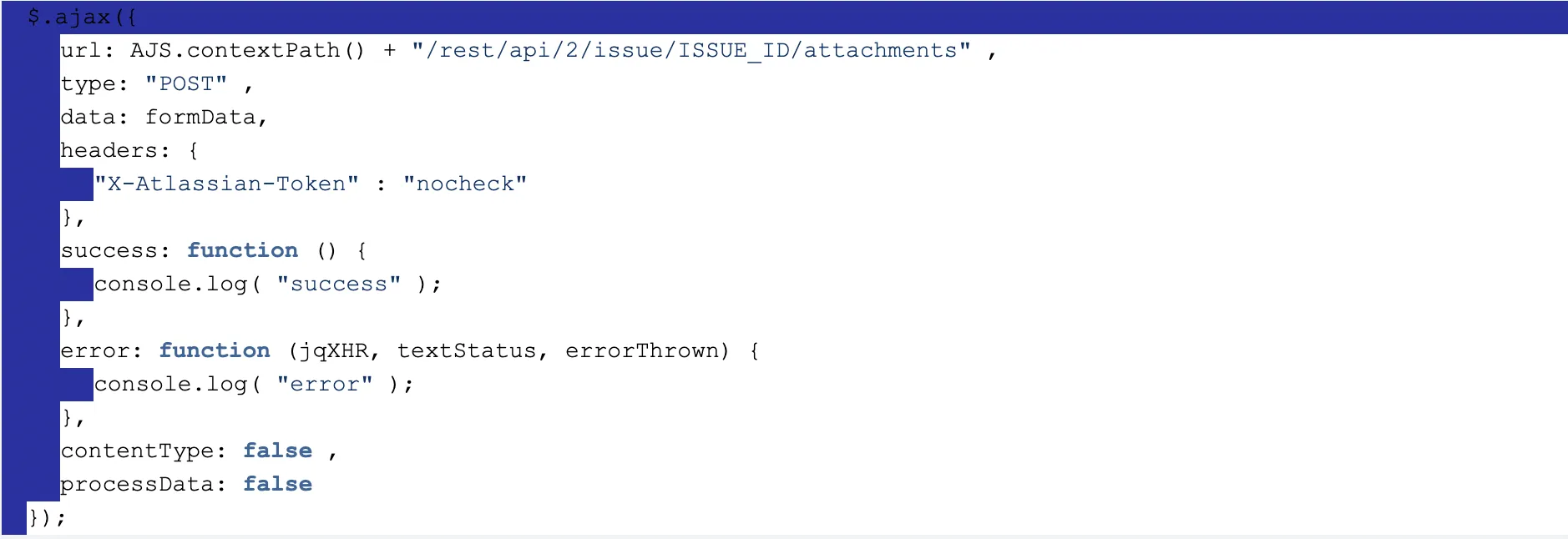
Finally, having all the data we need, we can make the ajax call:
I hope you will find this article useful, and it took me quite a while to find out how to create a proper data object and save it as an issue attachment, all done in JavaScript code.
Last but not least, I encourage you to try our brand new plugin, Image Annotator, for Jira. If you like it, you can vote for it on Codegeist Hackathon (only a few days left!). Every vote counts.