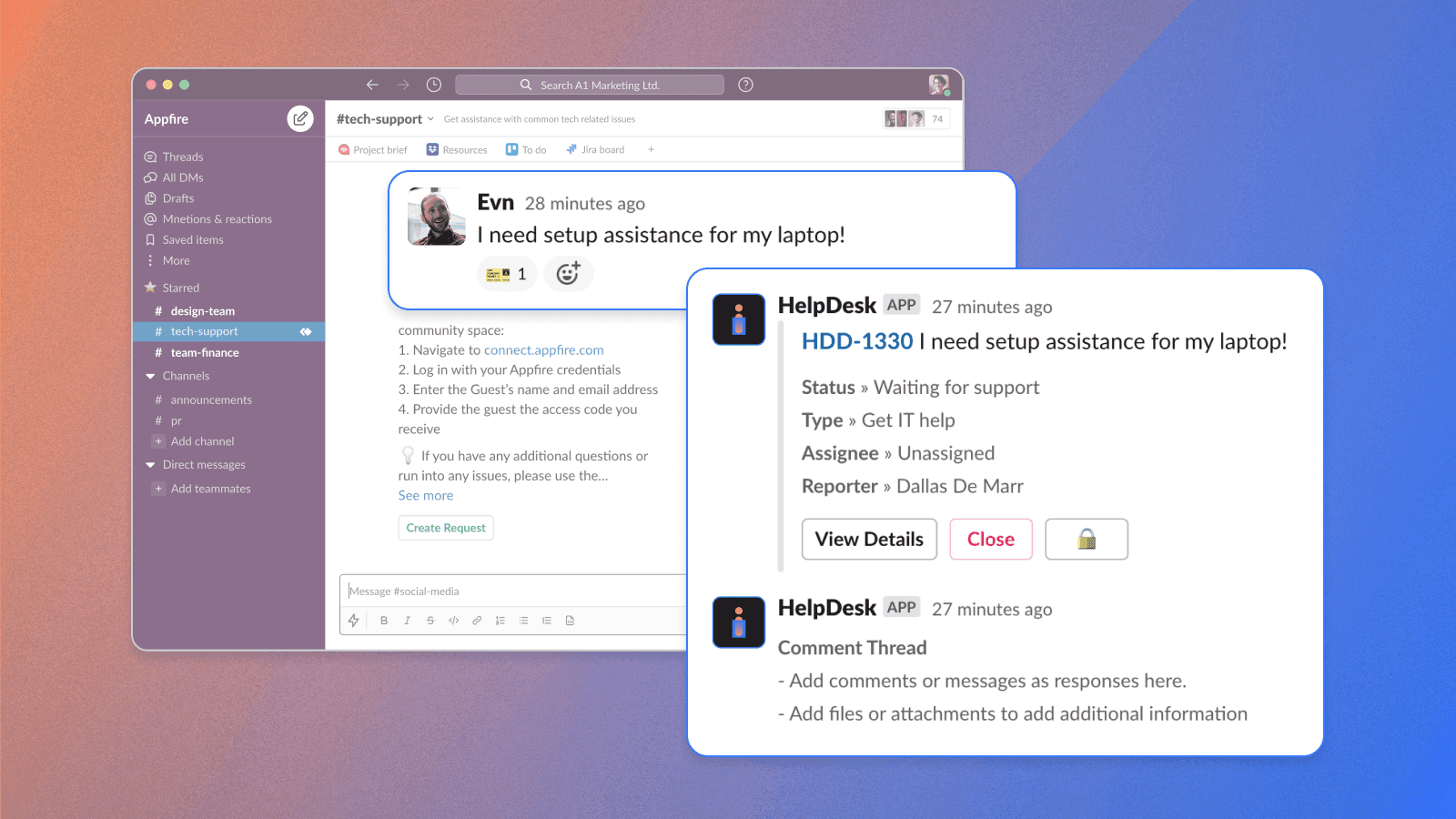

According to a poll of IT decision-makers, 65% of Fortune 500 companies use Slack, and 91% use Microsoft Teams. And customer acquisitions of these chat apps are increasing. That’s why smart companies are looking for a way to use Slack and Microsoft Teams for support: They want to resolve issues quickly, minimize disruption, work with centralized data, and give people a convenient way to receive support in channels they already use.
Managing general support and implementing conversational ticketing might seem daunting, especially when you use multiple channels. But you can centralize and manage issues easily from one space.
What is JSM, and how can integration with other apps enhance ITOps?
Jira Service Management (JSM) from Atlassian helps you handle requests, incidents, and upcoming changes. With JSM, you can receive, track, prioritize, organize, manage, and resolve issues in one place. The software is excellent for bringing teams together to manage issues more effectively.
Connecting JSM to other solutions offers additional benefits, like better communication, increased productivity and effectiveness, and enhanced collaboration. Let’s explore the options.
Integrating JSM with a chat platform
If you and your team communicate via Slack or Microsoft Teams, then integrating JSM with your chat platform can help you manage and resolve all incoming issues without leaving your software of choice.
“Conversational ticketing” is real-time assistance between Jira Service Management agents and users via chat platforms. This type of ticketing is especially useful in remote and hybrid work because it enables support agents and customers to interact in real-time.
What benefits does integration offer?
Integrating your chat platform — like Microsoft Teams or Slack — with JSM benefits your team, company, and customers. Because enabling conversational ticketing offers much more than just the ability to resolve issues from the message level.
- Fast, centralized issue resolution
Connecting JSM to a chat platform makes you aware of upcoming issues more quickly. Inquiries from different channels come into one place where your team can address them quickly. The customer gets help faster. Without integration, support teams need to switch between emails, social media direct messages, helplines, and other channels to find incoming inquiries.
- Increased visibility and efficiency
With conversational ticketing, requests are captured and tracked without the need to create and update tickets manually. You reduce administrative workload and enable the IT team to focus on resolving issues. And by adding a request management solution, you can update Jira issues from chat tools without switching contexts.
Conversational ticketing improves efficiency for customers, too, because it minimizes confusion about how to get support, and reduces the need to fill out forms or reach out via several channels.
- Increased customer satisfaction and improved customer experience
According to Salesforce’s State of the Connected Customer report, as many as 82% of customers expect to solve complex problems by talking to just one person. Being redirected to another channel or having to explain their issue several times to different people just doesn’t fly anymore.
By implementing conversational ticketing, you enable customers to engage with support teams in a more approachable, hassle-free, and human way.
Other benefits include greater collaboration, more data and insight, better trackability, increased productivity, saved time, reduced costs, and faster resolution times.
And integrating JSM with a chat platform supports a wide range of other business teams, not just traditional IT service desk operations. This versatility is especially important in regulated industries like finance, government, and healthcare, which have stringent security requirements.
You need an integration solution that prioritizes security without compromising functionality — one that specializes in integrating Jira Service Management with Slack and Microsoft Teams. For example, HR teams can handle queries about benefits and onboarding, sales teams can handle deal desk and CRM updates, and legal teams can handle contract review requests.
This area — known as Enterprise Service Management (ESM) — aims to streamline processes, improve communication, and enhance collaboration by applying ITSM practices to non-IT functions.
Of course, there are also plenty of solutions that can help your support team. Integrating apps to automate and streamline your IT operations makes it easy to provide or receive support in the channels your teams already use.
About HelpDesk+
HelpDesk+ offers a powerful, two-way integration between Jira Service Management and Slack or Microsoft Teams. This streamlines request management workflows by giving employees a convenient way to receive support in the channels they already use while ensuring everything is captured in Jira Service Management.
The benefits of HelpDesk+
- Auto-generated support requests, message shortcuts, and status alerts to boost efficiency and keep you up-to-date
- Seamless ticket creation, assignment, editing, and resolution within Slack and Microsoft Teams
- Two-way synchronization between Jira Service Management and chat platforms for smooth information flow
- Simplified workflow integration with one-step emoji actions
- Customizable auto-responses, notifications, and reporting
- AI-powered chatbot that suggests articles from your knowledge base as recommendations for self-service
- Mirrors the service desk in Slack or Microsoft Teams so conversations and updates are synced in real time
- HelpDesk+ features that aren’t available in Atlassian Assist, like capturing chat details in Jira Service Management, including emojis, attachments, and special formatting
Advanced features and functionality
Maximize productivity by eliminating context-switching.
With HelpDesk+, IT and support teams manage the entire support lifecycle within Slack or Microsoft Teams. This integration eliminates the need for users to switch back and forth between their preferred messaging app and Jira. Everything, from initial request to resolution, happens within the chat platform.
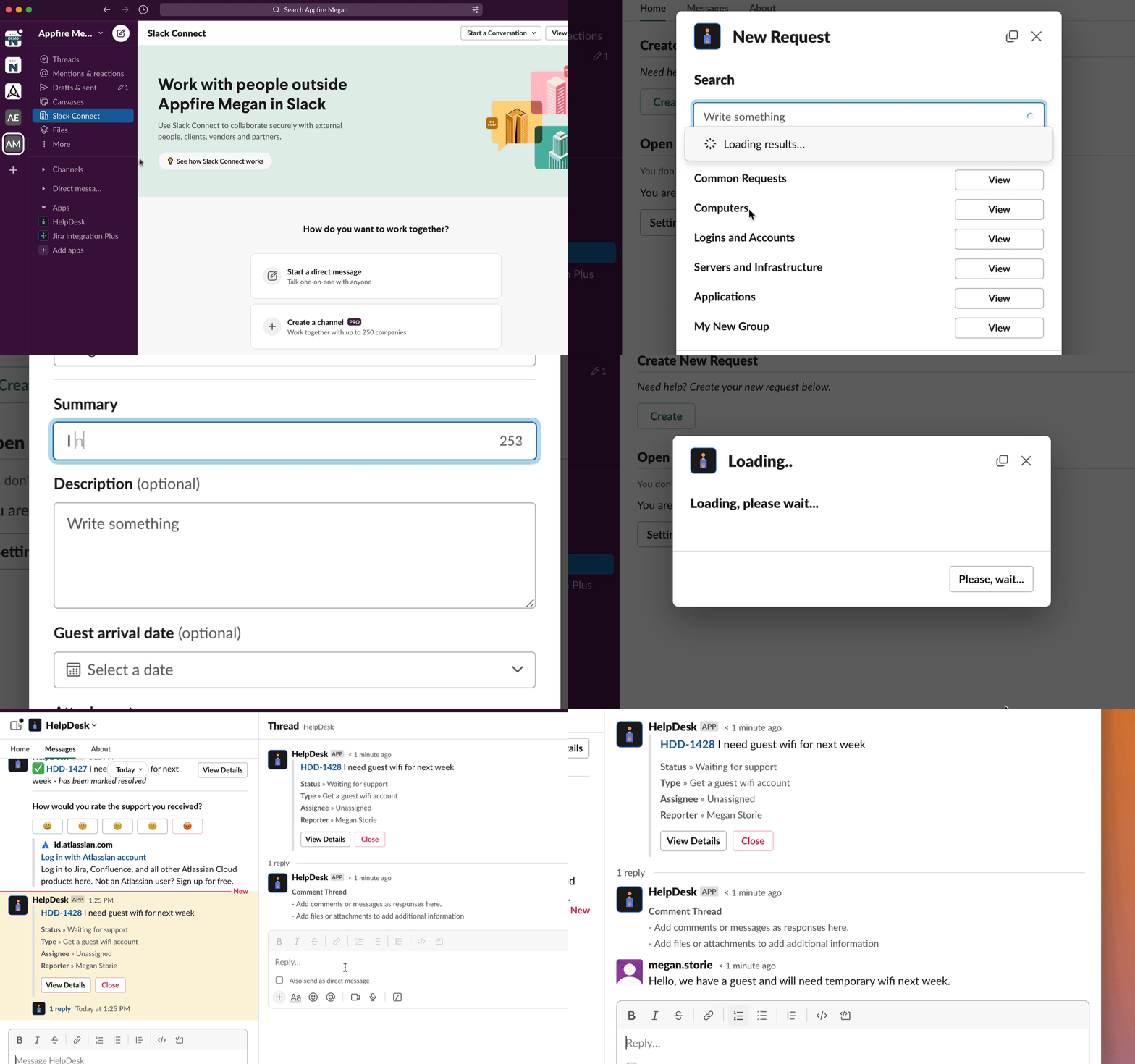
Two-way synchronization keeps formatting, attachments, and emoji reactions consistent across both platforms, creating natural, conversational interactions without losing important information.
Boost customer satisfaction with advanced self-service.
The right integration app provides users with self-service options. HelpDesk+ comes with an array of options for end-user self-service. An AI-powered auto-response feature helps users find solutions independently.
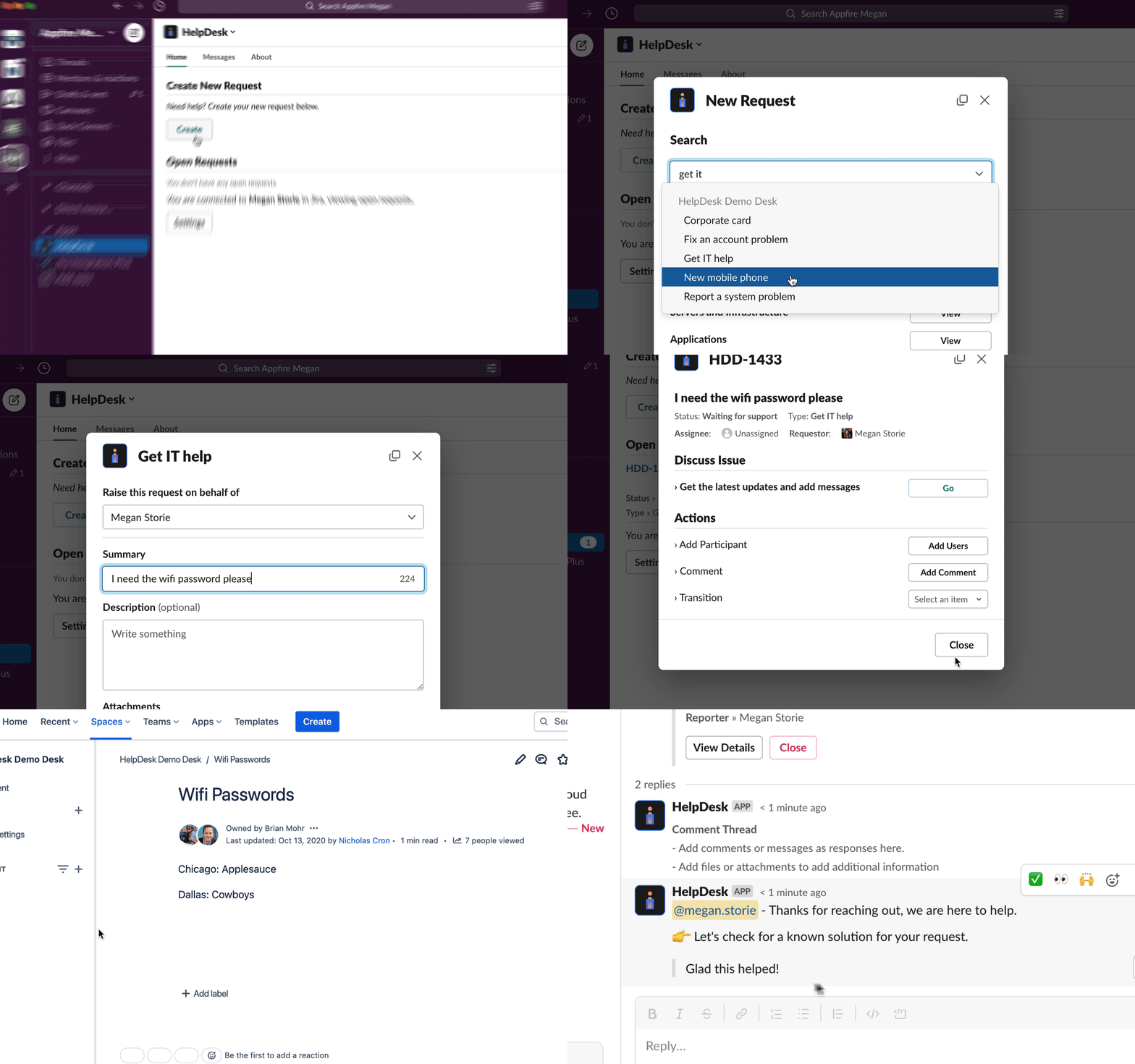
HelpDesk+ also offers issue deferment technology that allows for customizable responses, including custom buttons and knowledge base integrations. You can set up tailored auto-responses for each audience in Slack and Microsoft Teams, leading to more self-reliant customers and freeing up agents to handle more complex issues.
Improve key ITSM metrics with an enhanced agent toolkit.
An integration app should streamline agent workflows and make IT assistance as straightforward as possible. This efficiency, in turn, will improve metrics like response times and meeting SLAs.
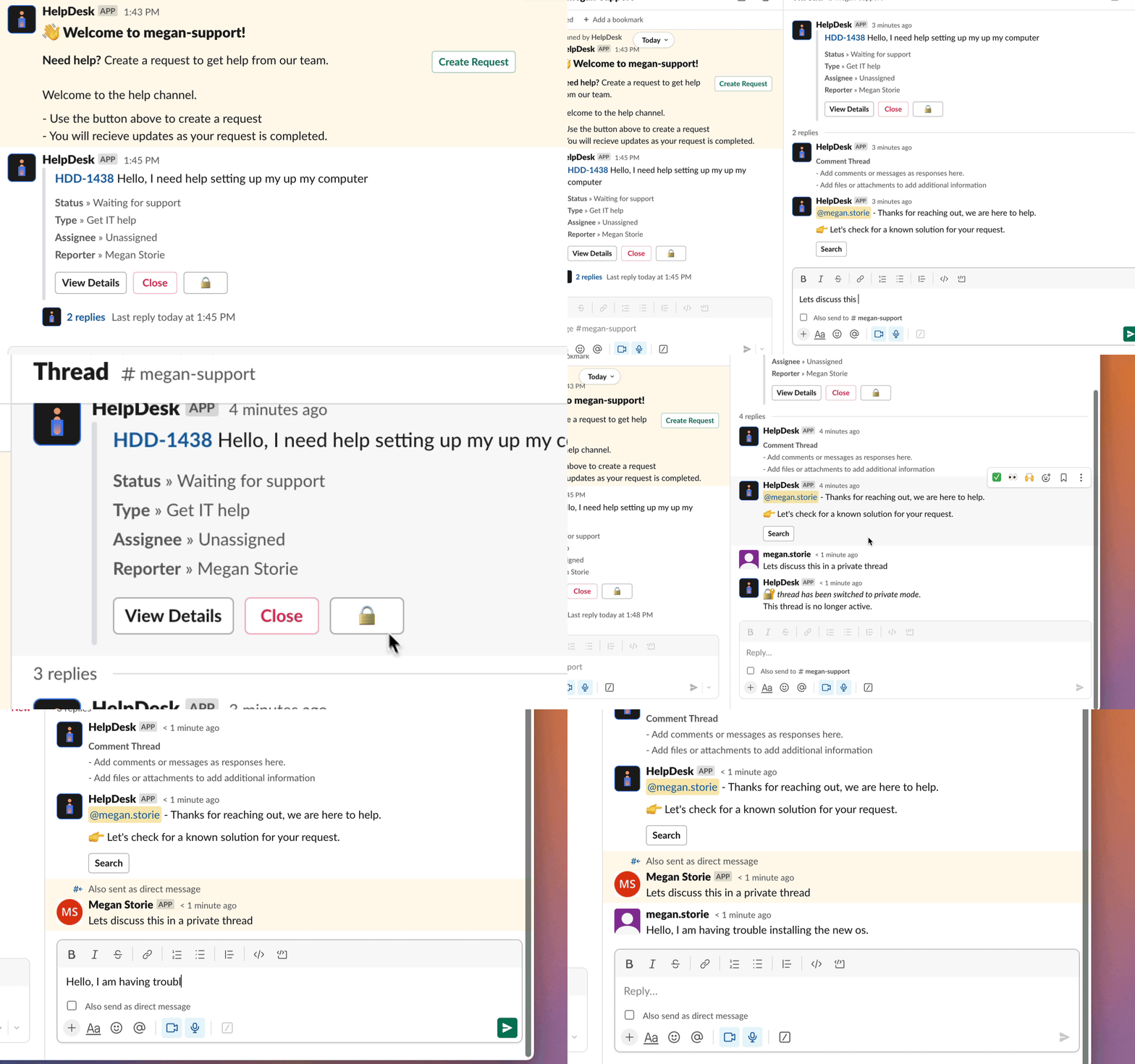
HelpDesk+ features like advanced routing settings, auto-create, auto-remind, and off-hours responses organize support channels, simplify issue tracking, and set clear user expectations. Internal and external comments provide agents with discussion flexibility while controlling customer visibility.
Data Center or Cloud?
As part of Atlassian’s shift towards Cloud, Atlassian Assist will soon be exclusive to Jira Service Management Cloud customers starting May 9, 2024. Similarly, Halp's conversational ticketing feature in Jira Service Management will be Cloud-only from June 4, 2024.
But if you’re not ready for the Cloud yet, don’t worry: HelpDesk+ for Data Center will continue offering advanced features and functionality to keep customers like you ahead of the curve.
How to set up HelpDesk+?
Integrating Slack and Jira Service Management
This is important: Agents must have both a Slack user account and a JSM agent account to set up successfully. Users can connect to existing accounts and create new ones.
Once in Slack, scroll down to the “Apps” section and choose the HelpDesk+ app to connect your Slack and JSM accounts. Then, you can proceed with the setup. Depending on how your company handles requests, several methods exist to set up support channels.
One way to do this is by working in support request channels, which means:
- By submitting a Slack message to your support channel, your end user asks for assistance.
- Depending on how you configure your support channel, you can produce a ticket manually or automatically.
- You can reply as an agent in the Slack channel started by the newly submitted help ticket.
Another way to go is by working in agent alert channels:
- Notifications of service requests will appear in your alert channels as Slack messages.
- The tickets can be assigned to another agent or the agent on that channel.
- You can speak directly with the person who submitted the issue by clicking on the thread created from the notifications.
- Every discussion you have with the person asking for assistance is linked to the relevant service ticket.
Integrating Microsoft Teams and Jira Service Management
Before we start, make sure you’ve installed HelpDesk+ on both Microsoft Teams and Jira Service Management.
- To install HelpDesk+ on Microsoft Teams, start by clicking on Apps in the left sidebar in Microsoft Teams.
- Then, type HelpDesk into the app search bar.
- Click Add on the HelpDesk+ card that appears.
To install HelpDesk+ on JSM, follow these steps:
- Go to the HelpDesk+ page at Atlassian Marketplace.
- Click Try it free.
- Click Start Free Trial.
- If you’re signed in to multiple Jira accounts, select the site where you want to install the application.
- Once installed, click Manage app.
- Click Configure.
To get the most out of HelpDesk+, use it regularly to review performance metrics and identify areas for improvement. That’ll help you recognize patterns and quality of service, identify inefficiencies and bottlenecks, and help your team review areas where agents need extra support or resources.
Want to try HelpDesk+?
If you’re a Data Center or Cloud customer seeking advanced features and functionality for Jira Service Management, give HelpDesk+ a try. See how the app’s agent toolkit — including issue deferment, knowledge base integration, and customizable controls — can revolutionize your IT service management.
If you’re wondering how HelpDesk+ would work for your organization, start your free trial or schedule a quick demo with an expert. With the right app, you can boost efficiency and put your team to work on strategically valuable tasks today.
Get started