
Did you know that reducing context-switching can save around 2 hours per agent each week? Whether your company has one support agent or one hundred, eliminating the need to context-switch will save your team time (which, in turn, saves your company a lot of money).
Automate your service desk: integrate Slack and Jira Service Management
As your company scales, managing and responding to a growing number of tickets and messages can get overwhelming. When inquiries and requests increase, automating message handling and ticket creation becomes essential. HelpDesk+ offers a powerful solution by providing a two-way integration between Slack and Jira Service Management, seamlessly connecting your communication platform with Jira.
Below, you’ll find instructions for installing and configuring HelpDesk+, but first, here are some ways HelpDesk+ can help your team get more done faster.
How HelpDesk+ automates responses and ticket creation
HelpDesk+ enhances your service desk by automating responses and ticket creation in designated channels. It can provide links to create requests or custom buttons pointing to documentation for more information. Key features and use cases include:
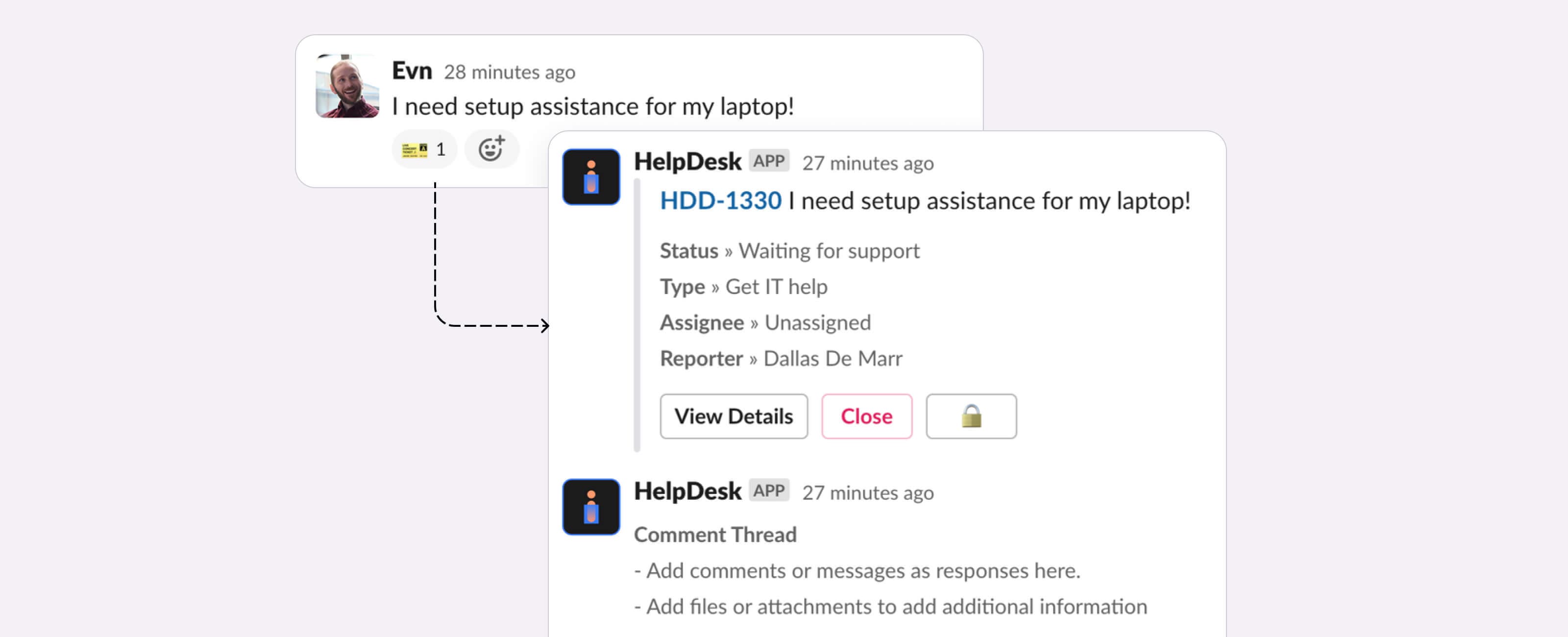
- Automatic ticket creation: Ensure every conversation gets instantly converted into a Jira ticket, and responses are synchronized as comments in real time. Automatically create tickets for common inquiries like onboarding, credential retrieval, and other frequent support tasks.
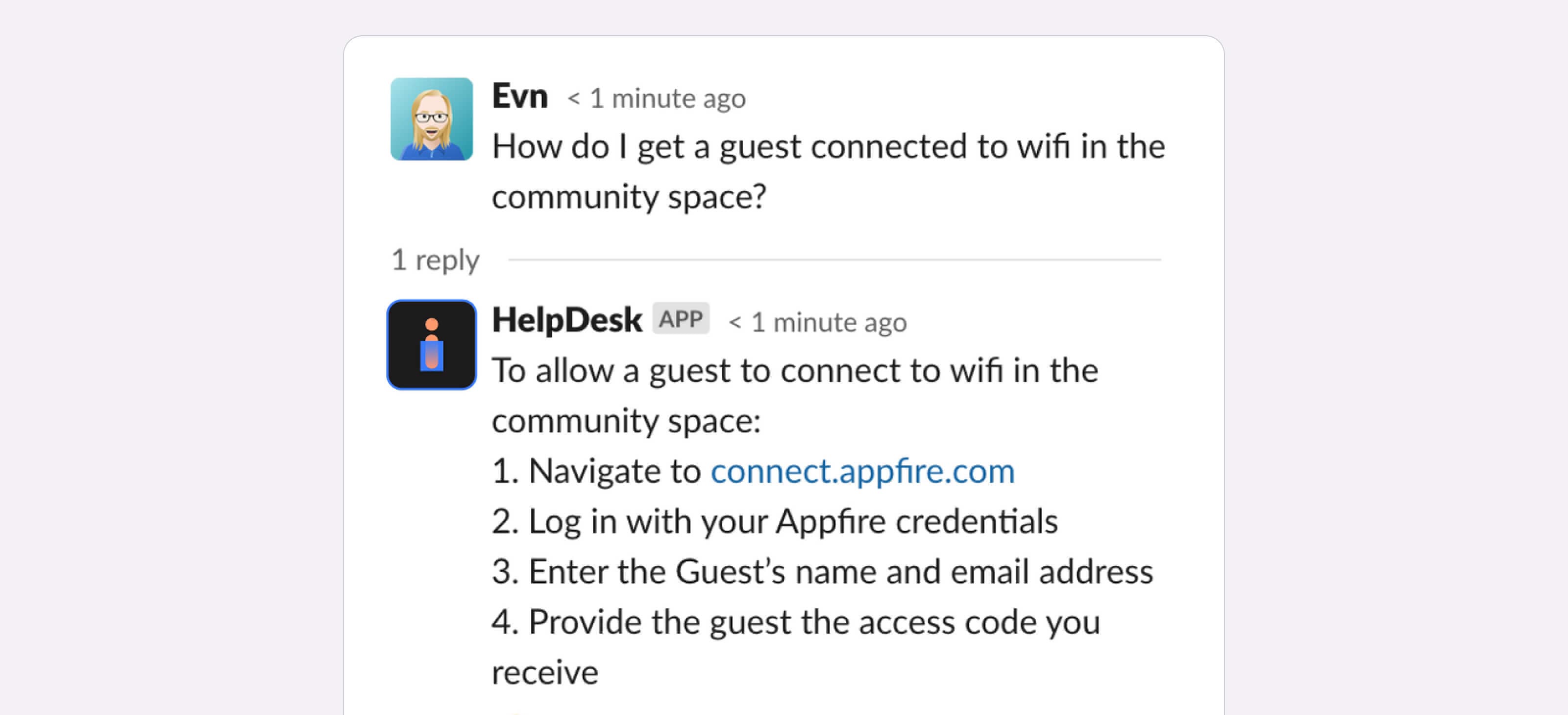
- User interaction: Respond to any user message with options to create help requests or navigate to custom URLs. You can also use the app to recommend articles from your knowledge base, freeing up support staff time.
- Management: Track all activity by ensuring a ticket is created for each interaction. No requests get lost in Slack.
- Organizational efficiency and support: Create a generic ticket for each message to streamline support processes and reassure end users that you’ve received their request. Proactive communication improves the user experience and boosts customer satisfaction (CSAT) ratings.
- Onboarding: Facilitate the onboarding process by automatically generating tickets for new employees, which ensures a smooth and efficient start for them.
You can add HelpDesk+ to your channel and configure it for auto-creation in a few easy steps.
Getting started with HelpDesk+
To get started:
- Install HelpDesk+ to your workspace.
- Download the companion Slack app.
- Connect to Jira.
- Configure support channels.
- (Optional) Provide a Create Issue or Custom button.
Here’s how it looks in practice:
Auto-response in action.
Auto-create in action.
HelpDesk+ is powerful, intuitive, and offers a wide variety of practical uses. And you can tailor the app to suit company and client needs. Learn more about how HelpDesk+ can transform your IT support or try the app for free now.
